For iPhone, swipe the message left to delete it. For Android phones, click on the
corresponding alarm message and select the delete icon in the upper right corner of
the message to delete the alarm message.
12.3 Mobile phone storage location of local recording
The local recording will be stored in the file SD card /DCIM/Eye4, you can find and
open the video recording in this content.
13.4 Mobile phone storage location of local picture
Click the “snapshot”button to take photos, and the local snapshot will be stored in the
file SD card/DCIM/Camera, you can find the snapshot there.
13. Change the APP language
You can change the APP language in your phone system’s language.
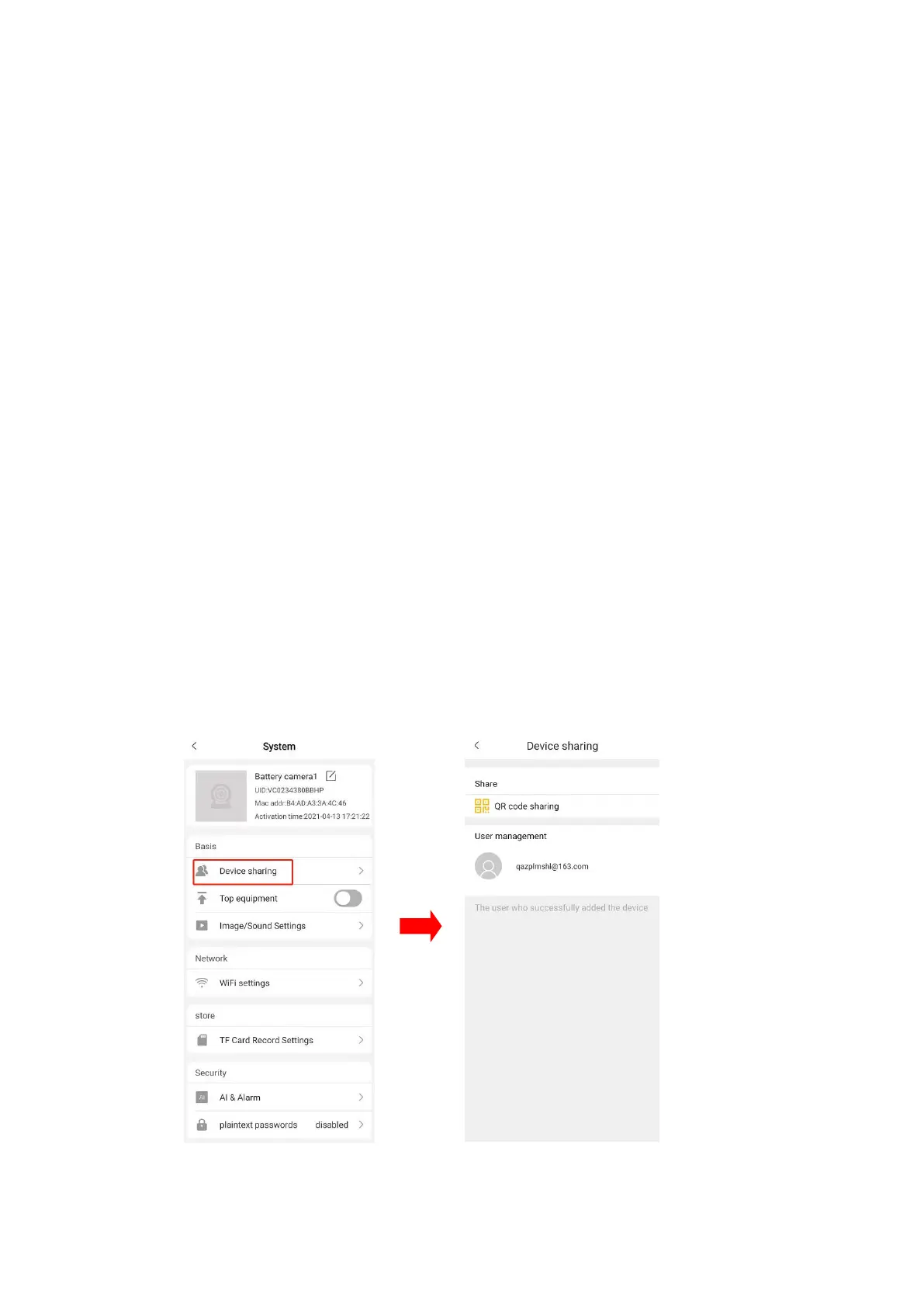
14.Check the camera current users.
Click “device sharing” and the user name using the shared camera will be
shown under the user management. At most 4 users can use the same
camera at the same time.


 To Next Page