10.Image quality adjustment
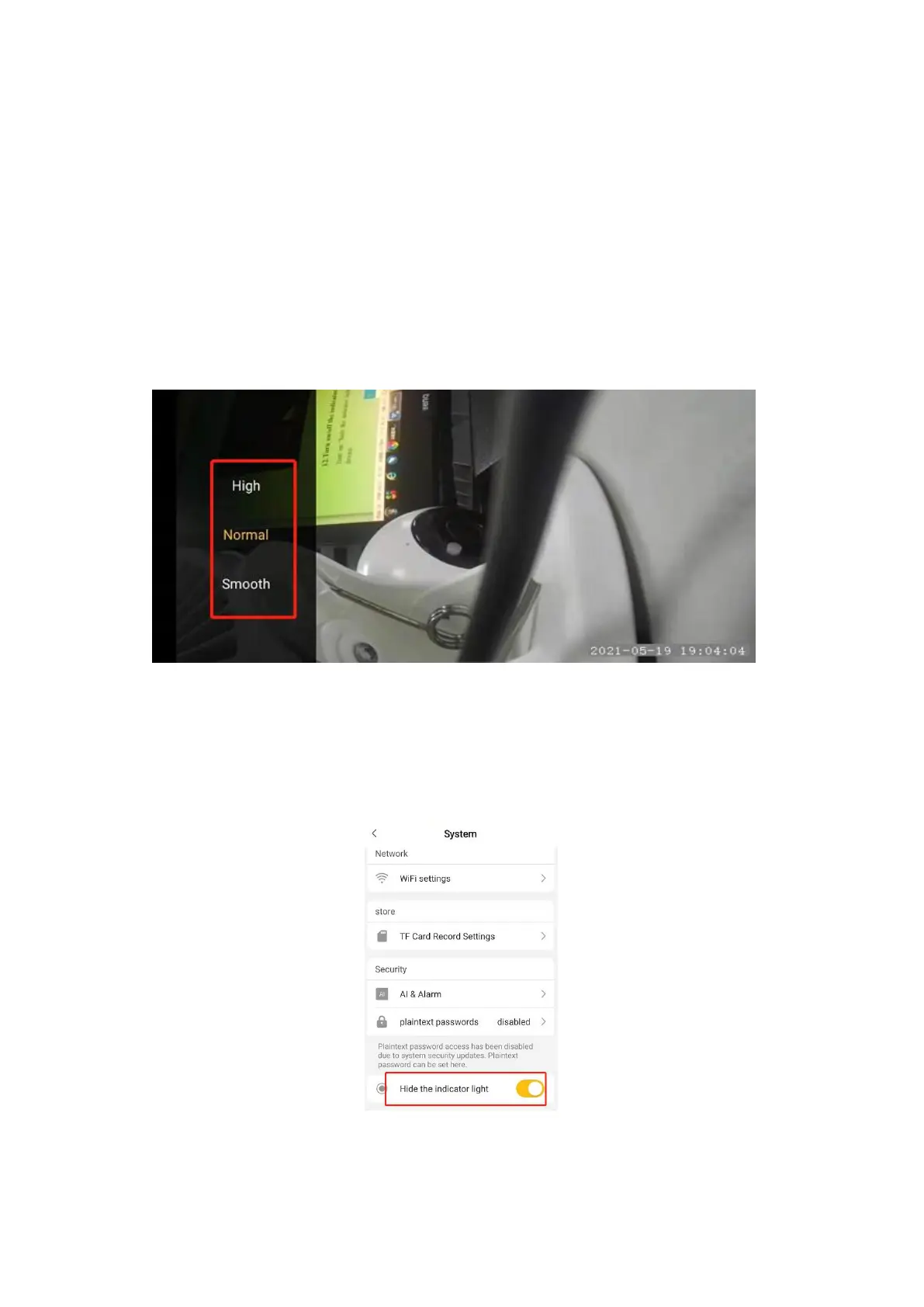
1. Login the APP→click to watch camera→click the button at the lower right corner
in the live video to switch to the full-screen model→tap the screen →at the
meantime, the picture quality adjustment button will appear in the lower left
corner of the screen.
2. There are Smooth,Normal,High,Super HD from low to high to choose from. the
higher the picture quality,the more the network bandwidth it takes.
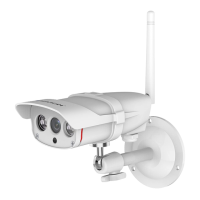
11.Turn on/off the indicator light
Turn on “hide the indicator light” button to close the blue light behind the camera
device.


 To Next Page