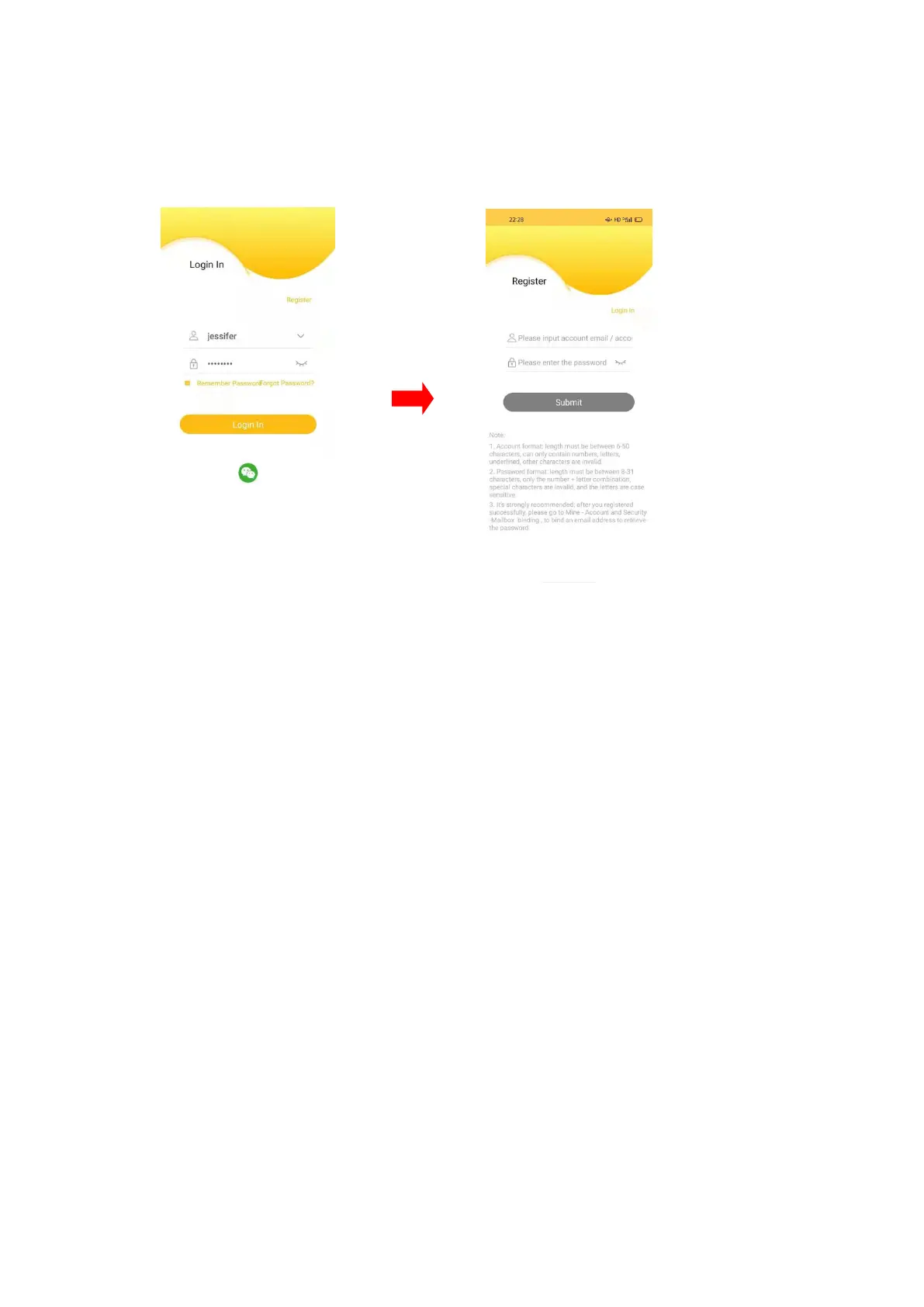
Launch the APP, and click the register,fill in user name and password,then click
submit.
Note: After you login, please go to “Me-Account & security-Bind Email”to bind your
account with your email address, for retrieving your forgotten password.
3. Add the camera to the APP
3.1 After logging in to the APP, click "Add Device" on the homepage or "+" in the
upper right corner,follow the APP instructions to complete the configuration and
addition of the camera.


 To Next Page