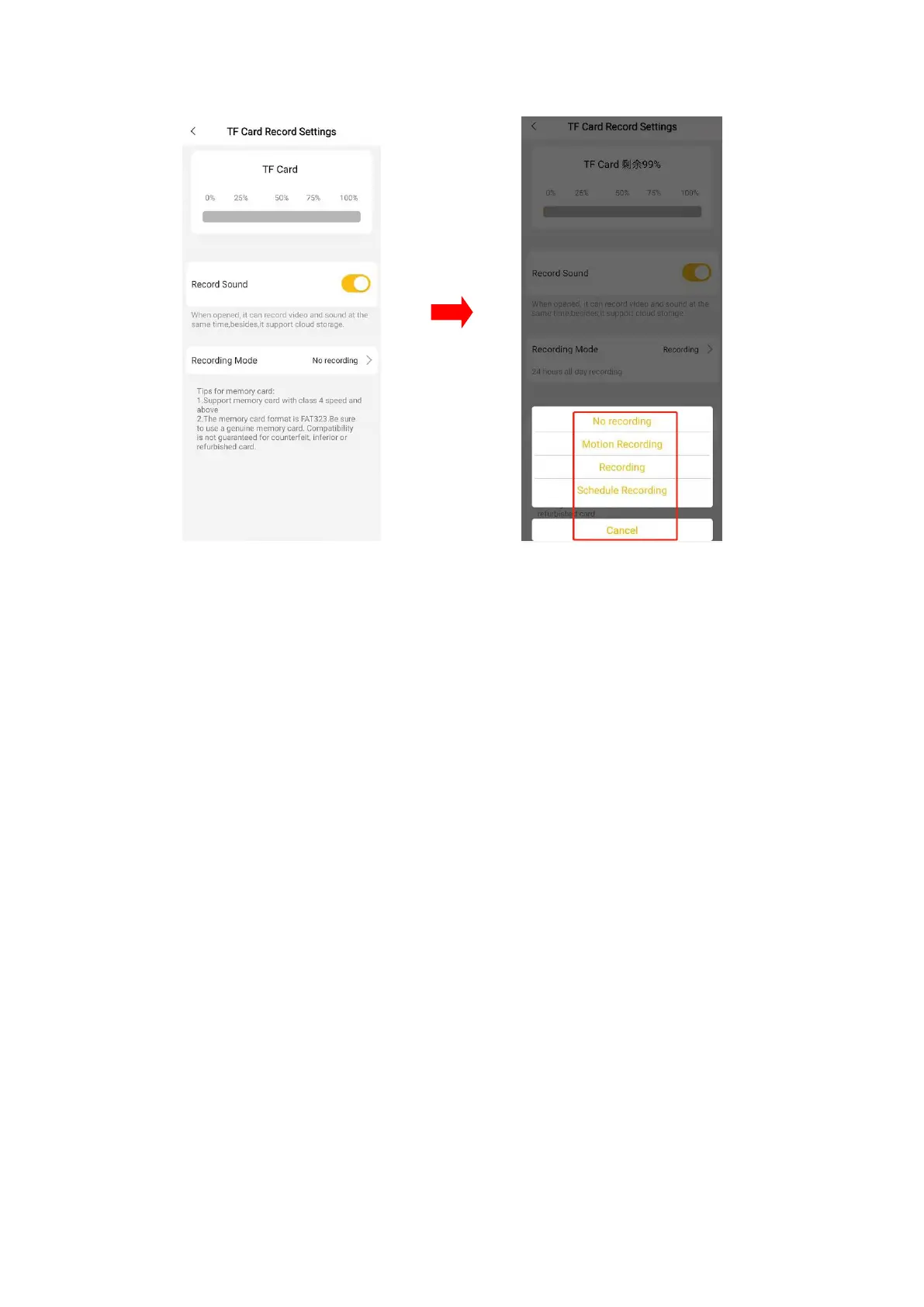
TF card recording mode can also be set here. There are modes of No recording, 24h
recording, Schedule recording and Motion recording.
If you need to record with sound, you can turn on the "Record Sound" option (Note:
this function is only supported for cameras with microphones).
Format: Click "Format" to format the TF card. After formatting, all files in the TF
card will be removed.
6.2 Schedule Recording
Choose “schedule recording”, set the time period you want to recording in “add
period” , and click “save” for keep the settings.


 To Next Page