9
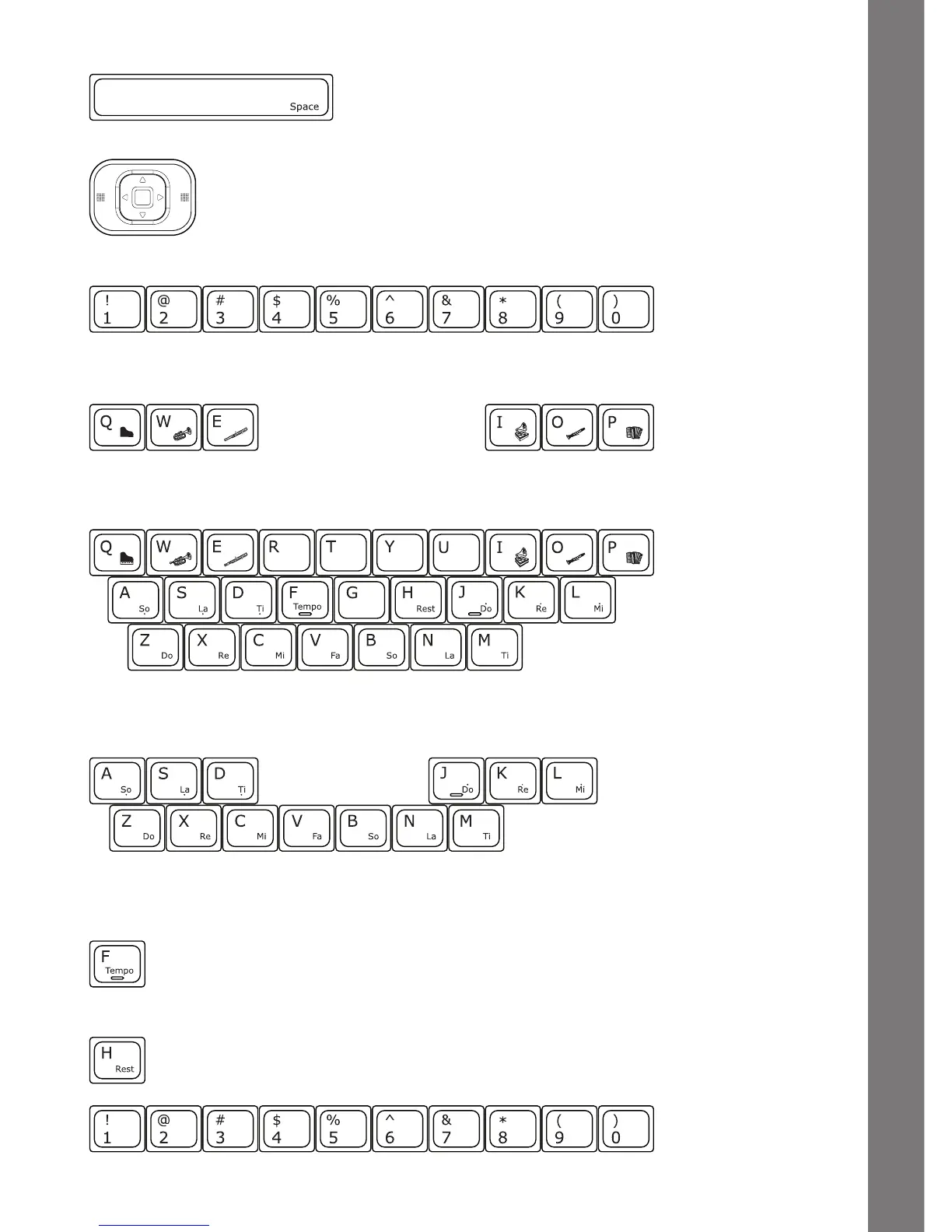
Space Bar: When typing, use this key to insert a
space between words, letters or numbers.
Cursor Pad: Use the cursor pad to move the cursor on the
screen. Press the Enter button on either side of the cursor pad to
select.
Number Keys: Use these keys to enter numbers in number activities.
Letter Keys: Use these keys to enter letters in letter and word-related activities.
Musical Note Keys: Use these keys to enter musical notes in music-related
activities.
Instrument Keys: Use these keys to change the instruments in music-related
activities.
Tempo Key: Press this key to change the melody tempo in
music-related activities.
Rest Key: Press this key to insert a musical rest in Little Musician.
PRODUCT FEATURES







 To Next Page