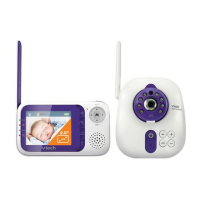
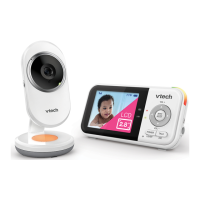
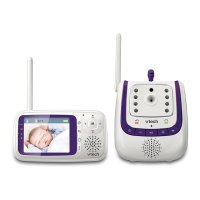
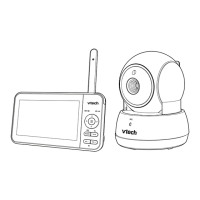
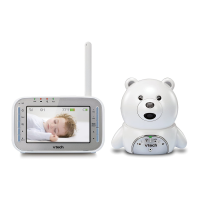
The VTech BM3350N and BM3350N-2 are full-color video monitors designed to help parents supervise their baby. These devices offer a range of features for monitoring, communication, and comfort, ensuring peace of mind for caregivers.
Function Description
The primary function of the BM3350N/BM3350N-2 is to provide real-time video and audio monitoring of a baby. The system consists of a parent unit and one or more baby units (the BM3350N-2 supports multiple baby units for patrol mode). The baby unit, equipped with a camera and microphone, is placed in the baby's room, while the parent unit, with an LCD screen and speaker, allows caregivers to view and hear their baby from another location.
Usage Features
Monitoring:
- Full-Color Video: The parent unit displays a full-color video feed from the baby unit, allowing for clear visual monitoring.
- Night Vision: For monitoring in low-light or dark rooms, the baby unit automatically activates infrared LEDs, providing a clear black and white image on the parent unit. This feature ensures continuous monitoring even at night.
- Sound Detection Sensitivity (VOX): Users can adjust the microphone sensitivity of the baby unit. In "Sound activation" mode, the parent unit screen can remain off to save power and will automatically turn on when the baby unit detects sounds exceeding the set sensitivity level. This allows caregivers to choose whether to hear all sounds or only those above a certain threshold, such as crying or loud babbling.
- Temperature Monitoring: The baby unit includes a built-in temperature sensor that monitors the baby's room temperature. The parent unit displays the real-time temperature in Fahrenheit or Celsius and can be configured to alert caregivers if the temperature falls outside a preset minimum or maximum range.
- Zoom: The parent unit allows users to zoom in and out of the video feed from the baby unit, providing a closer look at the baby.
- Patrol Mode (BM3350N-2 only): For systems with multiple baby units, patrol mode automatically cycles through the video streams from all linked baby unit cameras, displaying each for 10 seconds. This ensures comprehensive monitoring of different areas or multiple children.
- Single-Cam Mode: Users can manually select and view the video feed from a specific baby unit's camera.
Communication and Comfort:
- Two-Way Talk: The parent unit features a "TALK" button, allowing caregivers to speak to their baby through the baby unit's speaker. This feature enables comforting the baby remotely or communicating with someone in the baby's room.
- Lullabies: The monitor offers four pre-programmed lullabies to help soothe the baby. Users can select a specific melody or a soothing sound to play through the baby unit, and adjust the lullaby volume. The lullabies play for 30 minutes unless manually stopped.
- Night Light: The baby unit is equipped with a night light to provide a soft glow in the baby's room. This night light can be turned on or off, and users can select from eight different colors.
- Adaptive Night Light: This feature allows the night light to automatically adjust its brightness based on the surrounding lighting conditions, becoming brighter in a bright room and dimmer in a dim room.
- Night Light Timer: A timer can be set to automatically turn off the night light after a specified duration (15, 30, or 60 minutes).
- Night Light Auto-on: The night light can be configured to turn on automatically when the baby unit detects sounds, providing comfort when the baby stirs.
Parent Unit Management:
- Adjust Speaker Volume: The parent unit's speaker volume can be easily adjusted to suit the caregiver's preference.
- Screen Off Timer (Dim Mode): To conserve battery power, the parent unit display can be set to dim automatically after a period of inactivity (5, 30, or 60 minutes). Any keypress or alert will reactivate the screen to its preset brightness level.
- Adjust LCD Brightness: The brightness of the parent unit's LCD screen can be adjusted across five levels, with level 3 being the default.
- Battery Status Indicator: The parent unit displays a battery icon that indicates the current battery status (charging, fully charged, or low battery).
- Link LED Light: An LED on the parent unit indicates the connection status to the baby unit. It is solid when linked and flashes when the link is lost.
- Sound Indicator Lights: Three-level sound indicator lights on the parent unit visually represent the intensity of sounds detected by the baby unit.
Installation and Setup:
- Wall-Mount Option: The baby unit can be wall-mounted for optimal viewing angles. The manual provides instructions for drilling holes and securing the bracket, allowing for tilting the camera up or down to adjust the angle.
- Power Adapters: The system includes specific power adapters for both the parent and baby units. It is crucial to use only the supplied adapters to prevent damage.
- Battery Charging: The parent unit has a built-in rechargeable battery. It is recommended to charge the parent unit battery for 12 hours before first use.
Maintenance Features
General Product Care:
- Cleaning: The devices should be cleaned with a soft, damp cloth. Liquid or aerosol cleaners should not be used. It is important to unplug the product from the wall outlet before cleaning.
- Environmental Conditions: To ensure optimal performance and longevity, the monitor should be used and stored within a temperature range of 0°C to 40°C. It should not be exposed to extreme cold, heat, direct sunlight, or moisture.
- Ventilation: The product should not be placed in areas where proper ventilation is not provided, and openings should not be blocked to prevent overheating.
- Avoid Rough Handling: Dropping or treating the product roughly should be avoided.
- Water Immersion: The parent and baby units should not be immersed in water or cleaned under a tap. They must be dry before connecting to mains power.
Storage:
- When the HD video monitor is not in use for an extended period, the parent unit, baby unit, and adapters should be stored in a cool and dry place.
Safety Precautions:
- Cord Safety: Power adapter cords should be kept out of reach of children (more than 3 ft/0.9m away) to prevent strangulation hazards. Cords should not be walked on or crimped.
- Placement: The baby unit should never be placed inside the baby's crib or playpen. It should also not be covered with towels or blankets.
- Interference: To avoid interference, the baby monitor should be placed at least 1 meter away from other electronic devices such as wireless routers, microwaves, cell phones, and computers.
- Adult Supervision: The product is not a substitute for adult supervision. Caregivers are responsible for supervising the infant.
- Battery Disposal: Used batteries should be disposed of responsibly according to local regulations, as indicated by the RBRC seal and other symbols on the packaging, to protect the environment.
By following these usage and maintenance guidelines, users can ensure the safe and effective operation of their VTech BM3350N/BM3350N-2 video monitor.

 Need help?
 General

 To Next Page