EasyManua.ls Logo

VTech KidiStar Karaoke Remix - User Manual

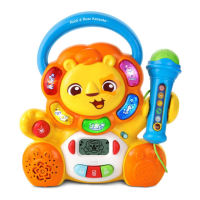
VTech KidiStar Karaoke Remix
34 pages
Print Icon
To Next Page IconTo Next Page
Loading...
91-003813-002
US
CA
Parent’s Guide
Karaoke
Remix

Questions and Answers

  • L
    lindsayhillAug 3, 2025
    What to do if my VTech KidiStar Karaoke Remix Toy KidiStar Karaoke RemixTM does not turn on?
    • S
      sanchezchristopherAug 3, 2025
      If your KidiStar Karaoke RemixTM toy isn't turning on, there are a few potential reasons. First, check the batteries to ensure they are installed with the correct polarity. If they are correctly installed, try replacing them with new batteries. Also, make sure the power adapter is connected correctly.
  • B
    Bryan PenningtonAug 8, 2025
    How to fix a VTech KidiStar Karaoke Remix Toy microphone if no sound is coming out?
    • A
      andrea18Aug 8, 2025
      If you can't hear any sound from the microphone, make sure the microphone is firmly and correctly plugged into the unit. Also, check that the microphone's On/Off switch is in the On position. Finally, increase the master volume on the unit using the Volume Slider.
  • M
    Morgan KellyAug 13, 2025
    Why is the microphone volume so low on my VTech KidiStar Karaoke Remix Toy?
    • J
      Joel RoblesAug 13, 2025
      If the microphone volume is too low, try turning up the master volume on the unit using the Volume Slider.
  • P
    parkerhowardAug 18, 2025
    What to do if the external music player is not correctly connected to VTech Toy KidiStar Karaoke Remix[TM]?
    • C
      Carol MathisAug 18, 2025
      Ensure that your external music player is firmly connected to KidiStar Karaoke Remix[TM] at both ends of the provided 3.5mm jack audio cable.
  • E
    Elizabeth HancockAug 23, 2025
    Why are there harsh sounds coming from the VTech KidiStar Karaoke Remix Toy Speaker?
    • R
      Rodney CaseAug 23, 2025
      Harsh sounds may occur if the microphone is too close to the speaker. To prevent this, keep the microphone away from the speaker and ensure it is switched off when not in use.
  • J
    Julie WilliamsAug 27, 2025
    Why is Music Magic mode not working well on my VTech Toy?
    • K
      Kevin HicksAug 28, 2025
      The Music Magic feature may not work effectively for all songs, as its performance varies. For optimal results, it's recommended to use studio-recorded songs. The Music Magic feature is not recommended for mono-recorded songs or live performance recordings. Unfortunately, it cannot be guaranteed that Music Magic will work with every song.

Summary

Introduction

Included in This Package

Stand Components

Lists and illustrates the components required for stand assembly.

Product Features - Controls

On;Off and Volume Controls

Power button and volume slider for unit operation.

Music Magic Function

Feature to remove or reduce vocals from music.

Product Features - Performance

Recording and Playback

How to record and play back performances.

Light and Voice Effects

Controls for disco lights and voice modulation.

Instant Sound Effects

Adds pre-set sound effects to enhance performances.

Product Features - Modes

DJ Pad and Disc Functions

Using DJ Pad modes and the DJ Disc.

Activity Modes Access

Accessing Talent Show, DJ Creation, and Games modes.

Product Features - Interface

Navigation and Connection Ports

Buttons for selection and ports for connections.

Microphone Operations

Microphone On;Off and Effects

Microphone power switch and audience sound effects.

Stand Assembly

Getting Started

Battery Installation

Instructions for inserting and replacing AA batteries.

Battery Usage Notes

Important notices regarding battery use and safety.

Power Adapter Setup

Steps to connect the external 6V power adapter.

Power Adapter Safety

Safety precautions for using the power adapter.

Microphone and Unit Power-On

How to use the microphone and turn on the unit.

Low Battery and Auto-Off

Low battery indicator and automatic shut-off feature.

Activities

Talent Show Modes

Singing Fun, External Music Connection, Free Play.

DJ Creation Functions

DJ Mixer Songs, Track Customization, Sound Effects.

Games Overview

Lists available games: Hungry Monster, Sneaky Notes, Freeze Dance, Tongue Twisters.

Troubleshooting

Unit Power Issues

Solutions for when the unit won't turn on.

Microphone and Audio Problems

Addresses microphone output and clarity issues.

Feature Malfunctions

Troubleshooting steps for Music Magic and other features.

Compliance and Safety

FCC Declaration

Regulatory compliance statements regarding FCC rules.

Choking Hazard Warning

Alerts about small parts and age restrictions.

VTech KidiStar Karaoke Remix Specifications

General IconGeneral
BrandVTech
ModelKidiStar Karaoke Remix
CategoryToy
LanguageEnglish

Related product manuals