EasyManua.ls Logo

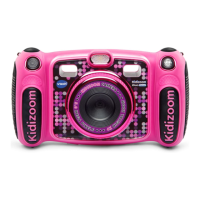
VTech Kidizoom Duo Deluxe - User Manual

VTech Kidizoom Duo Deluxe
31 pages
Print Icon
To Next Page IconTo Next Page
Loading...
91-003050-023
US
Parents Guide

Questions and Answers

  • M
    Mary EvansJul 27, 2025
    What to do if VTech Digital Camera stops working?
    • G
      Gary NewtonJul 27, 2025
      If your VTech Digital Camera stops working, try letting it sit for a few minutes without batteries, then replace them. If that doesn't work, turn the camera ON. If the camera still doesn't work, replace the batteries with a completely new set.
  • B
    Blake GonzalezAug 2, 2025
    What to do if VTech Kidizoom Duo Deluxe cannot save files?
    • R
      Robert SolomonAug 2, 2025
      First, check if the memory card in your VTech Digital Camera is full. If not, and if there is no memory card inserted, check the Kidizoom® DUO Deluxe internal memory.
  • S
    Spencer StokesAug 7, 2025
    How to fix blurry images on VTech Digital Camera?
    • J
      James JohnsAug 7, 2025
      If the images taken with your VTech Digital Camera are not clear, ensure you hold the camera steady while taking the photo. Also, make sure the lighting conditions are adequate. Finally, clean the protective window covering the camera lens.
  • A
    Adrienne ReedAug 11, 2025
    Why is my VTech Kidizoom Duo Deluxe Digital Camera not detecting the memory card?
    • J
      Jason BoydAug 11, 2025
      If your VTech Digital Camera isn't detecting the memory card, first confirm that the memory card is correctly inserted. Next, ensure the memory card is either a microSD or microSDHC card. Also, the file system of the memory card should be FAT or FAT32, as the Kidizoom® DUO Deluxe does not support NTFS or exFAT file systems. It is recommended to back up all important data from your memory card and format it in either the FAT or FAT32 file system before using it in your Kidizoom® DUO Deluxe.
  • K
    Kimberly WhiteAug 16, 2025
    Why can't I view downloaded videos or photos on my VTech Kidizoom Duo Deluxe?
    • Z
      Zachary JacksonAug 16, 2025
      To view downloaded video or photo files on your VTech Digital Camera, first, confirm that the downloaded files have been placed in the correct directory in the Kidizoom® DUO Deluxe. Also, the Kidizoom® DUO Deluxe only supports photos in Standard Baseline JPEG and videos in AVI (Motion JPEG) formats created by Kidizoom® DUO Deluxe.
  • Y
    ybarnesAug 21, 2025
    What to do if VTech Kidizoom Duo Deluxe screen displays incorrectly?
    • R
      Raymond ForbesAug 21, 2025
      If the screen on your VTech Digital Camera is displaying incorrectly, turn off the camera and let it sit for a few minutes without batteries. Then, replace the batteries and turn the camera back on.

Summary

PRODUCT LAYOUT AND BUTTONS

PRODUCT SPECIFICATIONS

STORAGE CAPACITY FOR REFERENCE

GETTING STARTED

Battery Installation and Handling

Guides for installing and safely handling camera batteries.

Initial Setup and Memory Card Installation

Explains automatic power off and memory card installation.

TO BEGIN USING KIDIZOOM DUO DELUXE

Initial Power On and Configuration

Steps to turn on the camera and set language and time.

CONNECTING TO A COMPUTER

File Transfer, Backup, and Precautions

Connect to PC/Mac for file transfer, backup, and data safety.

SYSTEM REQUIREMENTS FOR COMPUTER CONNECTION

ACTIVITIES

Home Menu and Camera Mode Basics

Navigating the main menu and taking photos in camera mode.

Creative Tools

Photo Editor and Frames

Using the Photo Editor for frames, stamps, and special effects.

Voice Recorder and Effects

Games

Game Selection and Play Instructions

Selecting games, control methods, and playing Busy Traffic, Save the Fish, Basketball Fun.

Settings

Parental Controls

CARE & MAINTENANCE

TROUBLESHOOTING

Common Camera and Connectivity Issues

Resolving camera malfunctions and computer connection problems.

Memory Card and File Problems

Troubleshooting memory card detection and file issues.

TECHNICAL SUPPORT

HOW TO TAKE A GOOD PHOTO

KIDIZOOM DUO DELUXE FREQUENTLY ASKED QUESTIONS

VTech Kidizoom Duo Deluxe Specifications

General IconGeneral
BrandVTech
ModelKidizoom Duo Deluxe
CategoryDigital Camera
LanguageEnglish

Related product manuals