4
ACTIVATING NORMAL PLAY MODE
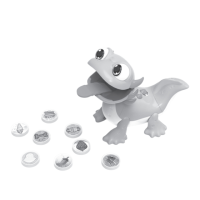
The rst time the Sandy Snacks-a-Lot
TM
is used, you will need to
exit Try-Me mode and activate Normal Play mode.
1. Slide the Off/Low/High Volume Switch to turn the unit On.
2. Except for the green pepper, feed Sandy other snack pieces.
You will hear three beep sounds to indicate that the Normal Play
mode is activated.
GETTING STARTED
Battery Removal and Installation
1. Make sure the unit is turned Off.
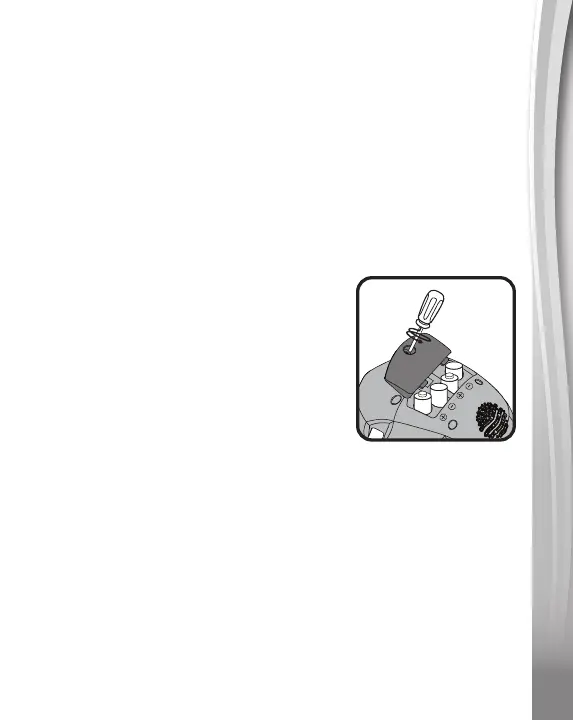
2. Find the battery cover located at the
bottom of Sandy and use a screwdriver
to loosen the screw and open the
battery cover.
3. Remove old batteries by pulling up on
one end of each battery.
4. Install 4 AA (AM-3/LR6) batteries
following the diagram inside the battery box.
5. Replace the battery cover and tighten the screw to secure.
IMPORTANT: BATTERY INFORMATION
• Insert batteries with the correct polarity (+ and -).
• Do not mix old and new batteries.
• Do not mix alkaline, standard (carbon-zinc) or rechargeable
batteries.
• Only batteries of the same or equivalent type as recommended
are to be used.
• Do not short-circuit the supply terminals.





 To Next Page