11
Basic operation - Parent unit
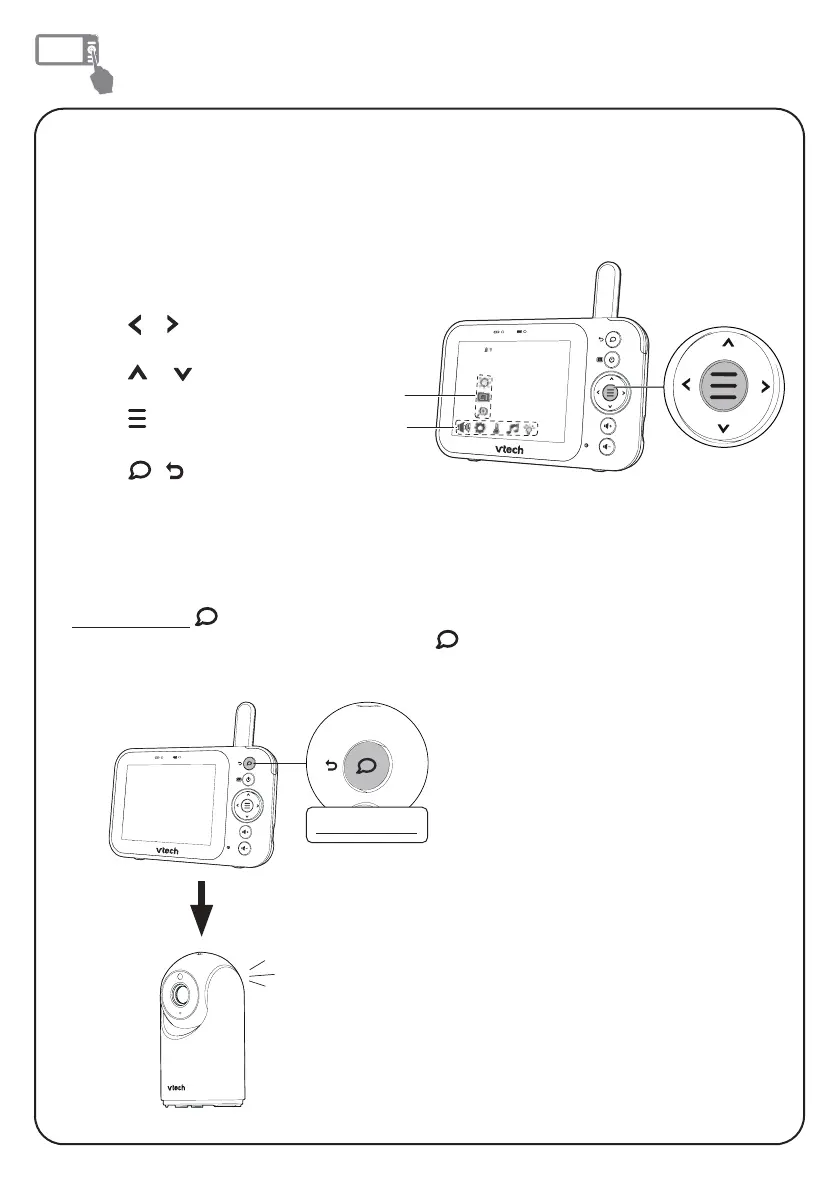
Talk to your baby unit
Press and hold
and speak to your parent unit. Your voice is transmitted to the
baby unit. When finished talking, release the
key to hear your baby again.
Use the menu
Press MENU to enter the menu, or save a setting. You can use the parent unit for
advanced settings or operations, such as to play or stop the baby unit lullaby, or to
adjust the baby unit sound sensitivity.
While in the menu:
• Press or to scroll
among the menu options.
• Press or to select an
item.
• Press to confirm your
selection.
• Press
/ to exit the
menu and return to live view.
Submenu
Main menu
Press and hold
press and hold



 To Next Page