8
Parent unit icons
4
Status check
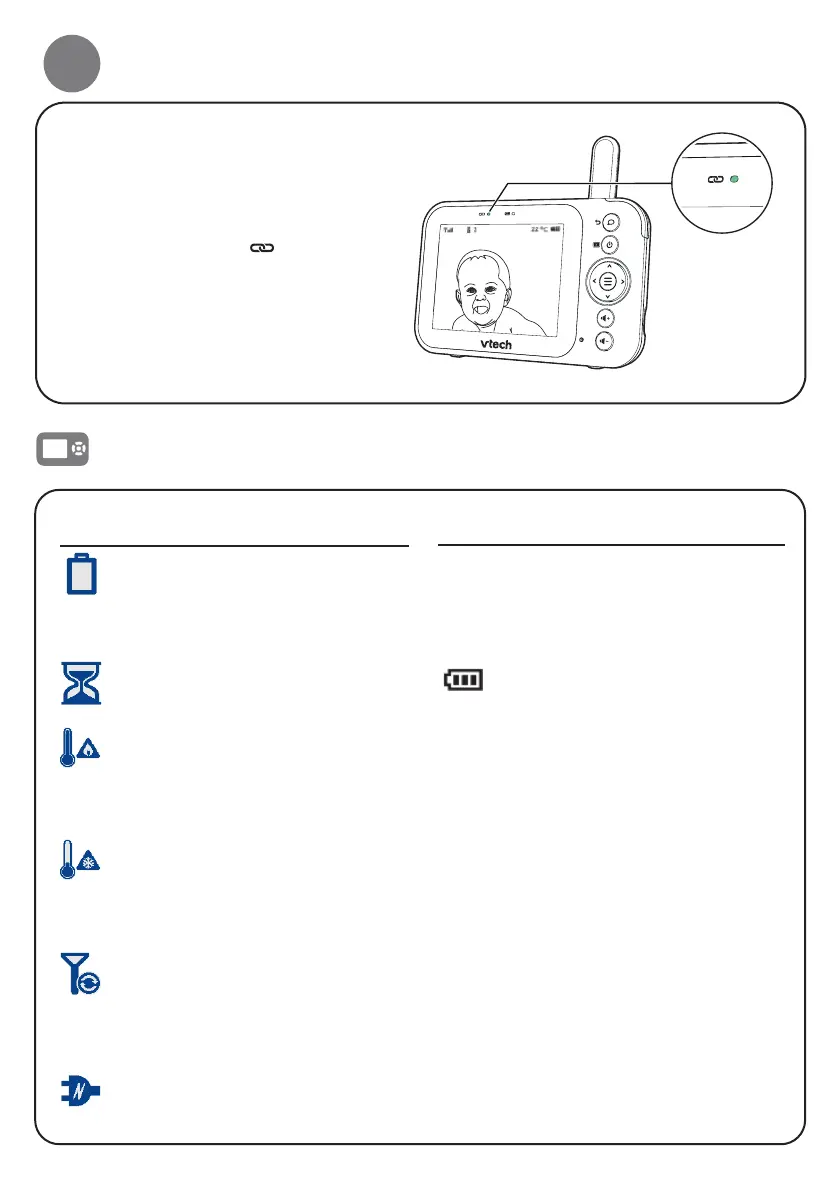
Once you power on both your
baby unit and parent unit, the
parent unit displays images from
the baby unit, and the
Link LED
light turns on.
Warning icons and messages
Battery low at
Parent Unit
The battery is empty and
needs to be recharged.
Operation is in progress.
Temperature
too high
The temperature
detected by the baby
unit is higher than the
maximum temperature
alert setting.
Temperature
too low
The temperature
detected by the baby unit
is lower than the minimum
temperature alert setting.
No Link to
Camera
The parent unit is
searching for baby unit or
the link between the baby
unit and the parent unit
has been lost.
The parent unit is
connected to AC power.
LINK • On when the parent unit is
linked to the baby unit.
• Flashes when the link to the
baby unit being viewed is
lost.
• On when the parent unit is
connected to AC power, or
the battery is charging.
• Flashes when the parent
unit battery is low and
needs charging.
• Off when the parent unit
is disconnected from AC
power.
Parent Unit Indication Lights



 To Next Page