12
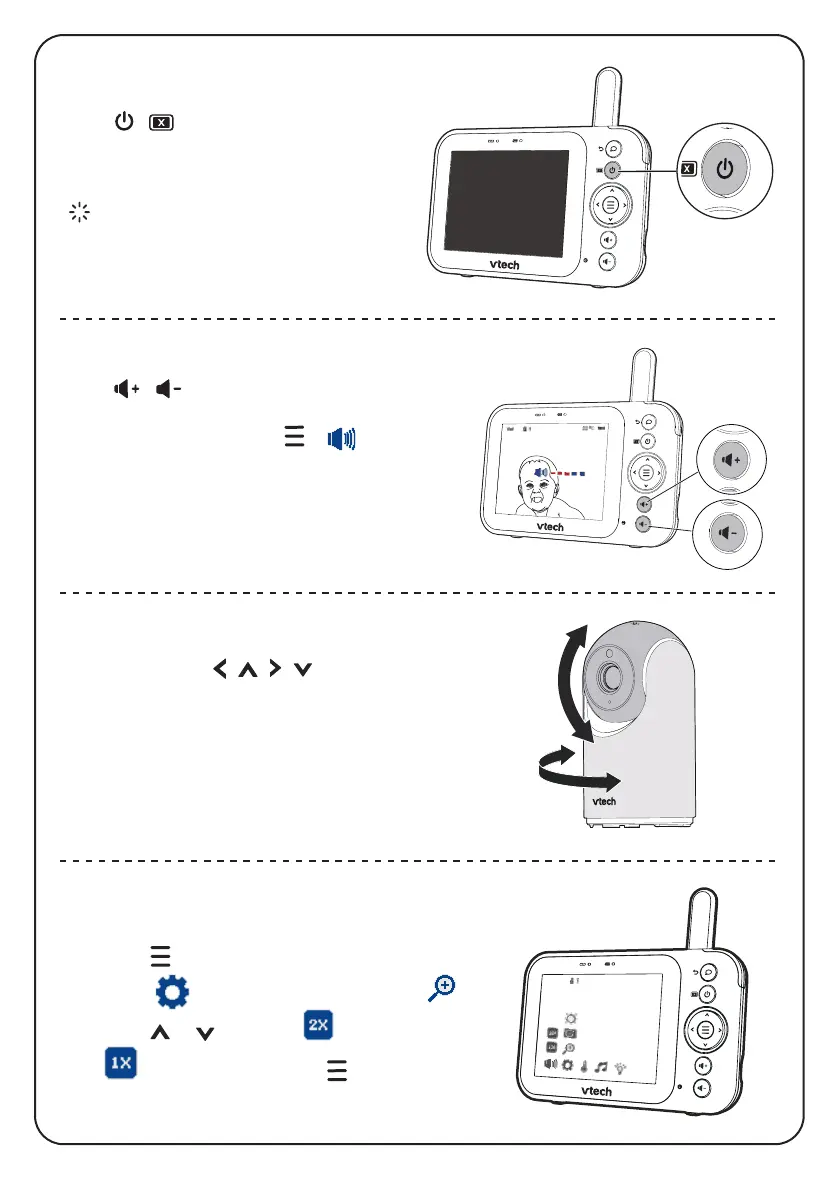
Zoom
1. Press when in idle mode.
2. Go to Settings menu, then choose .
3. Press or to choose
(Zoom in) or
(Zoom out), then press to confirm
your selection.
Adjust parent unit speaker volume
Press
/
to adjust your parent unit
speaker volume.
Alternately, you may press > to select
your desired volume level.
Turn off the screen
Press / to switch off the screen.
You can still hear sound from the
selected baby unit.
Tip
• Press any key on the parent unit to turn the
screen on again.
Pan and Tilt the baby unit
Press Arrow keys
|
|
|
to pan and tilt
the baby unit.


 To Next Page