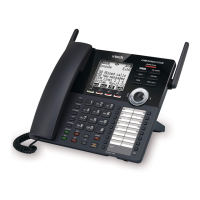
Press any key on the telephone base (except FIND HS) to temporarily silence the message alert tone.
Voicemail settings [Telephone service provider]
Set speed dial voicemail number
This feature lets you save your voicemail number for quick access when you press and hold the 1 key.
To set your voicemail number:
1. Press MENU/SELECT when the phone is not in use.
2. Press ▼ CID or ▲ to scroll to Settings, and then press MENU/SELECT.
3. Press ▼ CID or ▲ to highlight Voicemail #, then press MENU/SELECT.
4. Use the dialing keys to enter the voicemail access number (up to 30 digits) provided by your telephone service
provider.
• Press ▼ CID or ▲ to move the cursor to the left or right.
• Press VOICE/MUTE/DELETE on the handset to erase a digit.
• Press and hold VOICE/MUTE/DELETE on the handset to erase all digits.
• Press and hold REDIAL/PAUSE to enter a three-second dialing pause (a P appears).
5. Press MENU/SELECT to confirm.
Voicemail (visual message waiting) indicator
If you subscribe to a voicemail service offered by your telephone service provider, New voicemail and the icon
appear on the handset and telephone base screen when you have new voicemail messages. Contact your service
provider for more information and assistance about using your voicemail service.
NOTE
This feature does not indicate new messages recorded on your phone’s built-in answering system.
Clear voicemail indicator/indication
Use this feature when the telephone indicates there is new voicemail but there is none. For example, when you
have accessed your voicemail while away from home. This feature only turns off the displayed New voicemail and
the icon; it does not delete your voicemail messages. As long as you have new voicemail messages, your
telephone service provider continues to send the signal to turn on the indicator.
To manually turn off the new voicemail indicator:
1. Press MENU/SELECT when the phone is not in use.
2. Press ▼ CID or ▲ to scroll to Settings, and then press MENU/SELECT.
3. Press ▼ CID or ▲ to highlight Clr voicemail, then press MENU/SELECT to turn the voicemail indicator off.
NOTE
Your telephone service provider voicemail might alert you to new messages with a stutter (broken) dial tone.
Contact your telephone service provider for more details.


 To Next Page