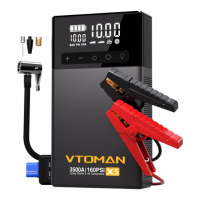
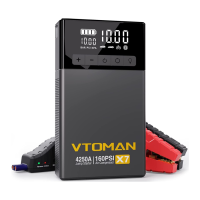
Need help?
Do you have a question about the VTOMAN V X1 and is the answer not in the manual?
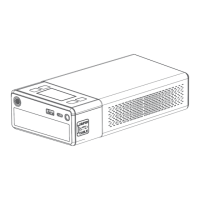
Details buttons like Power, Setting, Air Inflator, and the LCD display.
Identifies various ports including USB-A, USB-C, Jump Cable Socket, and DC outputs/inputs.
Covers the LED flashlight and the air outlet for the inflator function.
Check the battery power level using the power button and battery icon indicators.
Instructions on charging the unit using the provided type-c cable and wall charger.
Interprets LED signals on the jumper cable for correct connection, reverse connection, and battery status.
Instructions on activating and cycling through the LED flashlight modes (Normal, Strobe, SOS).
Explains the automatic shut-off feature and manual power-off method for the unit.
Details the presence and amount of toxic and harmful substances in the product.
Addresses the unit's operating and storage temperature limits and potential damage from heat.
Refers the user to the 'How to Start a 12V Vehicle' section for instructions.
Explains how to interpret the LED indicator for correct and reverse connections.
Troubleshooting steps for when the unit fails to start a vehicle, including recharging and using the BOOST button.
Troubleshooting steps for when the unit fails to charge, suggesting overnight charging and contacting support.
Troubleshooting steps for charging other devices, including checking the charging cable and contacting support.
Confirms that the unit can charge other devices simultaneously while it is being charged.
States that the product cannot charge other devices while starting a vehicle.
Recommends recharging the unit every 3 months for optimal performance.
Explains the automatic shut-off due to minimum load current limitation (200mA) for low-power devices.
Outlines the 18-month warranty, 30-day money-back guarantee, and replacement policy.
Specifies what the warranty does not cover, including wear and tear, misuse, and accidental damage.
Highlights crucial warnings such as not submerging in water, disassembling, dropping, or exposing to extreme temperatures or fire.
Mentions key protection mechanisms: Overcharge/discharge, Fuse Protection, and Against-reverse Plug.
Provides information on 18 months limited warranty service and lifetime technical service.
Offers contact details for inquiries, FAQs, and support via email (Support@vtoman.com).
 General
| Brand | VTOMAN |
|---|---|
| Model | V X1 |
| Category | Remote Starter |
| Language | English |

 To Next Page