EasyManua.ls Logo

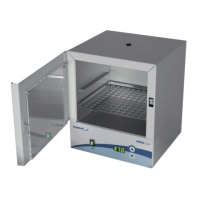
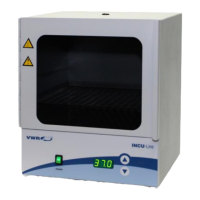
VWR INCU-Line IL 10 - User Manual

VWR INCU-Line IL 10
72 pages
Print Icon
To Next Page IconTo Next Page
Loading...
EN 1
Microbiological Incubator
VWR INCU-Line IL 10
VWR INCU-Line IL 23
INSTRUCTION MANUAL
European Catalogue Numbers:
390-0384 IL 10 digital, transparent door window
390-0385 IL 10 digital, opaque door window
390-0482 IL 23 digital, transparent door window
Version: 4
Issued: 27.10.2011

Table of Contents

Other manuals for VWR INCU-Line IL 10

Questions and Answers

  • H
    Heather CrawfordAug 11, 2025
    What to do if VWR Accessories incubator shows Er3 error?
    • J
      Joshua KnoxAug 11, 2025
      If the incubator displays the Er3 error, it means the momentary temperature isn't reaching the set temperature within 2 hours. This could be because the door isn't securely closed, it's being opened too frequently, or the environment temperature is too low. Ensure the door is properly closed, reduce how often you open it during operation, and verify the environment temperature is above the minimum. If the problem persists, turn the power switch off and on, then try again. Note that if the issue is due to thermal fuse cutoff, heater fault, electronic board fault, or incorrect parameter settings, you should contact your distributor.
  • K
    Kathy HawkinsAug 18, 2025
    Why does my VWR Accessories incubator display Er2 error?
    • H
      Heather AndersonAug 18, 2025
      The Er2 error on your VWR Accessories incubator indicates that the momentary temperature is at least 5 ºC higher than the set temperature. This can happen if the incubator was recently working at a higher set temperature. Check if the set temperature is 5 ºC or more below the current temperature inside the incubator and allow it to cool down. Then, turn the power switch off and on, and try again. Note that if the issue is due to temperature probe fault, electronic board fault or incorrect setting of parameters, you should contact your distributor.
  • L
    Louis BeasleyAug 26, 2025
    What to do if VWR Laboratory Equipment temperature does not reach set temperature?
    • M
      Mr. Wesley MeyerAug 26, 2025
      If the VWR Laboratory Equipment's momentary temperature doesn't reach the set temperature within 2 hours, it might be because the door isn't securely closed, you're opening it too often, or the room temperature is too low. Make sure the door is closed properly, reduce how often you open it during operation, and ensure the room temperature is above the minimum. After checking these, turn the power off and on, and try again. If the issue persists, there may be a thermal fuse cutoff, heater fault, electronic board fault or incorrect setting of parameters, so contact your distributor.
  • H
    hannahlevySep 1, 2025
    Why does my VWR Laboratory Equipment show error Er2?
    • M
      Michael EdwardsSep 2, 2025
      If the VWR Laboratory Equipment shows 'Er2', it means the current temperature inside is at least 5°C higher than the set temperature. This could be because the incubator was recently working at a higher set temperature. Ensure the set temperature is 5°C or lower than the current temperature and allow the incubator to cool down. Then, switch the power off and on, and try again. If the problem persists, it could be due to a temperature probe fault, electronic board fault, or incorrect parameter settings, so contact your distributor.

Summary

Safety and Warnings

General Warnings

Crucial warnings for safe operation and potential hazards.

Safety Information

User responsibility and guidelines for safe equipment use.

Setup and Installation

Product Overview

Incubator Operation

Getting Started

Initial steps for connecting and preparing the incubator for use.

Operation Guide

How to set temperature and operate the incubator.

Troubleshooting and Maintenance

Troubleshooting Guide

Common issues, causes, and solutions for incubator problems.

VWR INCU-Line IL 10 Specifications

General IconGeneral
BrandVWR
ModelINCU-Line IL 10
CategoryLaboratory Equipment
LanguageEnglish

Related product manuals