5
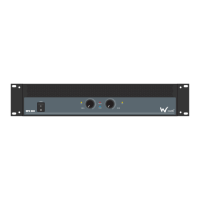
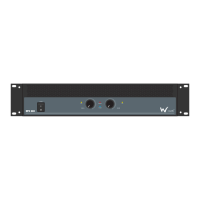
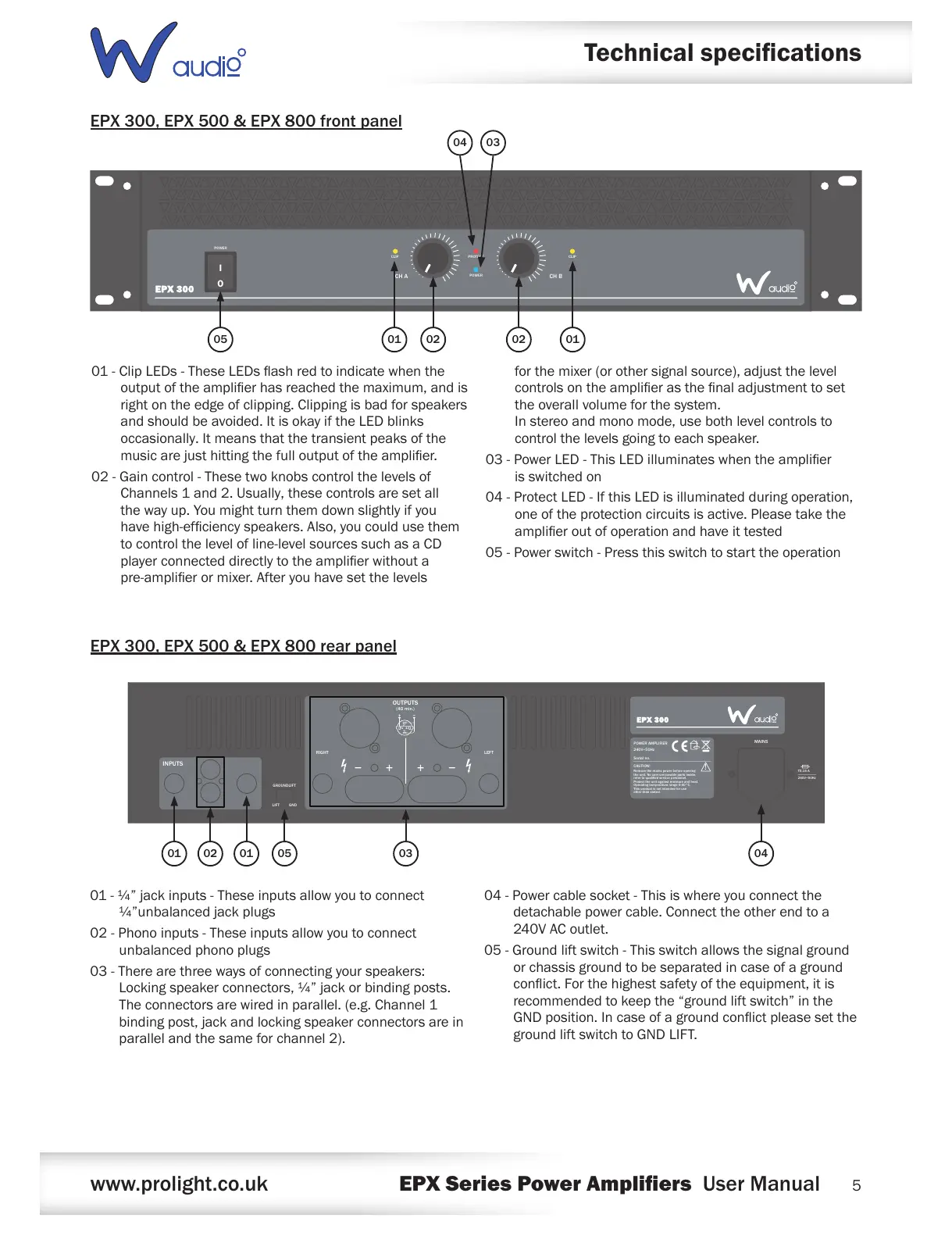
EPX 300, EPX 500 & EPX 800 front panel
EPX 300, EPX 500 & EPX 800 rear panel
Technical specications
01-ClipLEDs-TheseLEDsashredtoindicatewhenthe
outputoftheamplierhasreachedthemaximum,andis
rightontheedgeofclipping.Clippingisbadforspeakers
andshouldbeavoided.ItisokayiftheLEDblinks
occasionally.Itmeansthatthetransientpeaksofthe
musicarejusthittingthefulloutputoftheamplier.
02-Gaincontrol-Thesetwoknobscontrolthelevelsof
Channels1and2.Usually,thesecontrolsaresetall
thewayup.Youmightturnthemdownslightlyifyou
havehigh-efciencyspeakers.Also,youcouldusethem
tocontrolthelevelofline-levelsourcessuchasaCD
playerconnecteddirectlytotheamplierwithouta
pre-amplierormixer.Afteryouhavesetthelevels
forthemixer(orothersignalsource),adjustthelevel
controlsontheamplierasthenaladjustmenttoset
theoverallvolumeforthesystem.
Instereoandmonomode,usebothlevelcontrolsto
controlthelevelsgoingtoeachspeaker.
03-PowerLED-ThisLEDilluminateswhentheamplier
isswitchedon
04-ProtectLED-IfthisLEDisilluminatedduringoperation,
oneoftheprotectioncircuitsisactive.Pleasetakethe
amplieroutofoperationandhaveittested
05-Powerswitch-Pressthisswitchtostarttheoperation
INPUTS
GROUNDLIFT
LIFT GND
B A
RIGHT LEFT
POWER AMPLIFIER
240V~50Hz
Serial no.
CAUTION!
Remove the mains power before opening
the unit. No user serviceable parts inside,
refer to qualied service personnel.
Protect the unit against moisture and heat.
Operating temperature range 0-40°C.
This product is not intended for use
other than stated.
MAINS
T3.15 A
240V~50Hz
!
OUTPUTS
(4Ω min.)
01-¼”jackinputs-Theseinputsallowyoutoconnect
¼”unbalancedjackplugs
02-Phonoinputs-Theseinputsallowyoutoconnect
unbalancedphonoplugs
03-Therearethreewaysofconnectingyourspeakers:
Lockingspeakerconnectors,¼”jackorbindingposts.
Theconnectorsarewiredinparallel.(e.g.Channel1
bindingpost,jackandlockingspeakerconnectorsarein
parallelandthesameforchannel2).
04-Powercablesocket-Thisiswhereyouconnectthe
detachablepowercable.Connecttheotherendtoa
240VACoutlet.
05-Groundliftswitch-Thisswitchallowsthesignalground
orchassisgroundtobeseparatedincaseofaground
conict.Forthehighestsafetyoftheequipment,itis
recommendedtokeepthe“groundliftswitch”inthe
GNDposition.Incaseofagroundconictpleasesetthe
groundliftswitchtoGNDLIFT.
0201 01 040305


 To Next Page
 Loading...