6
Technical specications
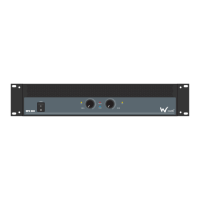
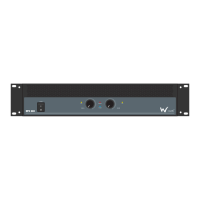
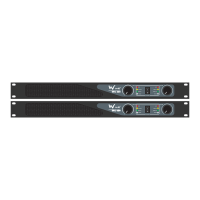
EPX 1200 & EPX 2200 front panel
01-ClipLEDs-TheseLEDsashredtoindicatewhenthe
outputoftheamplierhasreachedthemaximum,andis
rightontheedgeofclipping.Clippingisbadforspeakers
andshouldbeavoided.ItisokayiftheLEDblinks
occasionally.Itmeansthatthetransientpeaksofthe
musicarejusthittingthefulloutputoftheamplier.
02-Gaincontrol-Thesetwoknobscontrolthelevelsof
Channels1and2.Usually,thesecontrolsaresetallthe
wayup.Youmightturnthemdownslightlyifyouhave
high-efciencyspeakers.Also,youcouldusethemto
controlthelevelofline-levelsourcessuchasaCDplayer
connecteddirectlytotheamplierwithouta
pre-amplierormixer.Afteryouhavesetthelevels
forthemixer(orothersignalsource),adjusttheLevel
controlsontheamplierasthenaladjustmenttoset
theoverallvolumeforthesystem.
Instereoandmonomode,usebothlevelcontrolsto
controlthelevelsgoingtoeachspeaker.Inbridged
mode,turnthechannel2levelcontroldown,andjust
usethechannel1control.
03-PowerLED-ThisLEDilluminateswhentheamplier
isswitchedon
04-ProtectLED-IfthisLEDisilluminatedduringoperation,
oneoftheprotectioncircuitsisactive.Pleasetakethe
amplieroutofoperationandhaveittested
05-StereoLED-Thisilluminatesinstereomode
06-BridgedLED-Thisilluminatesinbridgedmode
07-ParallelLED-ThisLEDilluminatesinparallelmode
08-Powerswitch-Pressthisswitchtostarttheoperation


 To Next Page
 Loading...