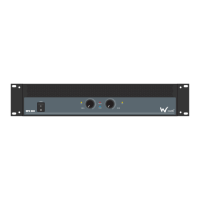
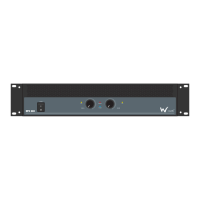
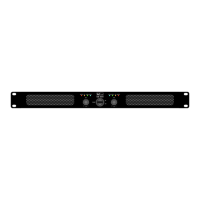
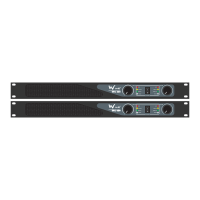
01-XLRinputs-Theseinputsallowyoutoconnectbalanced
XLRplugs.Thesearewiredwithpin2hot,pin3coldand
pin1ground
02-¼”jackinputs-Theseinputsallowyoutoconnect¼”
unbalancedjackplugs
03-Therearetwowaysofconnectingyourspeakers:
Lockingspeakerconnectorsorbindingposts.
Theconnectorsarewiredinparallel.(e.g.Channel1
bindingpostandlockingspeakerconnectorsarein
parallelandthesameforchannel2).
Whentheamplierisusedinbridgedmonomodeuse
eithertheoutputbridgedlockingspeakerconnectorsor
thetworedbindingposts.
04-Lockingpowersocket-Thisiswhereyouconnectthe
detachablelockingpowercable.Connecttheotherend
toa240VACoutlet.
05-Ampmode-Thisswitchdeterminestheinputsignal
routingwithintheamplier.Formostapplicationsstereo
willbeused.
Stereo:Thisisthenormalmodeforamplifyingstereo
signals.Itacceptsleftandrightinputsandroutesthem
totheleftandrightoutputs.
Parallel:Thismodeisusedwhenyouwanttosend
monosignalstobothoutputs.Itacceptsasingleinput
intochannel1androutesittoboththechannel1and
channel2outputs.Eachchannelslevelcontroladjusts
thegainforeachchannel.
Bridge:Thismodeacceptsasingleinputintochannel1
andusesbothamplieroutputstodoublethepowerto
onespeakeroutput.Usechannel1levelcontroltoadjust
thegain.Turnchannel2levelcontroltominimum.
06-Whenengagedthelimiterswitchprotectsyour
speakersfromtheeffectsofclipping.Itisdesignedto
bevirtuallytransparentandyoushouldhearverylittle
audibledifference.Itisrecommendedthatyoualways
havethisswitchactiveunlessyouareusingexternal
compressor/limiters.
07-Groundliftswitch-Thisswitchallowsthesignalground
orchassisgroundtobeseparatedincaseofaground
conict.Forthehighestsafetyoftheequipment,itis
recommendedtokeepthe“groundliftswitch”inthe
GNDposition.Incaseofagroundconictpleaseset
thegroundliftswitchtoGNDLIFT.
08-ThesebalancedXLRoutputscanbeusedtoloop
throughthesignaltoadditionalpowerampliers.
09-Crossover:Fornormaloperationsetthemodeswitchto
Bypass.Low/HighPassMode:Whenusingthe“Low/
HighPassMode”,theampliercanbeconguredfor
HighPassorLowPassoperation.
04 03
02 0909 010808 0506 070102
Technical specications


 To Next Page
 Loading...