19F-054L
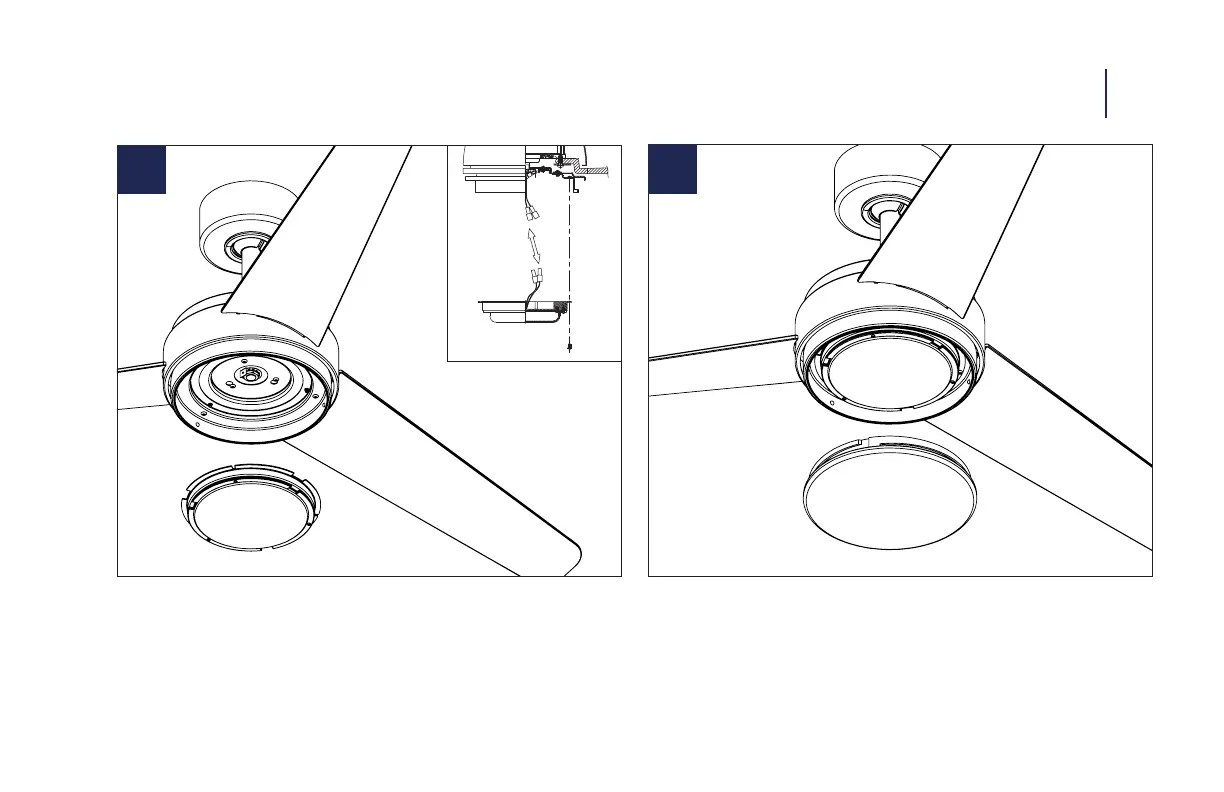
INSTALLING THE LUMINAIRE MODULE 11
13
12
1. Remove 3 screws from the adapter plate.
2. Attach blue wire from motor to blue wire on LED module and
white wire from motor to white wire on LED module.
3. Place the Luminaire module against the adapter. Take the 3
previsouly removed screws and install the Luminaire module.
1. Install glass shade rmly without over-tightening.
NOTE: There is no luminaire cover for this fan.



 To Next Page