◆Output Connections
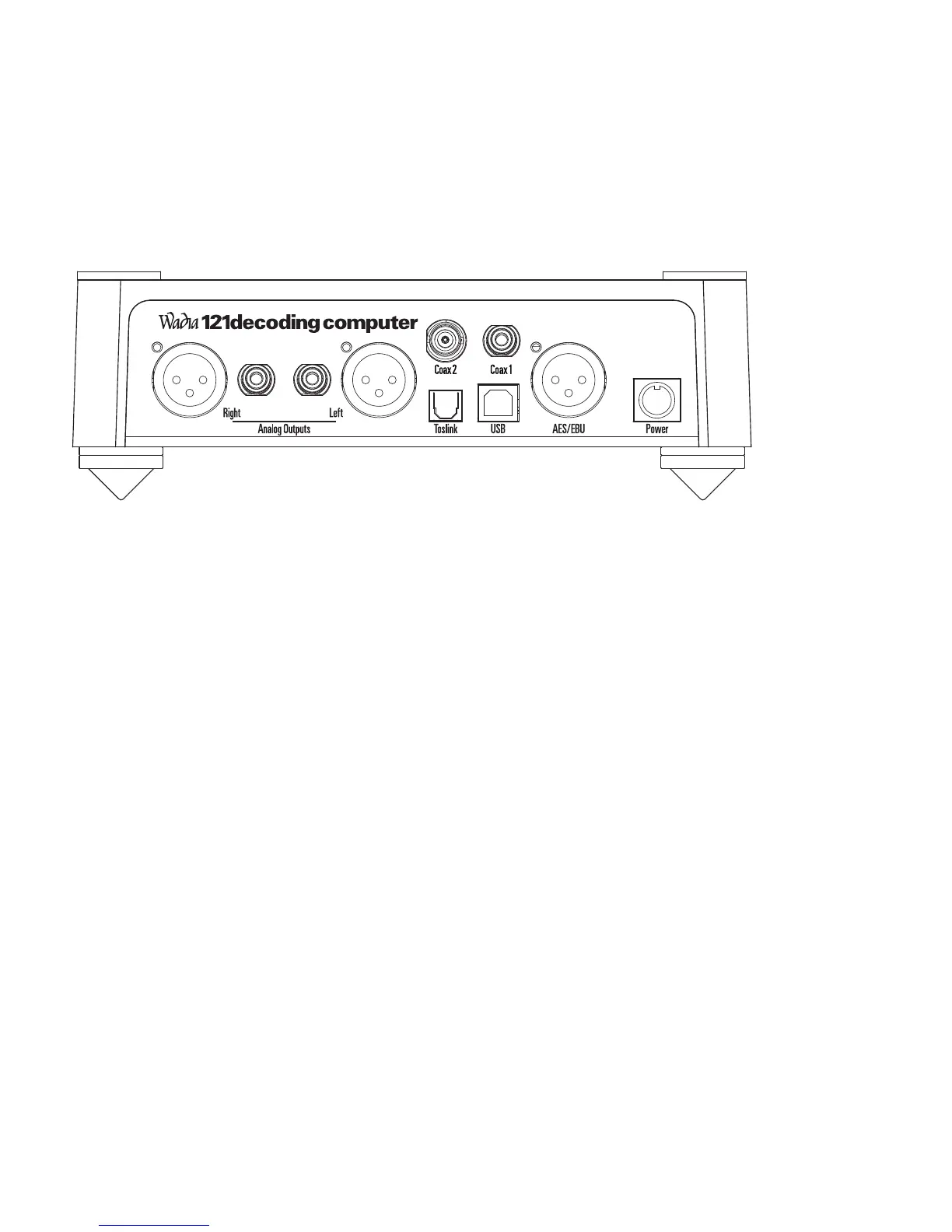
Back Panel
1 Balanced Analog – XLR Outputs 5 Plastic Optical TOSLINK Input
2 Unbalanced Analog – RCA Outputs 6 USB 2.0 Input
3 Coax 2 BNC Input 7 AES/EBU – XLR Digital Input
4 Coax 1 RCA Input 8 Power
Connecting Directly to a Power Amplifier or Powered Speakers
We strongly recommend that you use your Wadia 121Decoding Computer
connected directly to your power amplifier. Even if you purchased your Wadia
121Decoding Computer with the intention of connecting it to your preamplifier,
we suggest that you try direct connection to your amplifier. Many listeners are
surprised by the improvement in performance over even the most expensive
preamplifiers.
10
1 2
34
56 7
8


 To Next Page