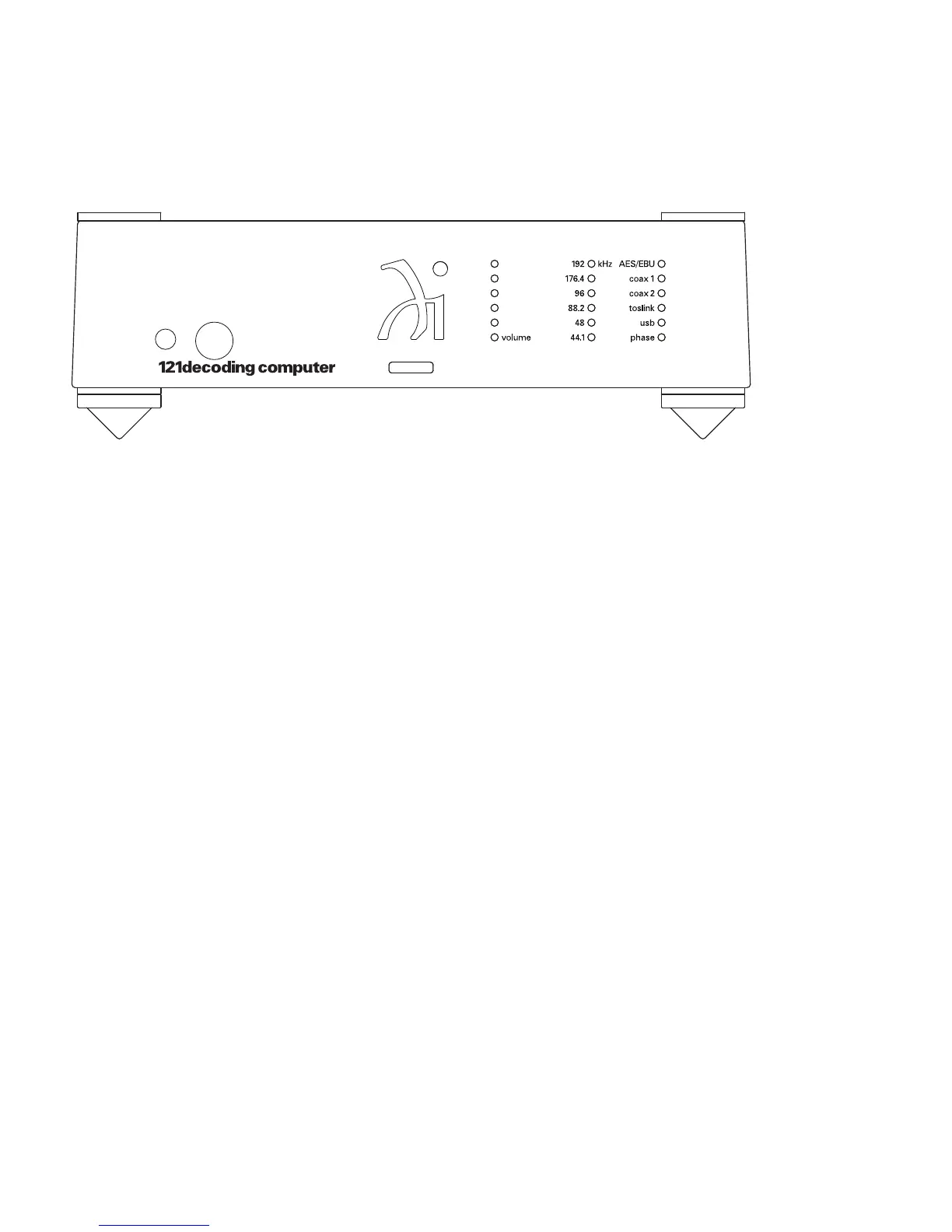
Front Panel Display
1 3.5 mm Headphone Jack
2 1/4” Headphone Jack
3 Volume LEDs
4 Sampling Rate LEDs
5 Phase LED
6 Input LEDs
Adjusting the Volume
The total range of volume is 60dB and is divided into (120) 0.5dB steps. Those
steps are represented by the 6 LEDs on the front panel. Whenever the Volume
Up or Volume Down buttons on the remote control are pressed, the volume on
both channels will be increased or decreased by an increment of 0.5dB. Not
every volume control press will result in a corresponding change in the
LED display.
16
1
54
6
2
3


 To Next Page