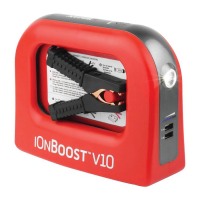
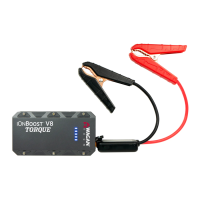
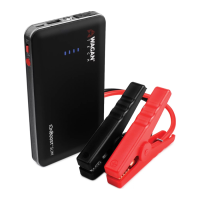
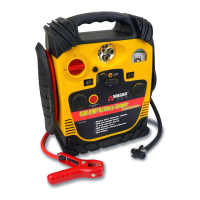
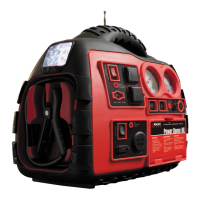
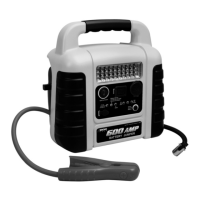
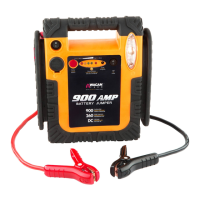
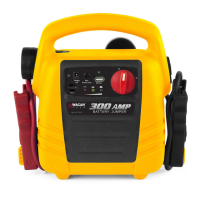
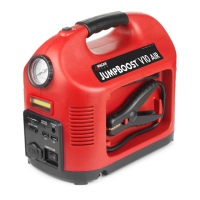
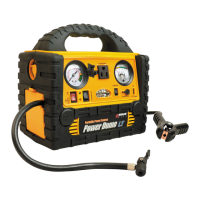
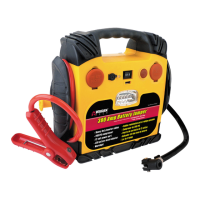
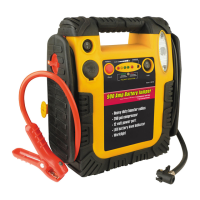
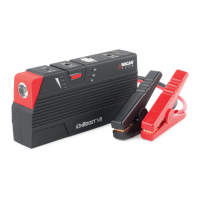
The Wagan Tech iOnBoost V8 is a versatile lithium jump starter and power bank designed for jump-starting vehicles and powering/recharging various electronic devices. It is a portable and rechargeable unit, ideal for use with cars, vans, SUVs, and trucks.
Function Description
The primary function of the iOnBoost V8 is to jump-start vehicles with a dead battery. It provides 500 peak amps and 300 cranking amps, making it suitable for a wide range of vehicles. The unit incorporates safety features such as reverse polarity protection, short-circuit protection, over-discharging protection, reverse charging protection, overheat protection, and overload protection to ensure safe operation during jump-starting.
Beyond jump-starting, the iOnBoost V8 also serves as a power bank. It features a DC power port with a laptop connector kit, allowing it to power and recharge laptops and other DC-powered devices at 12V, 16V, or 19V. Additionally, it includes a USB power port with a 2.1 Amp output, capable of powering and recharging most USB devices such as tablets, e-readers, and mobile phones.
The device also integrates an LED flashlight with three lighting modes: solid, SOS (Morse code), and flashing, providing utility in low-light conditions or emergencies. Battery status indicators are included to show the current charge level of the unit.
Important Technical Specifications
- Battery Type: Lithium-ion Polymer
- Battery Capacity: 47.4 Wh
- Peak Amps: 500 A
- Cranking Amps: 300 A
- Jumper Cables: 10 AWG, 8-inch
- DC Accessory Outlet: 12V, 16V, 19V
- USB Power Port: 5V, 2.1 A
- Flashlight: LED with 3 lighting modes
- Operating Temperatures: 32°F–140°F (0°C–60°C)
- Storage Temperatures: 32°F–185°F (0°C–85°C)
- Input: 15V, 1.0A
- Recharging Time (AC): 2–4 hours
- Recharging Time (DC—with engine running): 4–5 hours
Usage Features
Charging the iOnBoost V8:
The unit can be charged using either an AC charging adapter (from a wall socket) or a DC charging adapter (from a vehicle's cigarette lighter/accessory socket). It is recommended to fully charge the unit immediately after purchase and before first use, and to recharge it every three months if not used for a prolonged period. The blue battery status indicator lights illuminate during charging, and all lights illuminate solid when charging is complete. The engine must be operating when charging via DC in a vehicle.
Jumpstarting a Vehicle:
- Turn off the vehicle ignition and accessories, and disconnect electronic devices.
- Set the emergency brake and put automatic transmission vehicles in park.
- Determine battery polarity (red for positive, black for negative).
- If the engine was recently cranked, dispel explosive gases from the battery area using a non-conductive material.
- Insert the blue plug of the jumper cables into the iOnBoost's jumper terminal. The red and green lights on the cable safety block should flash continuously.
- Connect the positive (+) red clamp to the positive (+) terminal of the vehicle battery.
- Connect the negative (-) black clamp to a non-moving, metal part of the engine or frame, away from the battery.
- When clamps are properly connected, the green light on the cable unit safety block will illuminate steady green (after a three-second delay).
- Place the iOnBoost on a secure surface away from moving parts.
- Start the vehicle engine. If it doesn't start after 3-4 seconds, wait 3-4 minutes and try again. Discontinue after the second attempt if unsuccessful and consult a professional.
- The internal safety timer automatically disconnects the circuit after 30 seconds to prevent reverse charging.
- Disconnect the clamps in reverse order: first negative (black), then positive (red). Do not let the clamps touch each other.
- Disconnect the jumper cable assembly from the unit.
- Recharge the iOnBoost battery as soon as convenient.
DC Power Port Usage:
- Insert the DC connection cable into the DC output port.
- Attach the appropriate laptop connector head to the other end of the cable.
- Set the master switch to the "I" position.
- Use the "MODE" button to select the required voltage (12V, 16V, or 19V) before connecting to the device.
- Connect the DC cable to the device.
- After use, turn off the master switch ("O" position) and recharge the iOnBoost.
USB Socket Usage:
- Connect the USB device to the iOnBoost using a user-supplied cable or the included 4-in-1 USB adapter.
- Slide the master switch to the "I" position.
- Once the mobile device is fully charged, disconnect it and slide the master switch back to "O". The USB port will shut off if the iOnBoost's charge is low to prevent damage.
LED Flashlight Usage:
- Set the master switch to the "I" position.
- Hold down the "MODE" button for approximately 3 seconds until the indicator lights turn on.
- Press "MODE" once to cycle through lighting modes: steady, SOS, flashing, and off.
- After use, turn off the master switch ("O" position) and recharge the battery. The flashlight will automatically shut off before the iOnBoost runs out of power.
Maintenance Features
- Storage: The unit can be stored in any position. Ensure the clamps are secure inside the booster cable storage covers and store at room temperature.
- Recharging: If the iOnBoost is not used for a prolonged period, recharge it every 3 months to prolong its life. Always fully recharge the unit after each use.
- Cleaning: Keep the unit clean and dry. Avoid operating it in or around water, as excessive moisture can damage it.
- Disposal: The product has no consumer serviceable parts. Do not attempt to remove or replace the battery. When the battery reaches the end of its lifetime, take the entire unit to a battery recycling facility.
- Troubleshooting: The manual provides a troubleshooting guide for jumpstart warning lights, detailing types of warnings (e.g., no vehicle battery detected, 30-second timer expired, short-circuit/reverse polarity, overload/overheat) and their corresponding solutions. For overload, allow the unit to cool for 10 minutes and then plug it into an AC charger to reset.


 To Next Page
 General