5
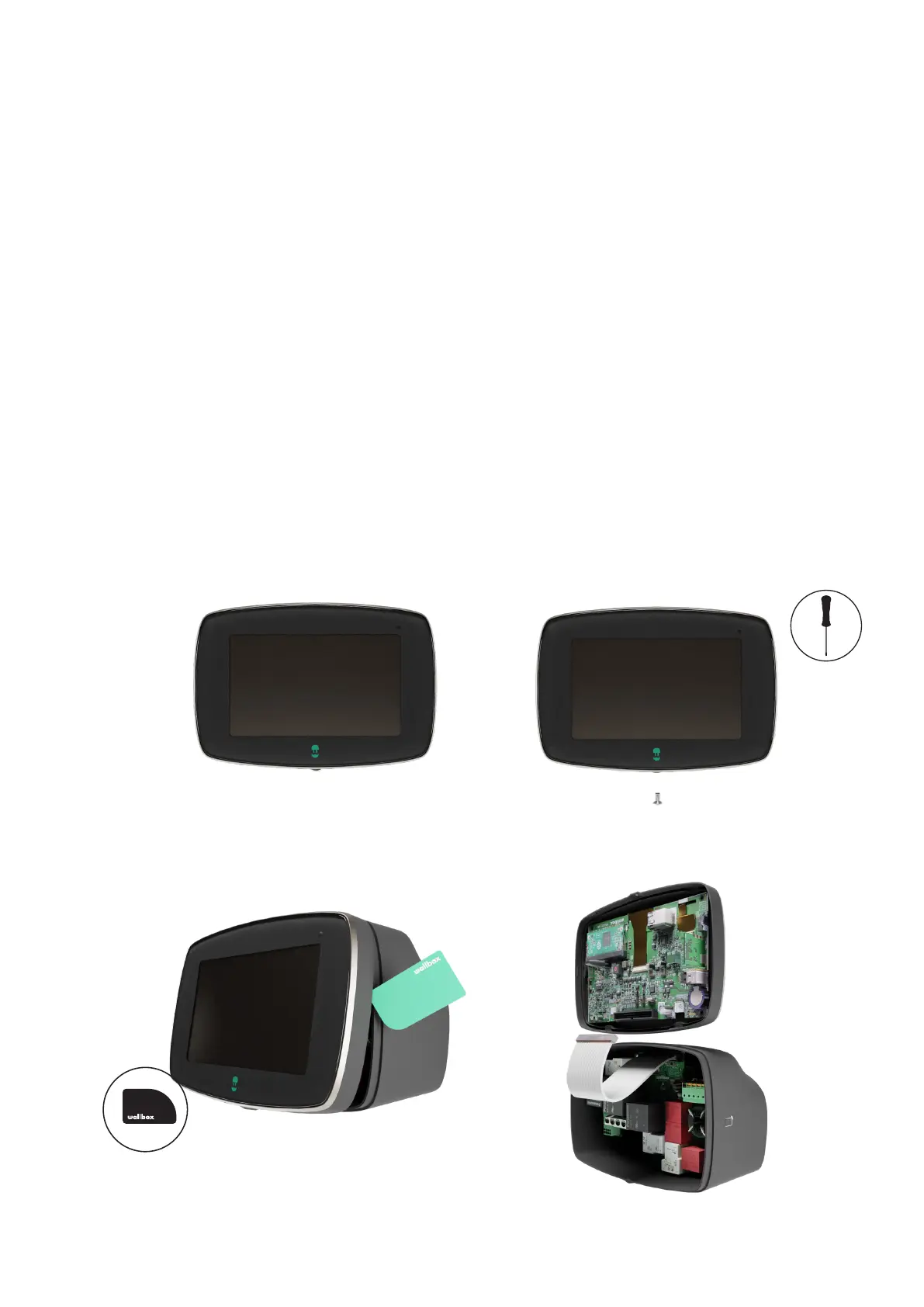
Carefully remove the communications cable
from the Control Board. Keep the old Front
cover aside for return or disposal.
Unclip the bottom and lateral clips with the
opening tool, then gently pull the front cover
from the bottom part.
3. 4.
The Control board of the Commander 2 charger is enclosed within the front cover of the charger.
The Control board consists of the following components:
• Wireless Communication System: BLE, Wi-fi, RFID reader
• Microcontroller unit
• CPU
The Front cover of the Commander 2 charger, if malfunctioning or damaged can be replaced by
performing the following steps:
Removing the old Front cover
Unscrew the Torx screw at the bottom of
the charger using a Torx T9 screwdriver and
save it for later use.
Turn o the power supply to the charger.
1. 2.
Front Cover Replacement



 To Next Page