6
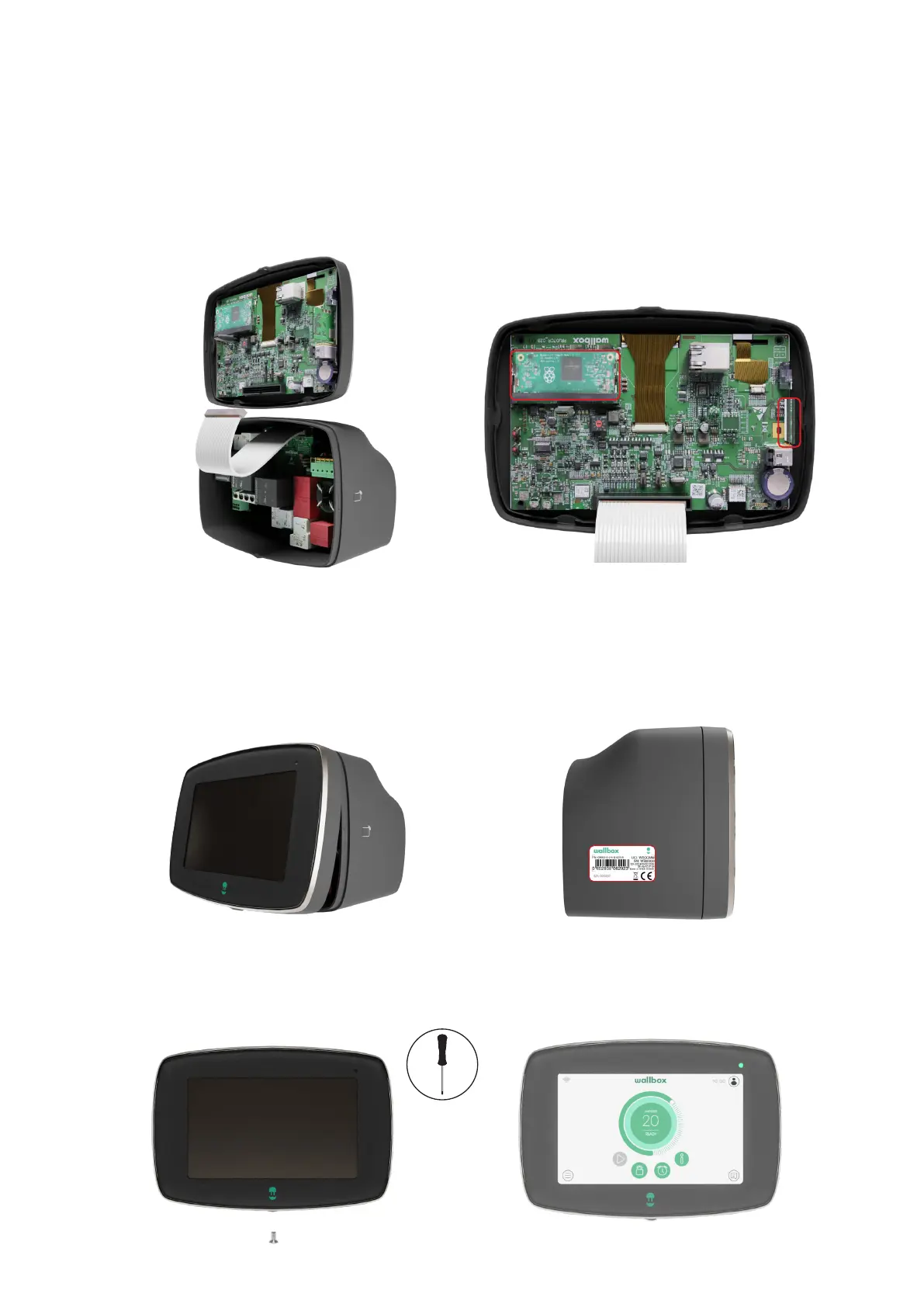
Place the sticker with the new Serial Number
on top of the old sticker.
Position the top clip points of the front cover
on the charger body. Clip first the lateral clips
to the charger body and then the bottom
clips.
3. 4.
Restore the power supply to the charger.
5. 6.
Insert and then tighten the Torx screw in the
bottom of the charger to secure the front cover.
Attaching the new Front cover
Be cautious and ensure that the CPU and
the RFID card on the Control board remains
undamaged while replacing the front cover
Carefully attach the communications cable to
the connector on the Control board.
1. 2.



 To Next Page