EasyManua.ls Logo

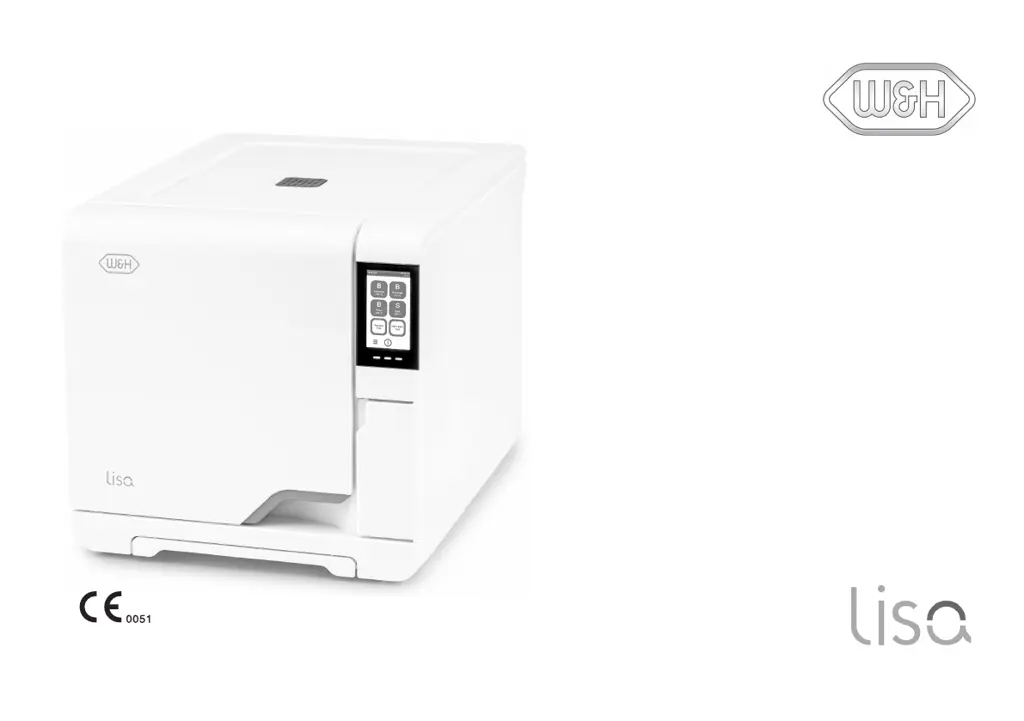
W&H Lisa VA131-17 - User Manual

W&H Lisa VA131-17
140 pages
Print Icon
To Next Page IconTo Next Page
Loading...
VA131-17 VA131-22
Instructions for Use
VA131 2019 - ENG - Rev06

Table of Contents

Questions and Answers

  • C
    christine34Sep 18, 2025
    Why are no cycles stored in the cycle history menu of my W&H Lisa VA131-17?
    • F
      Francis JohnsonSep 18, 2025
      No cycles may be stored if an electronic board was replaced by service. The memory of the old board cannot be restored. Save periodically the history on the USB pen drive.
  • S
    Shawna RobinsonAug 25, 2025
    What to do if W&H Lisa VA131-17 Laboratory Equipment is leaking water at the front?
    • M
      Matthew SchmidtAug 25, 2025
      If you see water leaking at the front of the W&H sterilizer, it could be due to leaks through the chamber door seal. Try cleaning or replacing the door seal and cleaning the chamber face side. If the leak persists, it might be an internal leak, and you should call technical service.
  • W
    wanganthonyAug 25, 2025
    Why does W&H Laboratory Equipment chamber door lock and reopen immediately?
    • S
      Samantha RhodesAug 26, 2025
      If, when starting a cycle, the chamber door locks but re-opens immediately and the 'Open the door' message appears on your W&H Laboratory Equipment, make sure the door seal is evenly inserted on the entire circumference. Also, remove any objects interfering with the chamber door and ensure the door isn't forced against the load or chamber furniture.
  • S
    Susan ThomasAug 27, 2025
    How to prevent corrosion on instruments in W&H Lisa VA131-17 Laboratory Equipment?
    • P
      Pamela GibbsAug 27, 2025
      If instruments are showing corrosion or spots after sterilization in your W&H Laboratory Equipment, ensure that instruments are dry before placing them in the sterilizer. Drain both water tanks and use water of good quality. Clean, rinse, and dry instruments to remove any organic or chemical residues before sterilization. Clean the chamber, wash the chamber furniture, and ensure that instruments of different materials do not touch. Also, clean the chamber to remove any scale deposits.
  • B
    Brenda LevySep 23, 2025
    What does it mean if the W&H Laboratory Equipment display reads “Open the door” but opening the door is impossible?
    • S
      smartinSep 23, 2025
      If the display reads “Open the door” but you can't open it, the chamber might be in a vacuum due to an internal malfunction, or the bacteriological filter is blocked. Switch the sterilizer OFF: this releases any internal pressures allowing the chamber door to be opened. If that doesn't work, remove the bacteriological filter to release the pressure and replace the filter.
  • S
    Sarah BraySep 23, 2025
    What does it mean if there is a warning about USB saving (HTML and SCL files) on my W&H Lisa VA131-17?
    • S
      stephensmithSep 23, 2025
      A warning about USB saving typically means the USB pen drive is either not connected or not properly connected to the sterilizer. Check the presence and connection of the USB pen drive.
  • J
    jenniferfieldsSep 10, 2025
    What to do if instruments are turning brown or black in my W&H Lisa VA131-17 Laboratory Equipment?
    • J
      Jonathan DouglasSep 10, 2025
      If instruments are turning brown or black, it could be due to an incorrect temperature setting. Select a sterilization cycle featuring a lower sterilization temperature, following the instrument manufacturer's instructions.
  • J
    Jeffrey ByrdSep 12, 2025
    What to do if the W&H Lisa VA131-17 Laboratory Equipment cycle report printer does not work?
    • J
      Joshua SmithSep 12, 2025
      If the cycle report printer isn't working, check the data and power connections to the printer.
  • L
    lovemarkSep 3, 2025
    Why is W&H Lisa VA131-17 not filling water automatically?
    • D
      Diane Dyer DDSSep 4, 2025
      If, when the sterilizer is connected to an automated water supply system, there is no clean water in the tank, but the automatic water filling does not fill the water in your W&H Laboratory Equipment, connect the water fill system to the sterilizer. If water was temporarily unavailable when the water fill system attempted to fill the tank, switch the sterilizer OFF and then ON again, check the external water supply system, and check for water leaks from the sterilizer.
  • K
    kathryn41Sep 1, 2025
    How to fix W&H Laboratory Equipment cycle report printer?
    • G
      gsmithSep 1, 2025
      If the cycle report printer does not work with your W&H Laboratory Equipment, check the data and the power connection to the printer.

Summary

Conformity to European Standards and Directives

Conformity to European Standards and Directives

Lists standards and directives the sterilizer conforms to.

Symbols and Messages

Safety Symbols Used in this Manual

Explains warning and caution symbols used in the manual.

Symbols Displayed on the Product

Describes symbols shown on the sterilizer itself.

Introduction to the Manual

About This Manual

Provides information about the manual's purpose and content.

Use Restrictions and User Qualification

Intended Use

Specifies the intended medical and non-medical uses of the sterilizer.

User Qualification

Defines who is qualified to operate the sterilizer.

Safety Information and Warnings

Safety Warnings

Lists thermal, electrical risks and improper use of the sterilizer.

User and Manufacturer Responsibility

User Responsibility

Defines the user's role in installation, use, and maintenance.

Manufacturer Responsibility

Outlines the manufacturer's responsibility for product safety and reliability.

Getting Started: Unpacking

Unpacking the Sterilizer

Provides instructions and warnings for unpacking the sterilizer.

Product Description and Components

Front View

Identifies parts of the sterilizer's front view.

Upper Internal Structure

Identifies components of the sterilizer's upper internal structure.

Components Behind the Service Door

Identifies components located behind the service door.

Rear View

Identifies parts of the sterilizer's rear view.

Chamber Accessories

Describes the trays and chamber racks for the sterilizer.

Installing the Sterilizer

Location Requirements

Specifies environmental and spatial requirements for installation.

Electrical Connections

Details requirements for electrical connections.

Connecting the Sterilizer

Water Connections

Explains how to connect the sterilizer to water sources.

LAN Connection

Describes how to connect the sterilizer to a network via Ethernet.

Wi-Fi Connection

Explains how to establish a Wi-Fi connection for the sterilizer.

Operating the Sterilizer

Power the Sterilizer On;Off

Provides instructions on how to turn the sterilizer on and off.

User Interface Menu and Navigation

Structure and Navigation

Illustrates the structure and navigation of the user interface.

Main Menu Functions

Lists and describes functions accessible from the main menu.

Settings Menu Functions

Lists and describes functions available in the settings menu.

Cycle Menu Functions

Lists and describes functions related to cycle management.

User Management Menu Functions

Lists and describes functions for managing user accounts and PINs.

Accessories Menu Functions

Lists and describes functions for managing accessories like printers.

Maintenance Menu Functions

Lists and describes functions for maintenance tasks and status checks.

User Authentication and PIN Management

Change Your PIN

Steps to change the user's PIN code.

What to Do If You Forget Your PIN

Procedures for forgotten PINs for common and administrator users.

Sterilizer Setup Options

Set the Language

Instructions for changing the sterilizer's display language.

Set the Date and Time

Instructions for setting the sterilizer's date and time.

Administrator Functions: User Management

User Management

Overview of user management functions for administrators.

Add a User

Step-by-step guide to adding a new user to the system.

Delete a User

Step-by-step guide to deleting an existing user.

Reset a User PIN

Steps to reset a user's PIN code.

Managing Printers and Labels

Printer Selection (Optional)

How to select a compatible printer for the sterilizer.

Label Printer Selection (Optional)

Steps for selecting and setting up a label printer.

Select and Calibrate a Local Label Printer

Guide to selecting and calibrating a local label printer.

Select a Shared Label Printer

Guide to selecting and setting up a shared label printer.

Sterilizer Tests and Validation

Sterilizer Performance Tests

Overview of tests to validate sterilizer performance.

Bowie and Dick Test

Explains the Bowie and Dick test for textile load sterilization.

Helix Test Procedure

Purpose of the Test

Purpose of the Helix test for hollow items.

Carry Out the Test (in accordance with EN13060)

Step-by-step guide to performing the Helix test.

Vacuum Test Procedure

Purpose of the Test

Purpose of the Vacuum test for pump efficiency.

Carry out the Test

Step-by-step guide to performing the Vacuum test.

What to Do When the Test Failed

Troubleshooting steps if the Vacuum test fails.

Sterilization Cycles and Preparation

Load Maintenance and Preparation

Instructions for preparing loads for sterilization.

Prepare the Sterilizer

Warnings regarding water quality for sterilizer preparation.

Sterilization Cycle Management

Run a Sterilization Cycle Immediately

Steps to start a sterilization cycle immediately.

Set the Sterilization Cycle Start

How to schedule the start time for sterilization cycles.

Stopping and Unloading Cycles

Stop a Sterilization Cycle

Instructions on how to manually stop or abort a cycle.

Unloading Warnings

Safety warnings related to unloading the sterilizer.

Sterilization Cycle Reports and Data

Sterilization Cycle Report

Details where and how cycle data is stored and its format.

View Cycle History

How to view the history of completed sterilization cycles.

Print or Save a Cycle Report on the USB Pen Drive

Instructions for printing or saving cycle reports to USB.

Maintenance Operations

Warnings for Maintenance Operations

Important warnings before performing maintenance.

Ordinary Maintenance

Details routine maintenance tasks performed by the user.

Specific Maintenance Procedures

Monthly or 50-cycle Maintenance: Cleaning Door Gasket

Instructions for cleaning the door gasket and chamber face.

Cleaning the Chamber and Accessories

Instructions for cleaning the chamber and its accessories.

Cleaning the Chamber Filter

Step-by-step guide to cleaning the chamber filter.

Consumable Replacement and Maintenance

400-cycle Maintenance: Replacing the Bacteriological Filter

Step-by-step guide to replace the bacteriological filter.

Replacing the Dust Filter

Step-by-step guide to replace the dust filter.

800-cycle Maintenance and Water Tank Cleaning

800-cycle or Biannual Maintenance: Water Tank Cleaning

Outlines the steps for cleaning the water tanks.

Diagnostics and Troubleshooting

Errors

Details error codes and corresponding actions.

Messages and Alerts

Lists system messages and alerts with their meanings and actions.

Troubleshooting Common Issues

Managing Errors

General procedure for handling errors during a sterilization cycle.

Troubleshooting Table

A table listing problems, causes, and solutions.

Emergency Door Opening Procedures

Warning About Opening the Door in Emergency

Critical warnings for emergency door opening procedures.

Open the Door in Emergency

Steps for opening the door in an emergency situation.

Technical Data: Sterilization Cycles

Sterilization Cycles Overview

Overview of available sterilization cycles and their compliance.

Common Sterilization Cycle Data

Table of common data for different sterilization cycles.

Technical Data: System Specifications

Water Supply System

Specifications for the water supply system.

Power Supply System

Specifications for the sterilizer's power supply.

Installation Requirements

Environmental and spatial requirements for installation.

Water Quality Specifications

Feed Water Specifications (EN 13060)

Detailed specifications for feed water quality.

Accessories and Consumables

List of Accessories and Spare Parts

Lists available chamber racks and their specifications.

Consumables

Lists consumables, their part numbers, and replacement intervals.

Documentation Forms

W&H Installation Check-list

A checklist for verifying sterilizer installation procedures.

Helix Test Documentation Form

Instructions for using the Helix test logbook.

W&H Lisa VA131-17 Specifications

General IconGeneral
BrandW&H
ModelLisa VA131-17
CategoryLaboratory Equipment
LanguageEnglish

Related product manuals