EasyManua.ls Logo

Wang 300 Series - I Multiplication Keys

Wang 300 Series
72 pages
Print Icon
To Next Page IconTo Next Page
To Previous Page IconTo Previous Page
Loading...
Sectinn
3
Operation
3.1
1 MULTIPLICATION
KEYS
@trtrtr@
tr
n trtrL4
Eö'ö"
trtrtr
t--t@
t-;-tt---l
Lj@
tr
E
It/toDEL 300
"'it83,l-_-l
@@ L-J
@it
@ll
WANG LABORATORIES
INC.
TEWKSBURY, MASS. IJ,S.A.
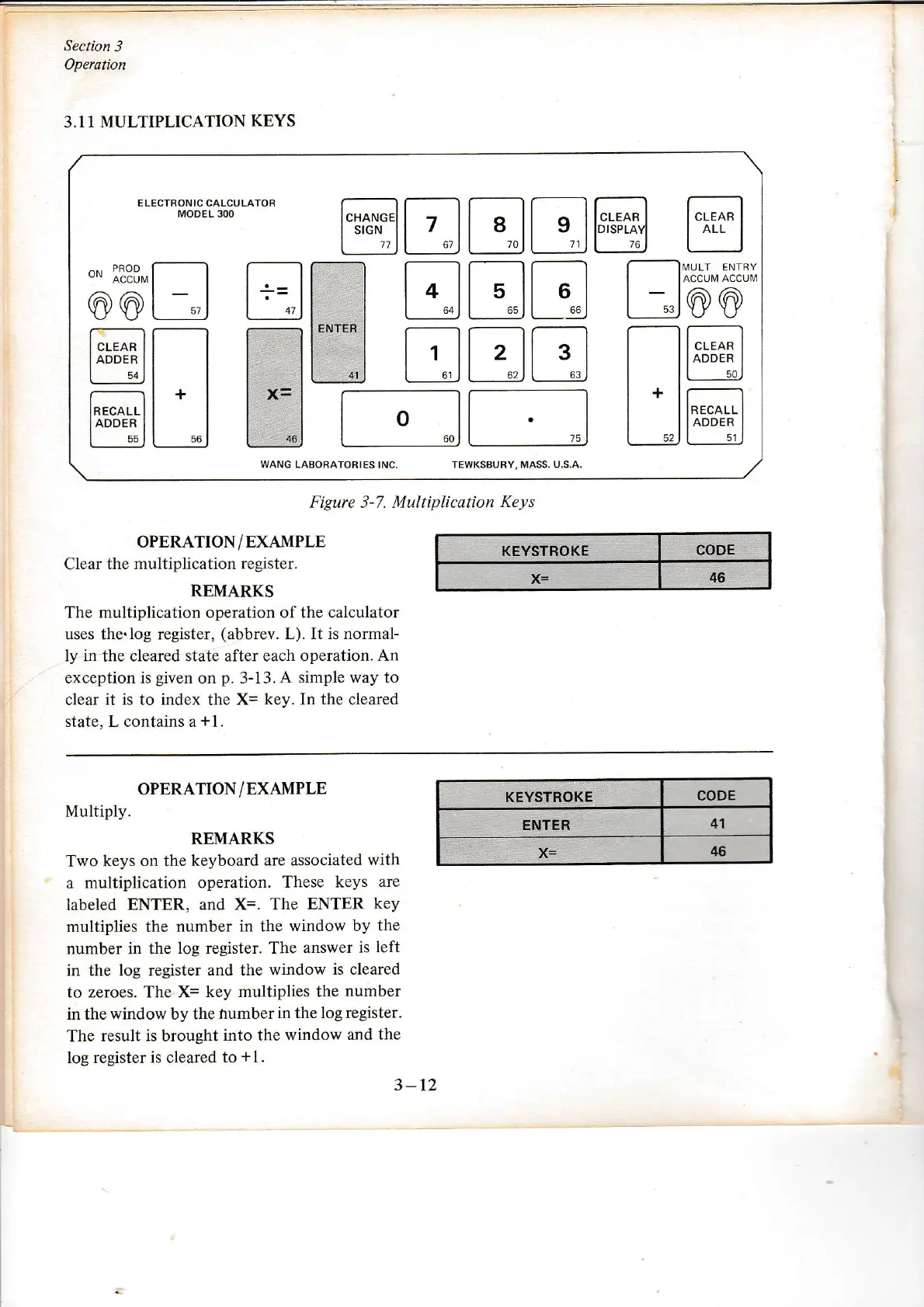
Figure 3-7. Multiplicarion
Keys
OPERATION/EXAMPLE
C
lear the multiplication
register.
REMARKS
The multiplication operation of the calculator
uses the.log register,
(abbrev.
L).
It is normal-
ly
in
the cleared state after each
operation. An
exception is
given
on
p.
3-13.
A simple way to
clear it is to index the X=
key. In the cleared
state, L contains a
+1.
KEYST§OKE
x=
46
OPERATION/EXAMPLE
Multiply.
REMARKS
Two
keys on the keyboard
are associated
with
a multiplication
operation.
These keys
are
labeled
ENTER, and X=. The
ENTER
key
multiplies the
number in the
window by
the
number in the
log register. The
answer is
left
in the log register and the
window is cleared
to zeroes. The X=
key multiplies the
number
in the window by the
iumber
in the log register.
The
result is brought
into the
window and
the
log register
is
cleared
to
+
I
.
CODE
41
x=
3
-12
CODE
KÉYSTROKE
ENTER
I

Other manuals for Wang 300 Series

Related product manuals