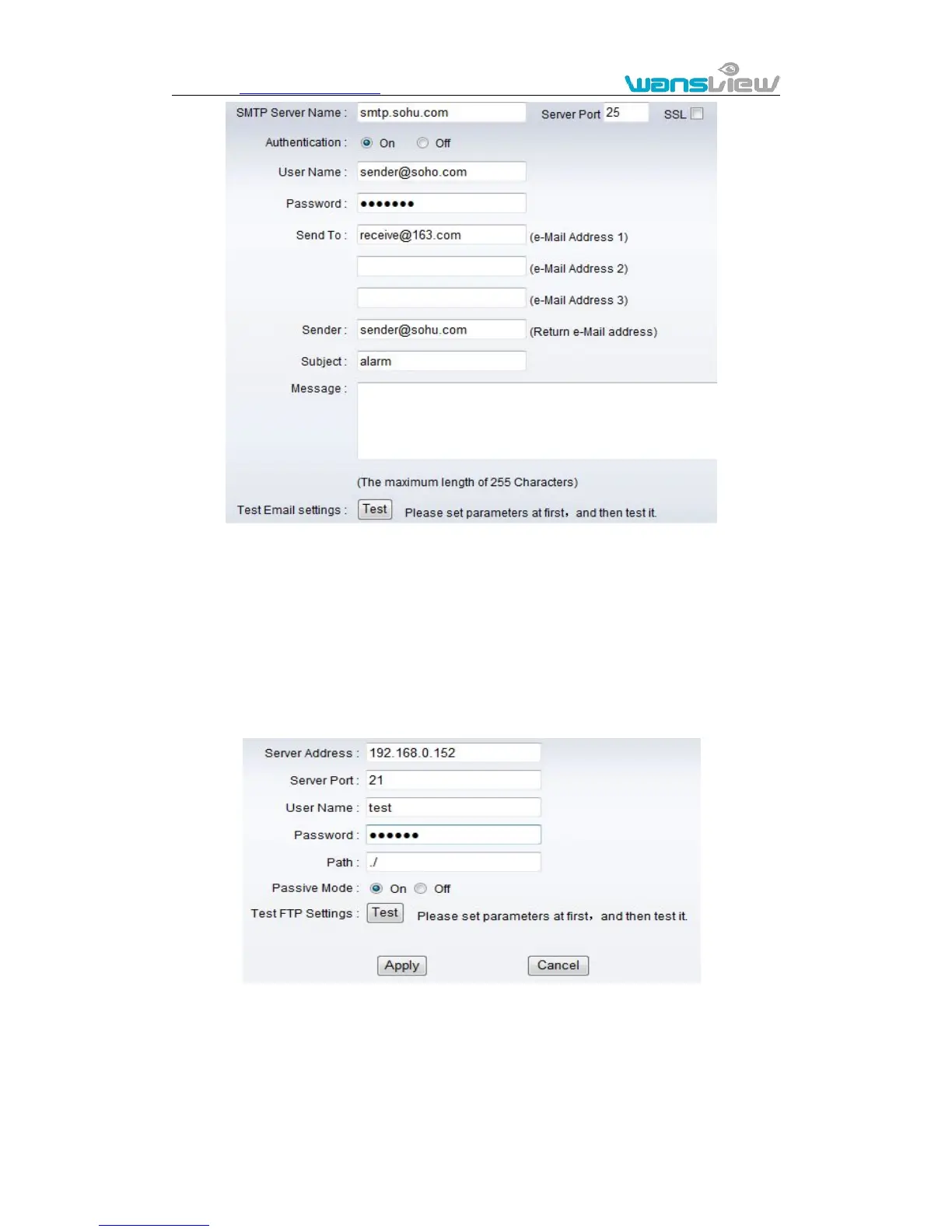
Figure 24
The SMTP server name: It is mailbox server, for example of SOHU mailbox, it is
“smtp.sohu.com”. Please fill all blanks which we filled above in figure 24 as example.
Otherwise, the settings will fail.
Please click “Test” to test if the E-mail setting is successful.
Click SYSTEM SET->>ADVANCED->>FTP to access it.
Figure 25
Before to use FTP function, please get the following ready.
1) FTP user name and password
2) FTP storage space and the authority
3) Create sub-category to store the video or pictures.
Notice: The password should not be special character; otherwise the camera can’t



 To Next Page