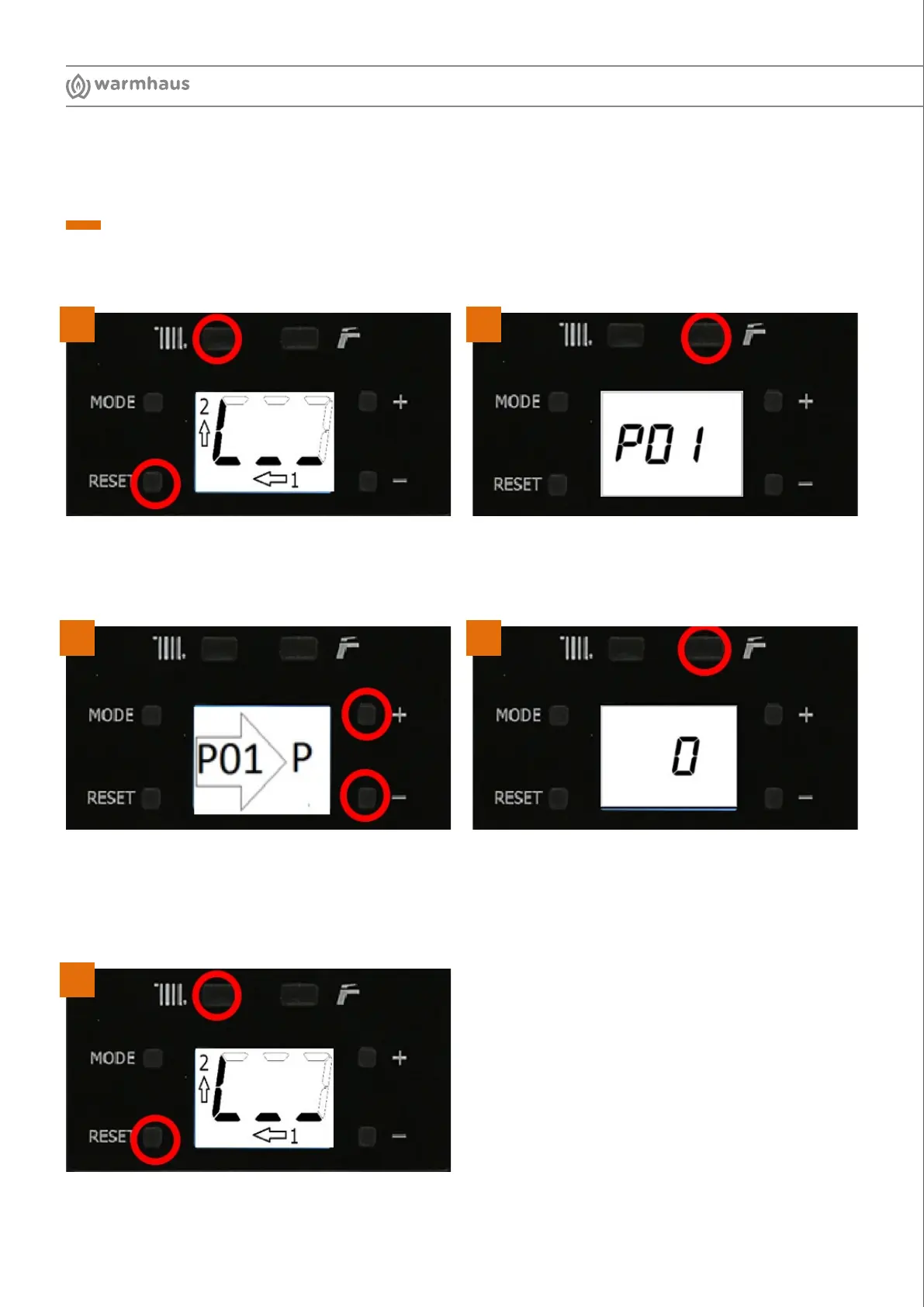
To exit TSP push the RESET and CH (-) simultaneously
and wait for the circle to complete.
3-5
Flue Length Input
Enter the TSP menu by pressing the RESET and CH (-)
simultaneously, wait until the circle completes.
From this toggle CH (+) to increase or (-) to decrease
until you reach the aimed parameter. P22 is the target
Once you reach the parameter you can change the value
by pressing DHW (+) or (-).
1= 1 meter, using the buttons enter the actual flue length
installed, push the RESET and wait for the circle to
complete to save.
The screen will appear TS – Parameter =01 – Value =0
Step 3
3-1
3-3 3-4
3-2
4




 To Next Page