The thermostat comes with pre-programmed schedule for easy and economic heating control
of most homes. Below are the factory settings or the preset schedule.
This schedule can be changed in the Heating Schedule menu.
Wake Up Leave Home Come Home Go to Sleep
5:30 8:00 18:00 21:30
24°C 16°C 24°C 16°C
Pre-programmed schedule
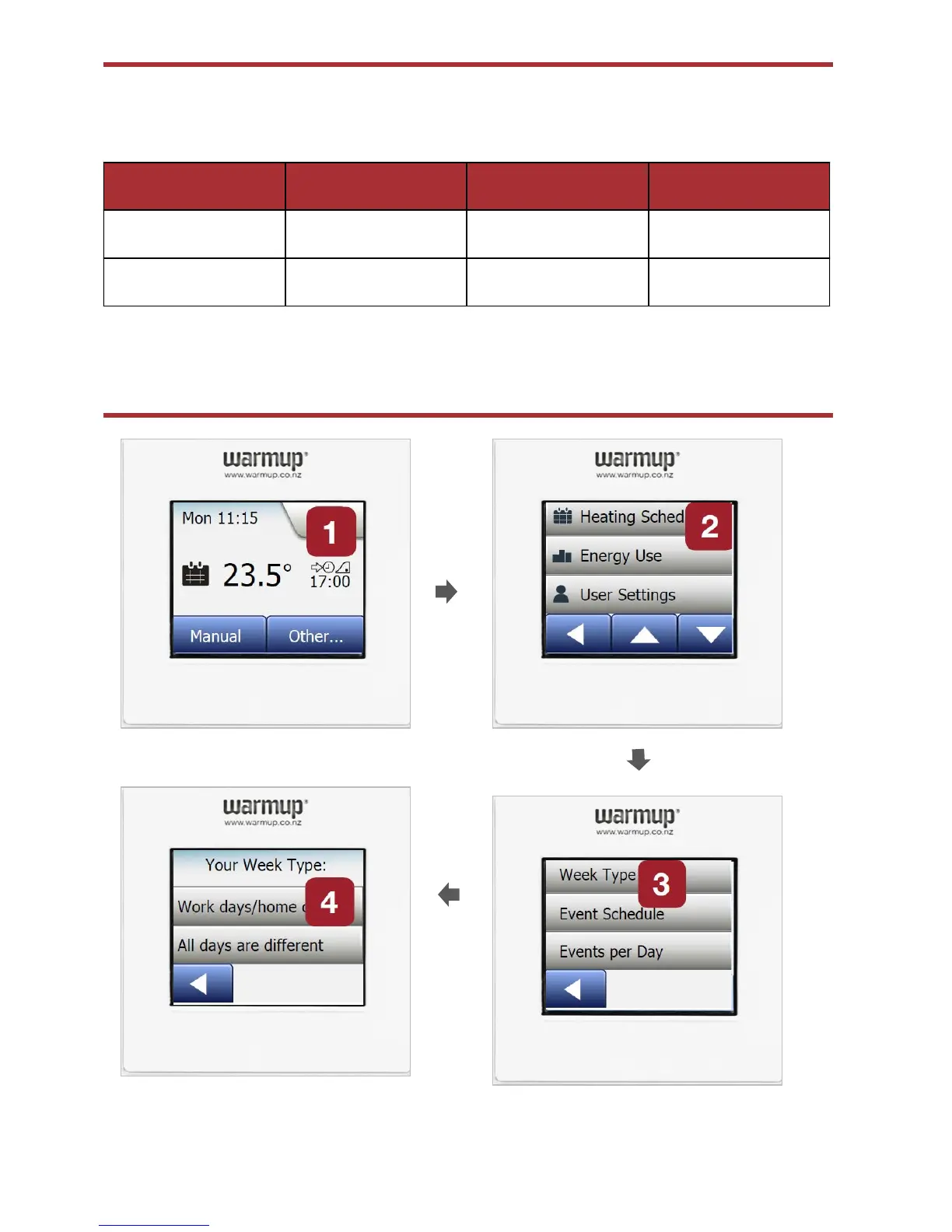
Personalise your settings -
Week Type
1. Select the Menu button on the top right to reveal the list of options
2. Start with selecting “Heating Schedule”
3. Then select “Week type”
4. Select “Work days/Home days. Select “ All days are different if your heating times are
different for all days of the week.



 To Next Page