©2019 Warn Industries, Inc. WARN® and the WARN logo are trademarks of Warn Industries Inc. 4 105938A0
1. Verify battery cables are disconnected.
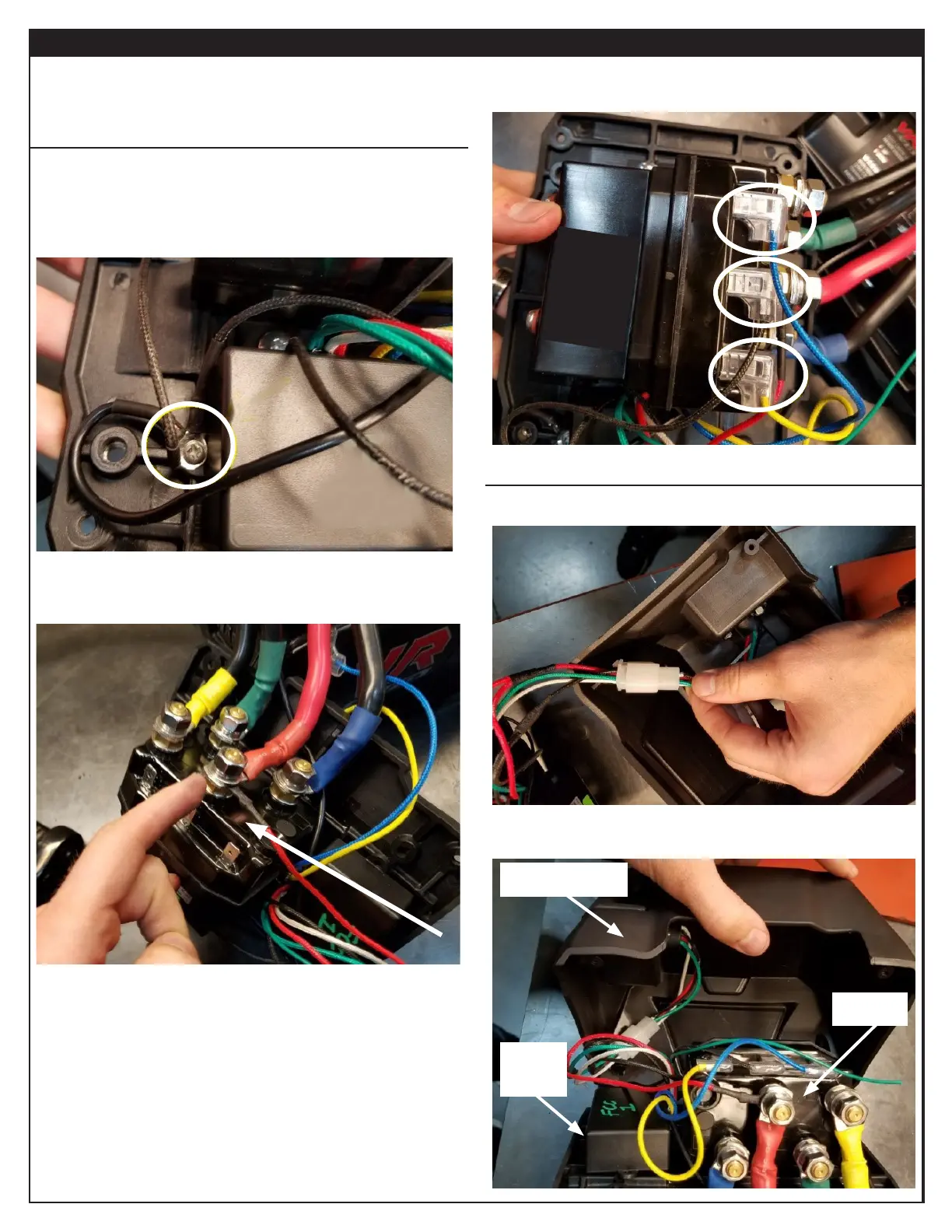
INSTALL CONTROL MODULE TO CONTROL PACK
1. Locate new control module.
2. Thread original mounting screw through the three black
ground wire ring terminals.
3. Fasten screw to base plate.
4. Install the red power wire and the red winch power cable
to the positive (+) post on the contactor. Secure with
nut, lockwasher and washer.
INSTALLATION INSTRUCTIONS
3. Plug the blue, black and yellow spade connectors to the
coordinating spade terminals on the contactor.
INSTALL CONTROL PACK TO BASE PLATE
1. Connect harness plug to remote socket.
2. Place control pack cover over base plate (covering
internals).
Control pack cover
Contactor
Control
Module


 To Next Page