©2019 Warn Industries, Inc. WARN® and the WARN logo are trademarks of Warn Industries Inc. 3 105938A0
REMOVING CONTROL MODULE FROM CONTROL PACK
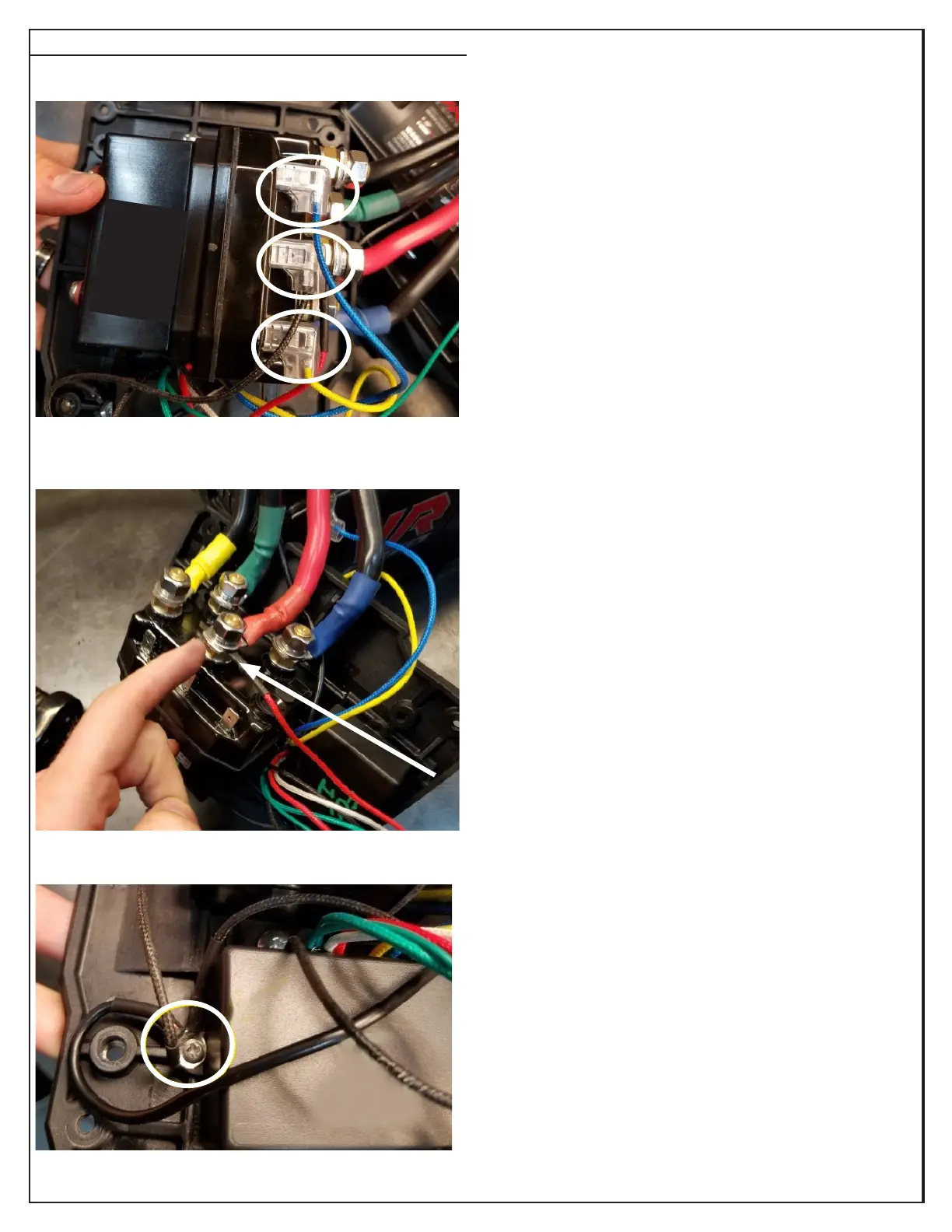
1. Remove the blue, black and yellow spade connectors
from the spade terminals on the contactor.
2. Remove the nut, lockwasher and washer from the
positive (+) post on the contactor to remove the red
power wire and the red winch power cable.
3. Remove the screw and the three black ground wires
mounted next to the control module.
You may now remove your control module completely
and install new control module.


 To Next Page