Operation
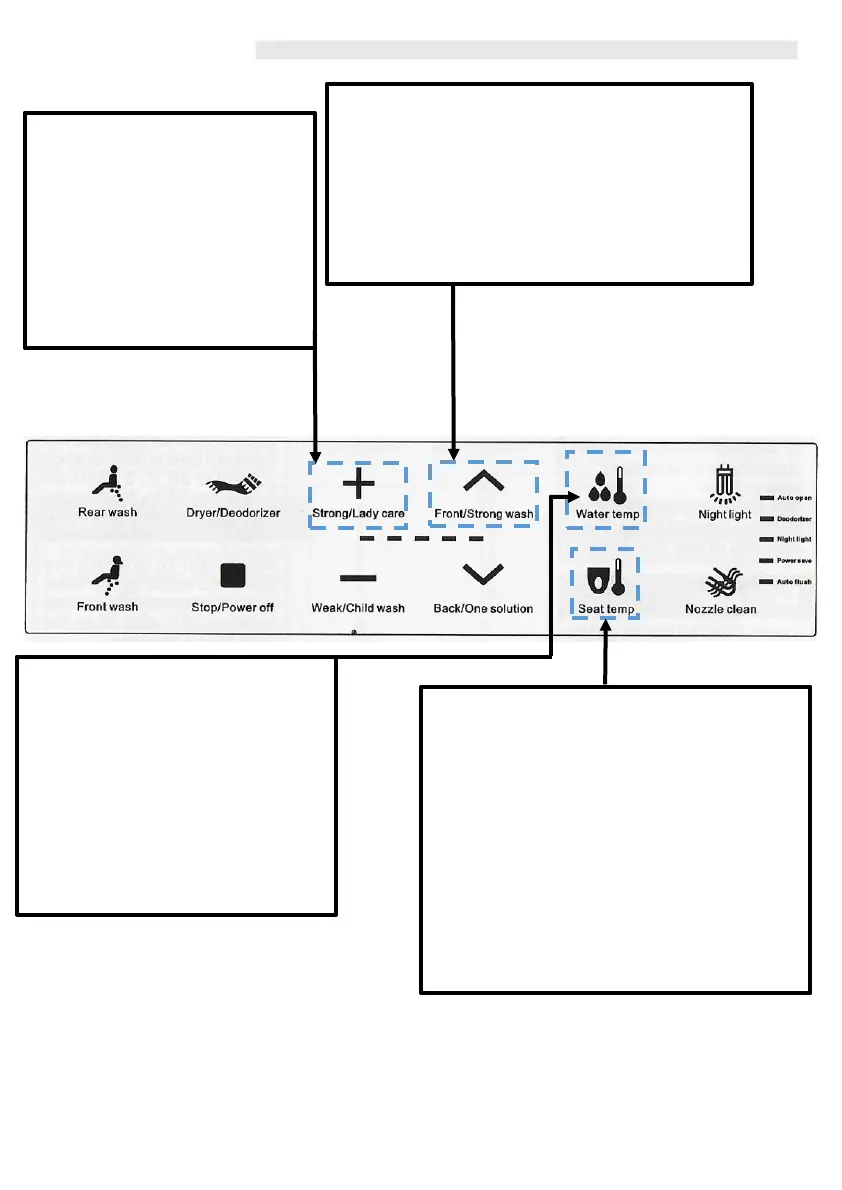
Strong Wash
When you are seated and press this button it
activates the ‘Strong Wash’ function, which uses an
intensive water pulsation to help remove
defecation. This will automatically set the water
pressure to its maximum setting. The cycle will last
2 minutes. Pressing the Stop button at any time
will end this function.
Lady Care
Front wash will automatically be
selected. Water temp will be set to
its highest - HIGH 39°C and water
pressure is set to its maximum. The
cleaning position is set to default
and the cleaning cycle will be
automatically set to 2 minutes.
Pressing the Stop button at any
time will end this function.
9
Seat Temp
Use this button to control the seat
temperature. There are 4 temperature
levels indicated by the numbered lights on
the remote control.
LOW 33°C (1 light), MEDIUM 36°C (3 lights),
HIGH 39°C (5 lights) and OFF (no
light/numbers).
After 10 minutes of inactive use, the
temperature of the seat will be lowered and
maintained at 35°C, in preparation for the
next occupant.
Water Temp
Press `Water Temp' button to
adjust the water temperature to
desired level. There are 4
temperature levels indicated by the
number of lights in the middle of
the remote control.
LOW 33°C (1 light), MEDIUM 36°C
(3 lights), HIGH 39°C (5 lights) and
OFF (no light/numbers).



 To Next Page