www.watchgas.nl
5
Detection
User Manual Single Gas Detector PDM
D e t e c t i on
2. Activation
2.1 CHECK ACTIVATION DATE
The activation date is printed on the box. Do not activate past the activation date.
2.2 SERIAL NUMBER
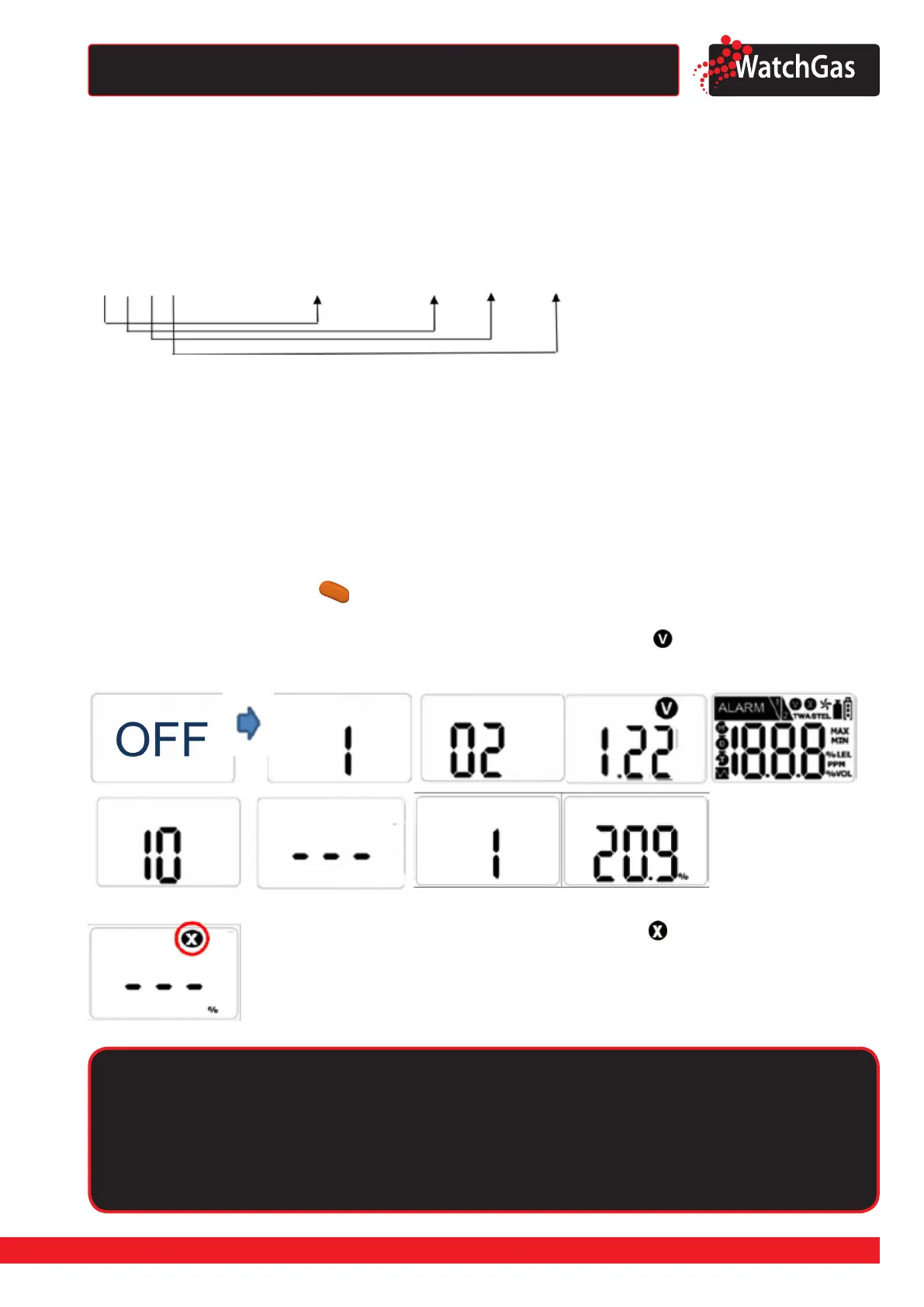
The serial number gives the following information:
WG stands for WatchGas. I = 2018, J = 2019, K = 2020 etc.
2.3 GETTING 24 MONTHS OF USE
The battery and the sensor of the PDM are not replaceable. Make sure the battery doesn´t get drained
before the 24 months are over. To reach 24 months of use:
• Only push the key when needed
• Do not allow the PDM to be in alarm situations for more than 2 minutes a day.
• Connect to IR-Link only when necessary.
2.3 ACTIVATION
Press and hold down the key ( ) for three seconds, after the three second countdown the
monitor will turn on. Gas type and rmware version (eg. v2.2) will be displayed. During a 10 seconds
countdown, the device will stabilize itself. After stabilization is complete, will appear on the display
screen and the device will move to the detection mode.
Caution
Although the PDM is calibrated before it leaves the factory, a proper calibration is advisable
before using it at the work site. The user should check whether the device is properly
detecting hazardous concentrations and make sure that the detecting section of the device
is not blocked with materials impairing the detection.
2020 (Year)
01 (Month) 01 (Day) 001 (Batch number)
WG-K0101001
In the event that stabilization of the device fails, will appear on the
display and gas measurement mode will not be entered. In this case,
perform calibration or contact authorized reseller for repair/return
information.


 To Next Page