Detection
www.watchgas.nl
PDM Single Gas Detector User Manual
6
D e t e c t i on
3. Mode
3.1 MEASUREMENT MODE
When activated, in the detection mode, gas concentration or remaining
battery life appears on the screen. Oxygen concentration is displayed in
percent by volume (%
VOL
) and toxic concentration is displayed in parts per
million (ppm).
3.2 DISPLAY MODE
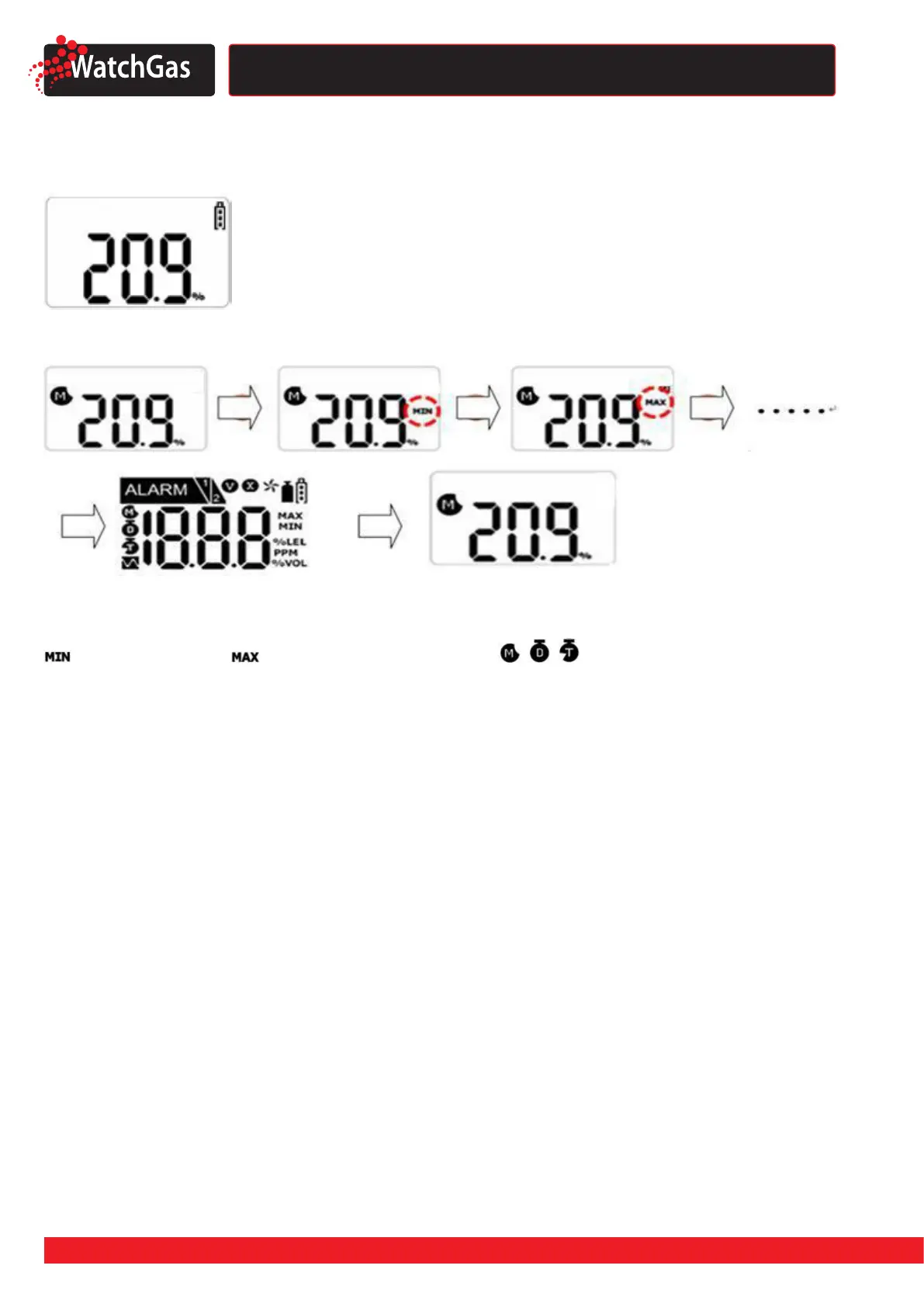
In the Detection Mode, by pressing pushbutton for one second, the following icons will appear in
order:
(only for oxygen) -> -> CLR -> Remaining Life time( , , ) ->Low alarm set point ->High
alarm set point -> Firmware version -> Calibration Concentration
At the last step, if you press the key or do not push any button for a second, the PDM will return to
Detection Mode.


 To Next Page