Getting Started
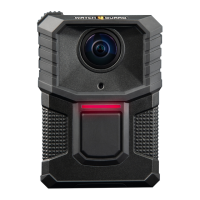
Docking the WatchGuard V300 Camera
overview
Dock the V300 to recharge the battery, upload evidence, and update
firmware. WatchGuard offers these bases where you can dock the V300:
l V300 WiFi base (page 26)
l Transfer Station II (upload from)
Note: The camera and battery can only dock in one
direction on the bases. Do not remove the camera from
the battery while charging. You can damage files on the
camera.
You can dock the V300 Camera with the battery or dock the stand-alone
battery in any of the available bases. Use the WiFi base for incidental
charging during your shift. Charging in a vehicle base, without the
vehicle running, can impact the vehicle battery and can slow charging in
warmer temperatures.
Caution: Battery charging stops at ambient
temperatures greater than 35 degrees C (95 degrees F).
While docked, you can:
l Charge the battery
l Upgrade firmware for the V300 Camera from Transfer Station II
l Upload recorded events from Transfer Station II
l Request a state capture from Transfer Station II for troubleshooting
l Upgrade the camera software (Transfer Station II only)
The V300 cameras and bases can interact only with other V300 cameras
and the 4RE.
22
WatchGuard V300 Camera
Quick Start Guide
WGD00170 Revision: B


 To Next Page