Getting Started
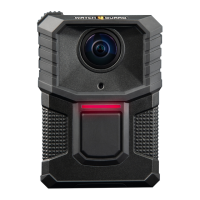
V300 Basics
The V300 functions as an HD camera and DVR combination to collect
video and audio evidence.
V300 has four buttons:
l Power: Press and release the Power button to power V300 on or off
l Record Start/Stop: Press the Record Start/Stop button to start or
stop a recorded event
l Display Backlight: Press the Display Backlight button to:
o
Turn on the backlight for the LCD Display
o
See the camera status or review categories for a recording
o
Start momentary mute
l Function (top): Press and Hold for Covert mode or to tag an event
V300 uses the center chest mount
6
WatchGuard V300 Camera
Quick Start Guide
WGD00170 Revision: B


 To Next Page