Related documents
Related documents
l Evidence Library (EL) Online Help
l 4RE DVR In-Car Video User Guide
Transfer Station II and WiFi base
The V300 Camera needs a second generation transfer station and a V300
WiFi base. You can dock either the stand-alone battery in the Transfer
Station II or WiFi base or dock the camera and battery together. Docking
both lets you charge and upload at the same time. Both the Transfer
Station II and WiFi base have keyed orientation so that the cameras and
battery only dock in one direction.
Using V300 Camera Overview
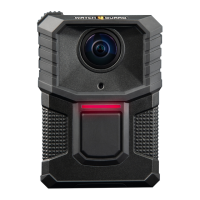
The WatchGuard V300 Camera serves as a Digital Video Recorder (DVR)
to capture, process, and store video and audio evidence. Connect the
camera to Evidence Library (EL) to configure it and upload video for
evidence management.
The V300 Camera works with other V300 cameras and the 4RE DVR to
form a recording group (page 17).
Note: The V300 cannot pair as part of a group with the
VISTA WiFi or VISTA XLT cameras in the same car. You
can combine the videos of V300, VISTA WiFi, and VISTA
XLT video captures for the same event in EL.
WatchGuard V300 Camera
Quick Start Guide
WGD00170 Revision: B
3


 To Next Page