I can not boot up
the device.
Please click RESET button for at least five seconds to restore
factory default setup.
Micro SD card
write times
Do not set the Micro SD card as the storage media to storage the
schedule record file. It may damage the Micro SD card duration.
I can not use the
disk as the storage
media.
When disk information is shown as hibernation or capacity is 0,
please format it first (Via Web).
I can not upgrade
the device via
network.
When network upgrade operation failed, you can use port 3800 to
continue upgrade.
Recommended
Micro SD card
brand
Kingston 4GB, Kingston 1GB, Kingston 16GB, Transcend 16GB,
SanDisk 1G, SanDisk 4G.
Usually we recommend the 4GB (or higher) or industry-level high
speed card in case the slow speed results in data loss.
Please use active device for the audio monitor input, otherwise there
is no audio in the client-end.
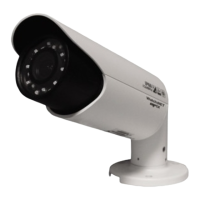
The lightproof ring
of the IR device
The lightproof ring of the IR device lens is the necessary component
when it works. You can not view the clear video when the IR light is
on if you remove the lightproof ring.


 To Next Page