3 Installation
Important
Before you complete the installation and setup, do not remove the electrostatic attraction
film on the transparent enclosure. Otherwise it may result in injury.
After remove electrostatic attraction film, do not touch dome enclosure in case it may leave
stain.
Before the installation, please make sure the installation surface can sustain at least 3X
weight of the bracket and the camera.
3.1 Device Installation Introduction
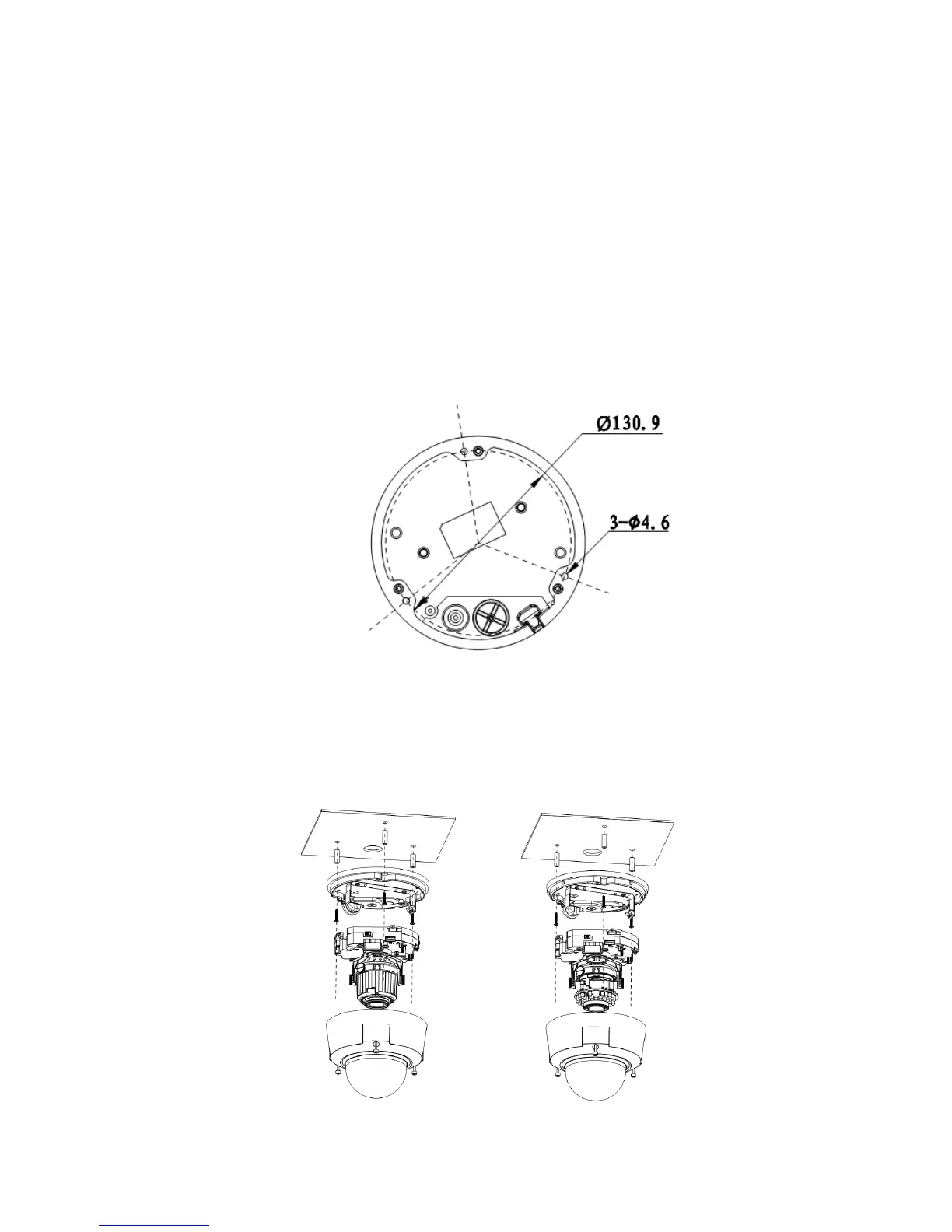
Please refer to Figure 3-1 for device installation space information. You can use screws (diameter is less
than 4.5mm) to secure the device. You can see there are installation position map and installation
screws in the accessories bag for you to install the device conveniently.
Figure 3-1
3.2 Device Installation Steps
3.2.1 General Installation
The general interface is shown as in Figure 3-2.
IR Motorized Zoom Lens Series IR Manual Zoom Series


 To Next Page