EasyManua.ls Logo

Water Specialist CK - User Manual

Default Icon
28 pages
Print Icon
To Next Page IconTo Next Page
Loading...
Water Specialist CK and EQ
Control Valve
Programming and Cover Drawing Manual
Question and Answer IconNeed help?

Do you have a question about the Water Specialist CK and is the answer not in the manual?

Summary

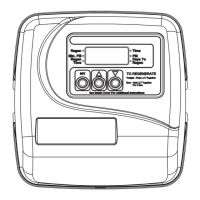
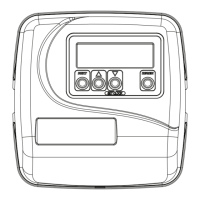
CK Front Cover and Drive Assembly

Component Identification and Specifications

Details on parts, AC adapter, battery, and relay driver for the control valve.

OEM General Programming Instructions

Programming Procedure Overview

Overview of available programming procedures and system setup options.

Regeneration Cycle and Timing Configuration

Details on regeneration cycles, timing, and special features like double regeneration.

System Control and Backlight Features

Information on locking settings, exiting menus, and backlight control.

OEM Cycle Sequence

Setting Regeneration Cycle Order

Step-by-step guide to defining the sequence of regeneration cycles.

OEM Softener System Setup

Softener Cycle Time and Parameter Settings

Configuring cycle times, system capacity, and regeneration trigger options.

Relay Configuration and Service Alarm

Detailed settings for relays and the service alarm feature.

OEM Filter System Setup

Filter Cycle Time and Parameter Settings

Configuring cycle times, fill parameters, and regeneration trigger options for filters.

Filter Relay Configuration

Detailed settings for relays and service alarm for filter systems.

Installer Display Settings

Language, Hardness, and Day Override

Setting display language, hardness levels, and day override for regeneration.

Regeneration Time Setting

Configuring the hour and minutes for the next scheduled regeneration.

User Display Settings

System Status Information Displays

Displays for capacity, days to regen, time of day, flow rate, and operational status.

Regeneration Status Indicators

Explanation of status indicators like REGEN PENDING, STANDBY, and DELAYED RINSE+FILL.

Diagnostics

Regeneration and Volume History

Displays days since last regen, volume treated, and reserve history.

Usage History and Tank Transfer

Shows 63-day usage history, tank transfer details, and max flow history.

MAV Drive History and Reset

Details on MAV drive history, error codes, and procedure for clearing diagnostics.

Valve History

Software Version and Startup Data

Displays software version, total days and regenerations since startup.

Total Volume Treated and Error Log

Shows total volume treated and a log of recent errors.

Summary

CK Front Cover and Drive Assembly

Component Identification and Specifications

Details on parts, AC adapter, battery, and relay driver for the control valve.

OEM General Programming Instructions

Programming Procedure Overview

Overview of available programming procedures and system setup options.

Regeneration Cycle and Timing Configuration

Details on regeneration cycles, timing, and special features like double regeneration.

System Control and Backlight Features

Information on locking settings, exiting menus, and backlight control.

OEM Cycle Sequence

Setting Regeneration Cycle Order

Step-by-step guide to defining the sequence of regeneration cycles.

OEM Softener System Setup

Softener Cycle Time and Parameter Settings

Configuring cycle times, system capacity, and regeneration trigger options.

Relay Configuration and Service Alarm

Detailed settings for relays and the service alarm feature.

OEM Filter System Setup

Filter Cycle Time and Parameter Settings

Configuring cycle times, fill parameters, and regeneration trigger options for filters.

Filter Relay Configuration

Detailed settings for relays and service alarm for filter systems.

Installer Display Settings

Language, Hardness, and Day Override

Setting display language, hardness levels, and day override for regeneration.

Regeneration Time Setting

Configuring the hour and minutes for the next scheduled regeneration.

User Display Settings

System Status Information Displays

Displays for capacity, days to regen, time of day, flow rate, and operational status.

Regeneration Status Indicators

Explanation of status indicators like REGEN PENDING, STANDBY, and DELAYED RINSE+FILL.

Diagnostics

Regeneration and Volume History

Displays days since last regen, volume treated, and reserve history.

Usage History and Tank Transfer

Shows 63-day usage history, tank transfer details, and max flow history.

MAV Drive History and Reset

Details on MAV drive history, error codes, and procedure for clearing diagnostics.

Valve History

Software Version and Startup Data

Displays software version, total days and regenerations since startup.

Total Volume Treated and Error Log

Shows total volume treated and a log of recent errors.

Water Specialist CK Specifications

General IconGeneral
BrandWater Specialist
ModelCK
CategoryControl Unit
LanguageEnglish

Related product manuals