EasyManua.ls Logo

Water Specialist WS1CC - User Manual

Water Specialist WS1CC
60 pages
Print Icon
To Next Page IconTo Next Page
Loading...
Water Specialist
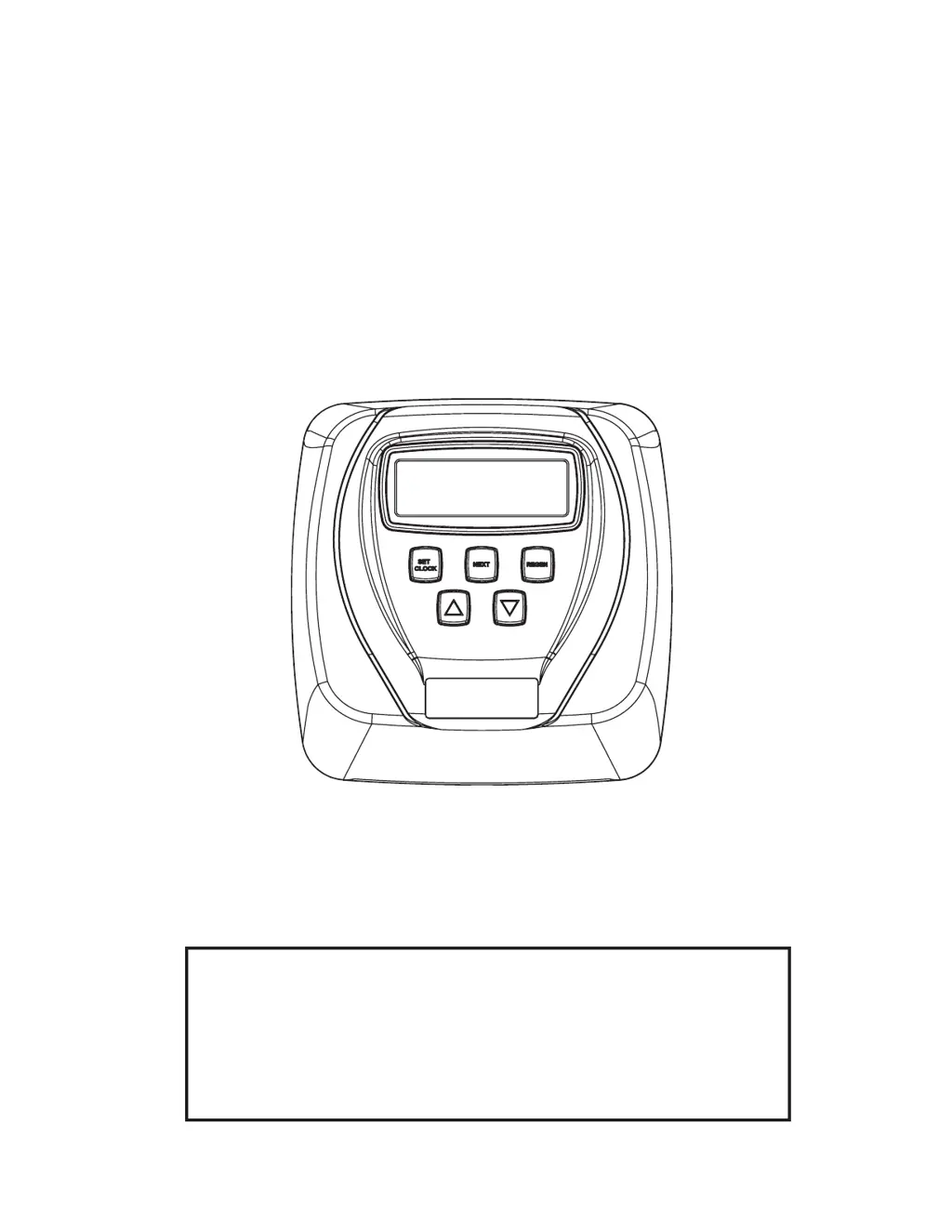
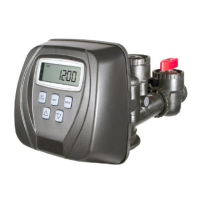
1” Control Valve Series Model: WS1CC
1.25” Control Valve Series Model: WS1.25CC
Operation and Instruction Manual for OEM Only.
Please Note: This operation and instruction manual is for the training of the
OEM and for the OEM to use to train their customers. This document is not
to be used as the complete system manual.

Table of Contents

Questions and Answers

  • M
    Megan MartinezAug 14, 2025
    What to do if my Water Specialist WS1CC Control Unit displays an ERROR code?
    • E
      Eric EdwardsAug 14, 2025
      If the Water Specialist Control Unit displays an ERROR code (1001, 1002, 1003, or 1004), it could be due to several reasons. If the control valve was recently serviced, try pressing NEXT and REGEN for 3 seconds, or unplug the power source and plug it back in to reset the control valve. Other potential causes include foreign matter lodged in the control valve (check the piston and spacer stack), high drive forces on the piston (replace piston(s) and spacer stack), or the piston not being in the home position (reset the control valve as described above). Also, inspect the motor and wiring, replacing the motor if necessary, and check the drive gear for damage or misalignment. Finally, ensure the PC board is correctly aligned and not damaged; replace if necessary.
  • M
    Michael GarrettAug 17, 2025
    Why is my Water Specialist Control Unit valve stalled in regeneration?
    • A
      Amy MendozaAug 17, 2025
      If your Water Specialist Control Unit valve is stalled during regeneration, it could be due to several reasons. First, check if the motor is operating; if not, replace it. Ensure there is electric power at the outlet; repair the outlet or use a working one if necessary. A defective AC adapter or PC board could also be the cause, so replace them if needed. Additionally, inspect the drive gear or drive cap assembly, as well as the piston retainer, and replace them if broken. Finally, check the main or regenerant piston and replace if broken.
  • K
    Kelly MullenAug 20, 2025
    Why Water Specialist WS1CC does not regenerate automatically, but does when REGEN button is depressed?
    • B
      Bryan GalvanAug 20, 2025
      If the Water Specialist Control Unit does not regenerate automatically, but does when you press the REGEN button, the bypass valve might be in the bypass position; put it in the normal operation position. Also, the meter connection could be disconnected; connect the meter to the PC board. Other possible causes include a restricted or stalled meter turbine (remove the meter and check for rotation or foreign material), a defective meter (replace the meter), or a defective PC board (replace the PC board). Finally, there might be a set-up error; check the control valve set-up procedure.
  • J
    Justin RhodesAug 25, 2025
    How to fix Water Specialist WS1CC Control Unit timer that does not display correct time of day?
    • K
      kylie33Aug 25, 2025
      If your Water Specialist Control Unit timer is not displaying the correct time of day, it may be due to a switched outlet. Ensure you are using an uninterrupted outlet. Alternatively, a power outage may have occurred. If the outage lasted more than 24 hours, reset the time of day. If less than 24 hours, reset the time of day and replace the battery. In some cases, a defective PC board can cause this issue, requiring replacement.
  • C
    chad82Aug 27, 2025
    Why Water Specialist WS1CC control valve regenerates at wrong time of day?
    • J
      Joshua StephensAug 27, 2025
      If the Water Specialist Control Unit regenerates at the wrong time, it could be due to power outages. If the outage lasted more than 24 hours, reset the time of day. If less than 24 hours, reset the time of day and replace the battery. It may also be that the time of day or regeneration time is not set correctly; reset them to the correct times. Another possibility is that the control valve is set at “on 0” (immediate regeneration) or “NORMAL + on 0”; check the control valve set-up procedure for the regeneration time option.
  • D
    David VillaAug 30, 2025
    What to do if Water Specialist WS1CC control valve does not regenerate automatically when REGEN button is depressed and held?
    • L
      Lauren RoseAug 31, 2025
      If the Water Specialist Control Unit does not regenerate automatically when you press and hold the REGEN button, make sure the AC adapter is connected. If it is, check that there is electric power at the outlet; repair the outlet or use a working one if necessary. A broken drive gear or drive cap assembly could also be the cause, so replace them if needed. Finally, a defective PC board might be the issue, requiring replacement.
  • T
    terrirobinsonSep 3, 2025
    How to troubleshoot a Water Specialist WS1CC timer that doesn't display the time of day?
    • S
      Stephanie WilliamsSep 3, 2025
      If the Water Specialist Control Unit timer does not display the time of day, first ensure the AC adapter is plugged in and that there is electric power at the outlet; connect the power or repair the outlet if necessary. If the issue persists, the AC adapter or PC board may be defective and require replacement.
  • J
    John DunnSep 6, 2025
    What to do if there is no softening/filtering display on Water Specialist WS1CC Control Unit when water is flowing?
    • M
      Michael ChaseSep 6, 2025
      If there is no softening/filtering display on your Water Specialist Control Unit when water is flowing, first check that the bypass valve is in the service position. If it is, ensure the meter connection is connected to the PC board. If the issue persists, the meter turbine might be restricted or stalled; remove the meter and check for rotation or foreign material. A defective meter or PC board could also be the cause, requiring replacement.
  • J
    Julie LongSep 9, 2025
    Why is the time of day flashing on and off on my Water Specialist WS1CC?
    • J
      James BarkerSep 9, 2025
      If the time of day is flashing on and off on your Water Specialist Control Unit, it indicates a power outage. Reset the time of day. If the power outage lasted less than 24 hours, reset the time of day and replace the battery.

Summary

Introduction and General Warnings

General Warnings

Warnings that must be included in the OEM's manual.

Control Valve Function and Operation

Control Valve Function and Cycles of Operation

Explanation of how the control valve functions and its operational cycles.

DIR;Time Clock Options

Settings for Demand Initiated Regeneration (DIR) and Time Clock.

Manual Regeneration

How to initiate manual regeneration.

Valve Components and Assemblies

Drive Assembly

Components and function of the drive assembly.

Drive Cap Assembly, Main Piston, and Regenerant Piston

Details on drive cap, pistons, and spacer stack assemblies.

Spacer Stack Assembly

Information on the spacer stack assembly and its seals.

Injector Cap, Screen, Injector Plug, and Injector

Description of injector cap, screen, plug, and injector parts.

Refill Flow Control Assembly or Refill Port Plug

Details on the refill flow control assembly and port plug.

Drain Line Flow Control and Fitting Assembly

Information on drain line flow control and fitting assembly.

Water Meter or Meter Plug

Function and installation of the water meter or meter plug.

Mixing Valve

Information on the optional mixing valve.

Bypass Valve

Explanation of the bypass valve and its four positions.

OEM Setup Procedures

OEM General Instructions

General guidance for OEMs on valve setup and configuration.

OEM Cycle Sequence

OEM instructions for setting the regeneration cycle sequence.

OEM Softener System Setup

Setting cycle times and parameters for softener systems.

OEM Filter System Setup

Setting cycle times and parameters for filter systems.

Display Settings and Regeneration Modes

Installer Display Settings

Settings configurable by the installer for display and operation.

User Display Settings

Explanation of the different displays visible to the user.

Regeneration Mode and Time Setting

Regeneration timing, manual regeneration, and setting system time.

System Status and History

Salt Management and System Status

Procedures for managing salt, power loss, and error indicators.

Diagnostics

Information on accessing and interpreting diagnostic data.

Valve History

Accessing and understanding the valve's operational history.

Installation Procedures

Refill Flow Control and Drain Line Installation

Installing refill flow control and drain line fittings.

Installation Fitting Assemblies and Bypass Valve

Connecting fittings, bypass valve, and mixing valve.

Parts Identification

Front Cover and Drive Assembly Parts

Part breakdown for the front cover and drive assembly.

WS1 CC Valve Core Parts

Parts list for WS1CC drive cap, pistons, and spacer stack.

WS1.25 CC Valve Core Parts

Parts list for WS1.25CC drive cap, pistons, and spacer stack.

Injector and Refill Parts

Parts list for injector and refill components.

Drain Line Parts

Parts list for 3/4" and 1" drain line fittings and flow controls.

Water Meter and Mixing Valve Parts

Parts list for water meter, meter plug, and mixing valve.

Installation Fitting Assemblies Parts

Parts for various installation fitting assemblies.

Bypass Valve Parts

Parts list for the bypass valve assembly.

Flow Diagrams

Flow Diagrams: Service and Backwash

Visual flow diagrams for service and backwash operations.

Flow Diagrams: Downflow and Upflow

Visual flow diagrams for downflow and upflow brine cycles.

Flow Diagrams: Rinse and Fill

Visual flow diagrams for rinse and fill operations.

Service Instructions

WS1 Wrench

Description and use of the WS1 wrench tool.

Drive Assembly Service

Step-by-step instructions for servicing the drive assembly.

Drive Cap, Piston, and Spacer Stack Service

Instructions for servicing drive cap, pistons, and spacer stack.

Injector and Refill System Service

Servicing injector and refill flow control components.

Water Meter and Bypass Valve Service

Instructions for servicing water meter and bypass valve.

Troubleshooting

Troubleshooting Procedures

Common problems, possible causes, and solutions for the control valve.

WS1 CC & WS1.25 CC Identification

WS1 CC & WS1.25 CC Identification

Visual identification of different valve configurations.

Injector Performance Graphs

Injector Graphs US Units

Flow rate vs. pressure graphs for injectors in US units.

Injector Graphs Metric Units

Flow rate vs. pressure graphs for injectors in metric units.

Clack Corporation Limited Warranty

Clack Corporation Limited Warranty

Five-year limited warranty details for softener and filter controls.

Water Specialist WS1CC Specifications

General IconGeneral
BrandWater Specialist
ModelWS1CC
CategoryControl Unit
LanguageEnglish

Related product manuals