EasyManua.ls Logo

Water Specialist WS2H - User Manual

Water Specialist WS2H
60 pages
Print Icon
To Next Page IconTo Next Page
Loading...
Water Specialist
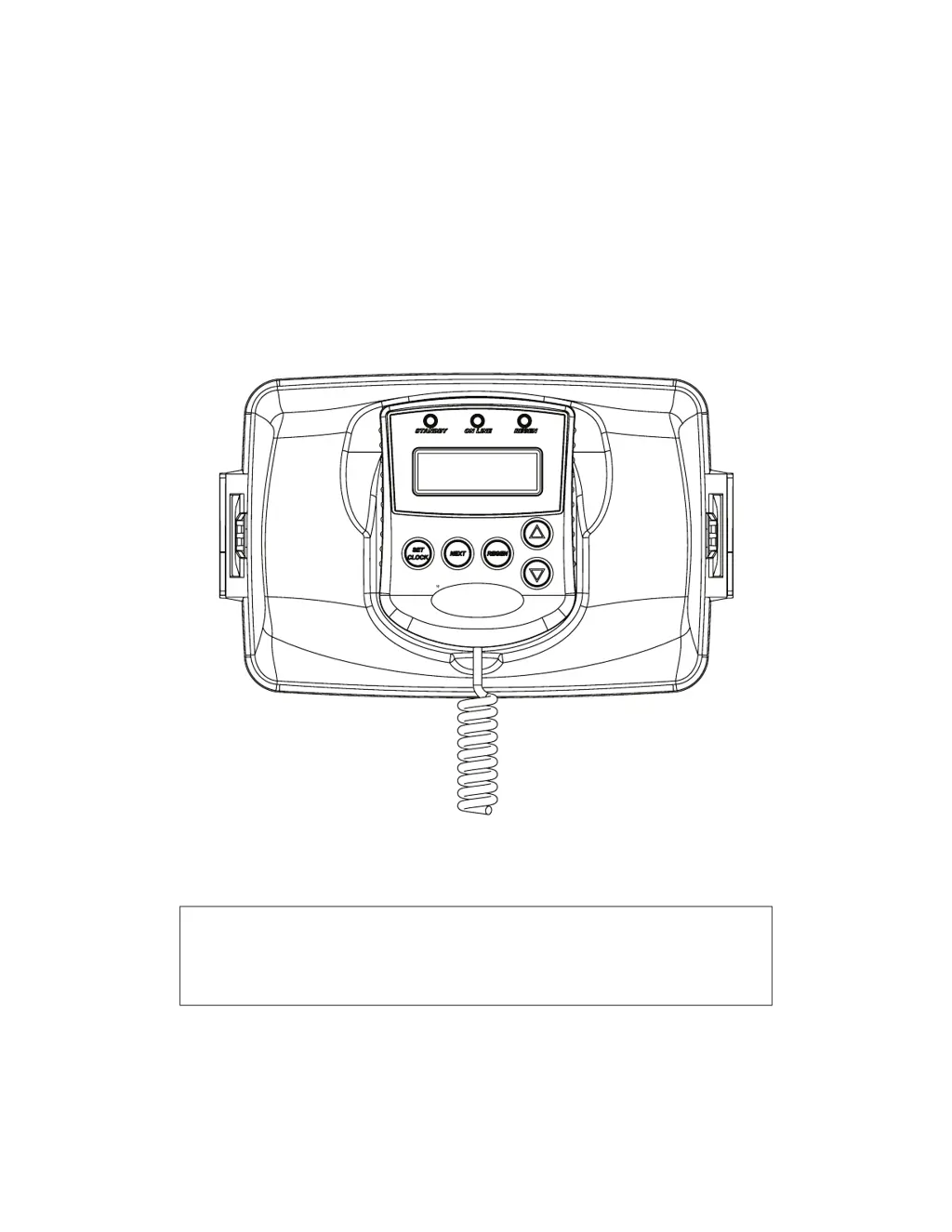
WS2H and WS3 Control Valve
Manual
HYDROCARBONS SUCH AS VASELINE®, PETROLEUM JELLY, KEROSENE, BENZENE,
GASOLINE, ETC., WILL DAMAGE PRODUCTS THAT CONTAIN O-RINGS OR PLASTIC
COMPONENTS. EXPOSURE TO SUCH HYDROCARBONS MAY CAUSE THE PRODUCTS
TO LEAK. DO NOT USE CLACK CONTROL VALVE PRODUCT(S) ON WATER SUPPLIES
THAT CONTAIN HYDROCARBONS SUCH AS KEROSENE, BENZENE, GASOLINE, ETC.

Other manuals for Water Specialist WS2H

Questions and Answers

  • V
    Valerie WoodsDec 1, 2025
    What to do if hard water is being delivered by Water Specialist Controller?
    • A
      Anna SanchezDec 1, 2025
      If hard or untreated water is being delivered, it could be due to several reasons. The tank may be overfilled, or the bypass/isolation valves could be open or faulty; in this case, fully close or replace the bypass/isolation valves. If the water quality is poor, the seal/stack assembly could be damaged (replace it), or the riser tube or seal could be faulty (verify seal placement). Also, the control valve body and piston type might be mismatched (verify they match). If the media is exhausted due to higher than anticipated water usage, check program settings. If the meter is not registering, see Troubleshooting Guide #3. Check the regenerant tank for no or low level of regenerant; check the refill setting in programming; check the refill flow control for restrictions or debris and clean or ...
  • C
    cdavisAug 25, 2025
    What to do if Water Specialist WS2H display does not indicate that water is flowing?
    • W
      Wendy HaleyAug 25, 2025
      If the display of your Water Specialist Control Unit doesn't show water flowing, consider the following: 1. Ensure the bypass/isolation valve is not in the bypass position; turn the handles to the service position. 2. Check that the meter is properly connected to the meter connection on the PC Board. 3. Inspect the meter for restrictions or foreign material. 4. Verify the meter cable wires are securely installed into the three-pin connector labeled FLOW. 5. If the issue persists, the meter or PC Board may be defective and require replacement.
  • M
    Maria PerezAug 25, 2025
    Why does Water Specialist Control Unit POD not display the correct time of day?
    • D
      Derek CummingsAug 26, 2025
      If the POD on your Water Specialist Control Unit isn't displaying the correct time, here's what might be happening: * The Power Adapter might be plugged into an outlet controlled by a light switch; use an uninterrupted outlet instead. * A breaker switch or GFI might have tripped; reset them. * There may have been a power outage; reset the time of day. * The PC Board could be defective, requiring replacement.
  • K
    kcarterAug 27, 2025
    What to do if Water Specialist WS2H control valve regenerates at the wrong time of day?
    • K
      Kelly GoodwinAug 27, 2025
      If your Water Specialist Control Unit's control valve regenerates at the wrong time, it could be due to: * A power outage, in which case you should reset the time of day. * The time of day not being set correctly; reset it to the correct time. * The regeneration time being set incorrectly; reset the regeneration time. * The control valve being set at “on 0”; check the programming setting and reset to dEL.
  • J
    Joshua LopezAug 27, 2025
    Why is the time of day flashing on and off on my Water Specialist Control Unit?
    • Z
      Zachary SolisAug 27, 2025
      The time of day flashing on and off on your Water Specialist Control Unit indicates a power outage. Reset the time of day.
  • K
    Kyle ColeSep 22, 2025
    How to troubleshoot Err – 17002 on Water Specialist Controller?
    • V
      Vicki MccoySep 22, 2025
      Error 17002 means that MAV for Separate Source valve motor ran too short while trying to find proper park position. This can be caused by foreign material lodged in MAV for separate source valve (open up MAV for separate source and check for foreign material, then press NEXT and REGEN buttons for about 3 seconds to resynchronize software with piston position) or mechanical binding (check poppet drive assembly or piston and seal/ stack assembly, check reduction gears, drive gear interface, and check MAV for separate source black drive pinion on motor, then press NEXT and REGEN buttons for about 3 seconds to resynchronize software with piston position).
  • E
    Elizabeth Fuentes DVMSep 16, 2025
    What does Err – 15011 mean on Water Specialist Controller?
    • E
      elizabethrojasSep 16, 2025
      Error - 15011 means that Motorized Bypass or MAV for NHBP valve motor ran too short (stalled) while trying to drive on-line. This can be caused by foreign material lodged in Motorized Bypass or MAV for NHBP valve (open up Motorized Bypass or MAV for NHBP and check for foreign material, then press NEXT and REGEN buttons for about 3 seconds to resynchronize software with piston position) or mechanical binding (check poppet drive assembly or piston and seal/ stack assembly, check reduction gears, drive gear interface, and check Motorized Bypass or MAV for NHBP black drive pinion on motor, then press NEXT and REGEN buttons for about 3 seconds to resynchronize software with piston position).
  • T
    Teresa MillsSep 18, 2025
    How to solve Err - 14001 on Water Specialist Controller?
    • T
      tim14Sep 18, 2025
      If you encounter Err – 14001, which means the message queue is full, press the NEXT and REGEN buttons for about 3 seconds to resynchronize software with piston position. This error usually means the master PC Board did not receive a response from slave units.
  • B
    Betty BrownSep 6, 2025
    What to do if there is excessive water in Water Specialist Controller regenerant tank?
    • T
      Teresa TownsendSep 6, 2025
      If there is excessive water in the regenerant tank, it could be because the tank is being overfilled (verify program settings or visual inspection / measure volume output into container) or the previous regenerant is not being drawn out (see Troubleshooting Guide #12).
  • A
    Ashley ChapmanSep 3, 2025
    Why Water Specialist Controller display doesn't show water flowing?
    • D
      danielleramosSep 3, 2025
      If the display does not indicate that water is flowing, it could be because the bypass/isolation valve is in the bypass position (turn the handles to the service position), the meter is not connected to the meter connection on the PC Board (connect it to the three-pin connection labeled FLOW), the meter turbine is restricted/stalled (remove the meter and check for rotation or foreign material), the meter wire is not securely installed into the three-pin connector (verify secure installation), the meter is defective (replace it), or the PC Board is defective (replace it).

Summary

GENERAL SPECIFICATIONS AND PRE-INSTALLATION

Specifications Table

Details operating parameters, flow rates, and connections for the control valve.

WIRING AND PC BOARD INFORMATION

Power Adapter and Meter Wiring

Instructions for connecting the power adapter and external water meters.

Main PC Board Overview

Describes the main circuit board and its connectors and functions.

SYSTEM OPERATION AND EXAMPLES

Typical System Examples

Illustrates common system configurations and plumbing setups.

USER INTERFACE AND PROGRAMMING

Button Function and Programming

Explains button operations and programming sequence.

Programming Quick Reference

Provides a flowchart for system setup and configuration.

Typical User Screens

Explains the information displayed on the unit's screen.

Setting Time, Date, Notifications, and Errors

Covers clock settings, system alerts, and error codes.

Main Menu and Setup Screens

Guides access to menus and system setup.

System Setup Options

Details configuration for language, units, system type, etc.

Cycle Setup Options

Configures primary and secondary regeneration cycles.

Expansion Setup Options

Explains configuration of expansion ports.

Installer Setup Options

Covers installer-specific settings.

DIAGNOSTICS AND HISTORY

Diagnostic Screens

Explains how to access and interpret diagnostic information.

Valve History Data

Details how to view historical operational data.

INSTALLATION AND COMPONENTS

Installation Guide

Covers the physical installation process and site requirements.

Cycle Positions; Flow Diagrams

Illustrates water flow during different valve cycles.

Drive Assembly Components

Lists parts for the front cover and drive mechanism.

Brine Valve and Injector Components

Details parts for the brine valve and injectors.

Injector Performance Graphs

Provides flow rate data for various injectors.

Base Assemblies

Describes different mounting base options for the valves.

Drain Line Flow Controls

Explains selection and installation of flow controls for drain lines.

ADVANCED FEATURES AND TROUBLESHOOTING

Custom Motorized Drive Timing

Allows customization of valve drive timing sequences.

Modbus Communication

Details Modbus communication setup and registers.

Troubleshooting Guide

Provides solutions for common problems and errors.

Water Specialist WS2H Specifications

General IconGeneral
ModelWS2H
CategoryControl Unit
Input Voltage120 VAC
Output Voltage12 VDC
Dimensions6.5 x 3.75 x 2.25 inches

Related product manuals