I pg 08
Conditions for Backwashing :-
Time for backwashing is determined by the following conditions:
1. The ow rate through the lter bed decreases until it is insufcient to meet the demand.
2. The removal efciency of the lter bed decreases to the point where lter water quality deteriorates
or results in dirt or debris returning to the pool.
3. When the pressure gauge reading is 50 kPa (7.2 psi) higher than the start up pressure.
4. If the lter is connected to mains water, pressure rise is not an accurate indicator as mains pressure
tends to uctuate. It is best to rely on the actual ow rate.
Importance of Backwashing
The importance of backwashing cannot be overstated. Dense lter media can become “packed” without
proper and frequent enough backwashing. Debris will remain trapped and create channeling within the
lter bed. This will result in the lter bed exhausting early. Moreover, if debris is not ushed from the
media grains, the lter bed will become dirtier and dirtier as time goes on until the lter operation fails.
Backwashing Instrustions :-
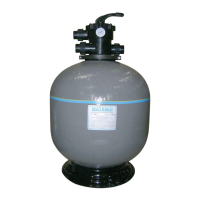
1. Switch off the Pump / Close the Inlet Valve.
2. Release the lter’s pressure by loosening Pressure Release Valve until the Pressure Gauge needle
drops to zero <0>.
3. Retighten Pressure Release Valve.
4. Depress and turn Handle 180° to the BACKWASH position.
In the BACKWASH position, the water ow is automatically reversed through the lter so that it is
directed to the bottom of the lter vessel, up through the lter bed, ushing the previously trapped
dirt and debris out the waste line.
5. Switch on the Pump / Open the Inlet Valve. Backwash water will ow out through lter bed drain
pipe.
6. When the backwash water in the sight glass appears clear, Switch off the Pump / Close the Inlet
Valve.
7. Depress and turn the handle to the RINSE position.
In the RINSE position water ow is directed through the lter bed as normal lter mode but out
through the waste outlet. This process settles the lter media bed into place and ensures any dirt or
debris is rinsed out of the lter, preventing possible return to the pool.
8. Switch on the Pump / Open the Inlet Valve. Rinse water will ow out through the drain pipe.
9. When the rinse water in the sight glass appears clear. Switch off the Pump / Close the Inlet Valve.
10. Depress and turn the handle to the Filter position and Switch on the Pump / Open the Inlet Valve for
normal operation.
Waterco Fibreglass Filters


 To Next Page