Watson-Marlow 520DuN IP66/NEMA 4X User Manual 32
Head and tube
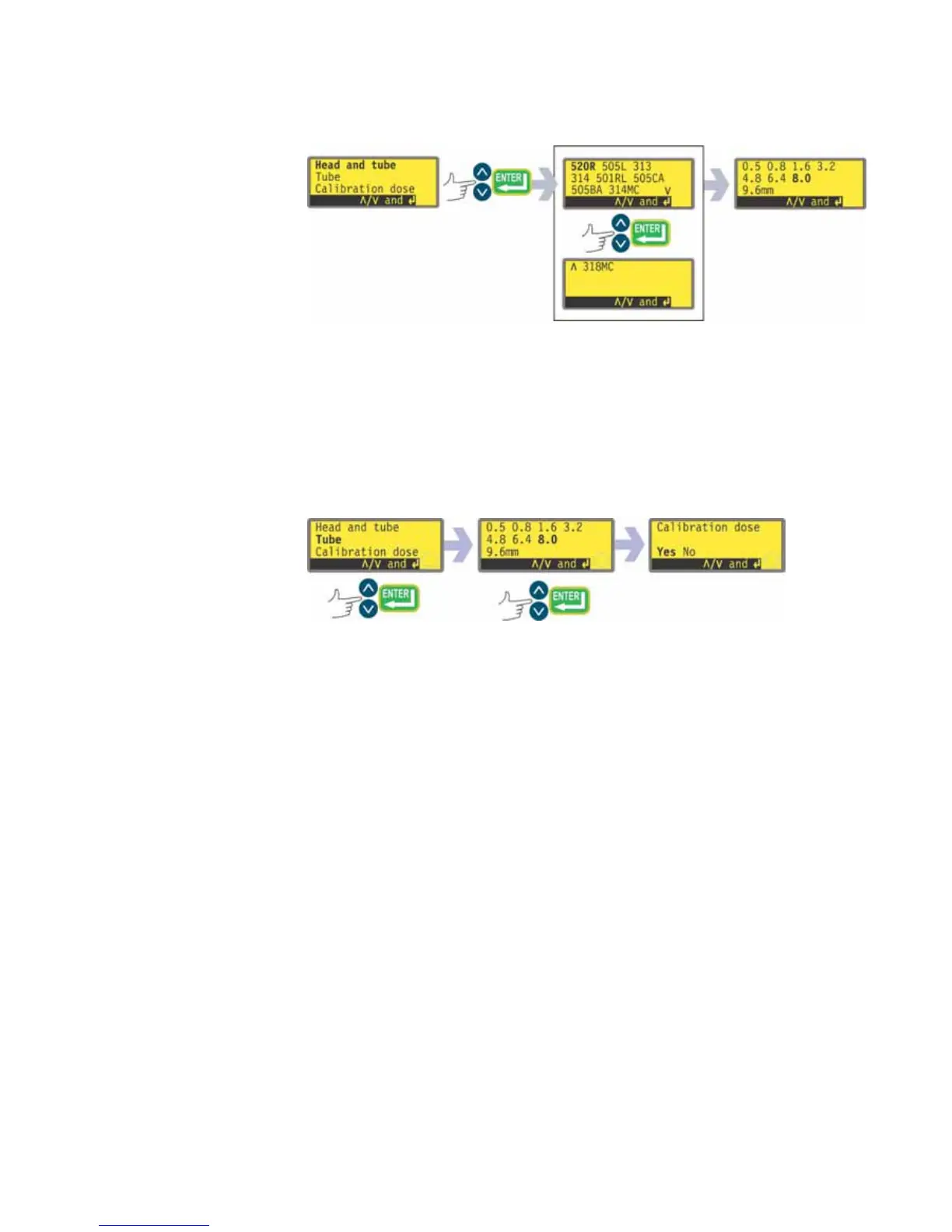
If Head and tube is selected, the pump displays a list of standard pumpheads
that can be fitted to the pump. It occupies two screens. Use the UP and
DOWN keys to move the highlight down the list. When the last item on the
first screen is highlighted, a further press on the DOWN key causes the pump
to display the second screen with its first item highlighted.
Use the UP and DOWN keys to make a selection. Press ENTER to confirm. An
example is shown here.
The pump displays tube sizes, as below.
Tube
If Tube is selected or a pumphead choice has just been made, the pump dis-
plays a list of standard tube sizes that can be used in the pumphead previously
identified.
Use the UP and DOWN keys to make a selection. Press ENTER to confirm.


 To Next Page