Watson-Marlow 520DuN IP66/NEMA 4X User Manual 58
Press the STOP key twice within half a second to return to MemoDose. The dis-
play shows the previous percentage dose size. The pump will dose at the new
speed.
Note: To retain the MemoDose value through a power interruption the pump must
be in auto-restart mode. The dosing cycle will resume at the start of a dose and wait
for START to be pressed, with the MemoDose percentage screen displayed. See
18.12 Auto-restart.
20.2 Footswitch operation and other
remote inputs and outputs with
MemoDose
A footswitch or a momentary contact switch can be used
to trigger MemoDose dispensing as a hands-free alterna-
tive to pressing START.
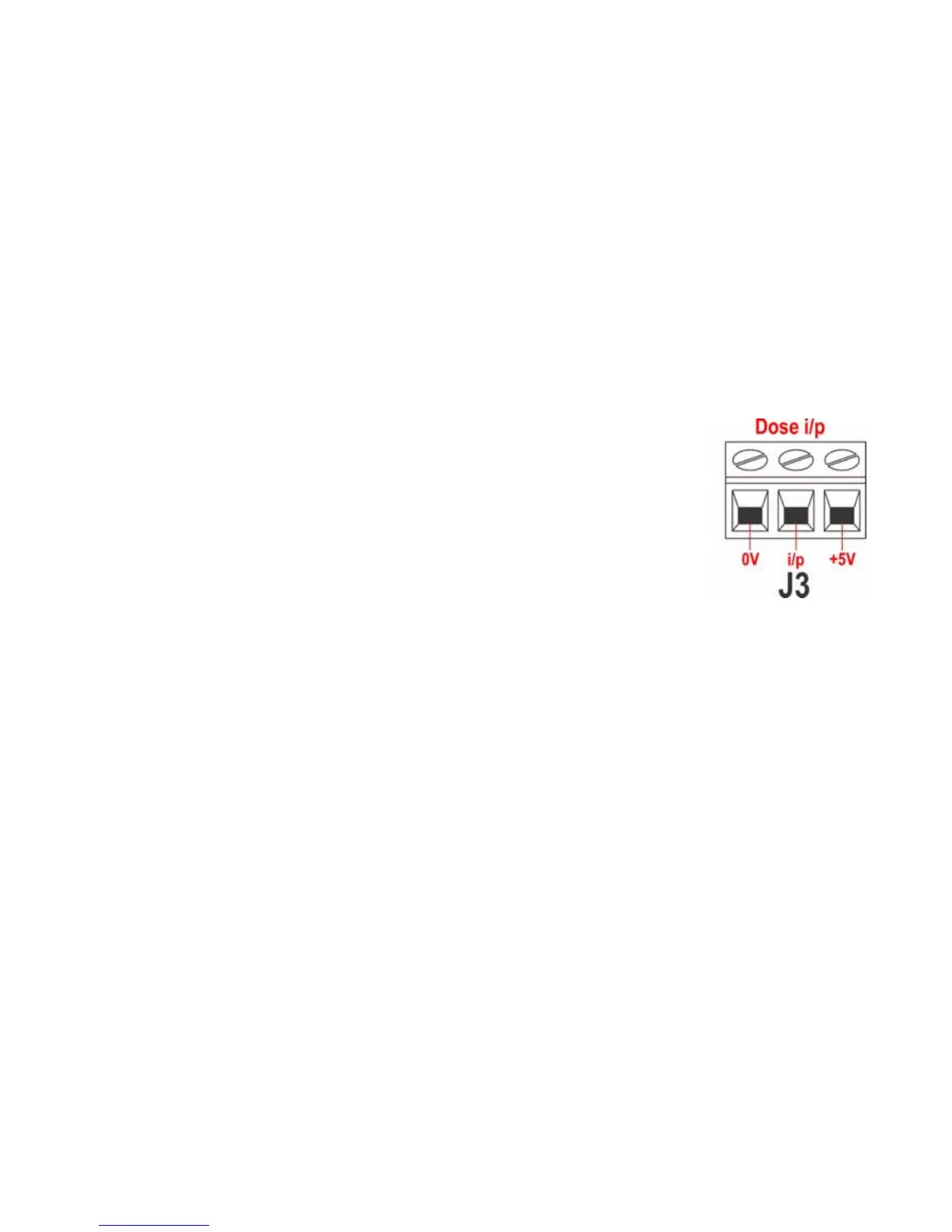
To install a footswitch, connect it between the +5V termi-
nal and the i/p terminal of the Dose input connector (J3).
Alternatively a logic signal of between 5V and 24V can be
applied to the i/p terminal of the Dose input connector
(J3), ground to the OV terminal.
To operate MemoDose with a footswitch, briefly press the
footswitch while the MemoDose percentage screen is dis-
played.
The remote run / stop input is operational. If a dose is interrupted by a remote stop
signal, the dose will continue from where it stopped when the state is changed to
run.
Remote direction control is disabled. The leak-detection input is operational. All sta-
tus outputs are operational.
Note: The keypad lock feature is particularly useful to prevent inadvertent dose
changes while using the MemoDose facility. Keypad lock continues to operate in
MemoDose if previously enabled; it can also be enabled while in MemoDose mode.
See 14.2 Keypad lock.
21 Exit
Press Exit in the Main menu to return to the Manual mode main screen.


 To Next Page