Watson-Marlow 520DuN IP66/NEMA 4X User Manual 73
Emergency stop
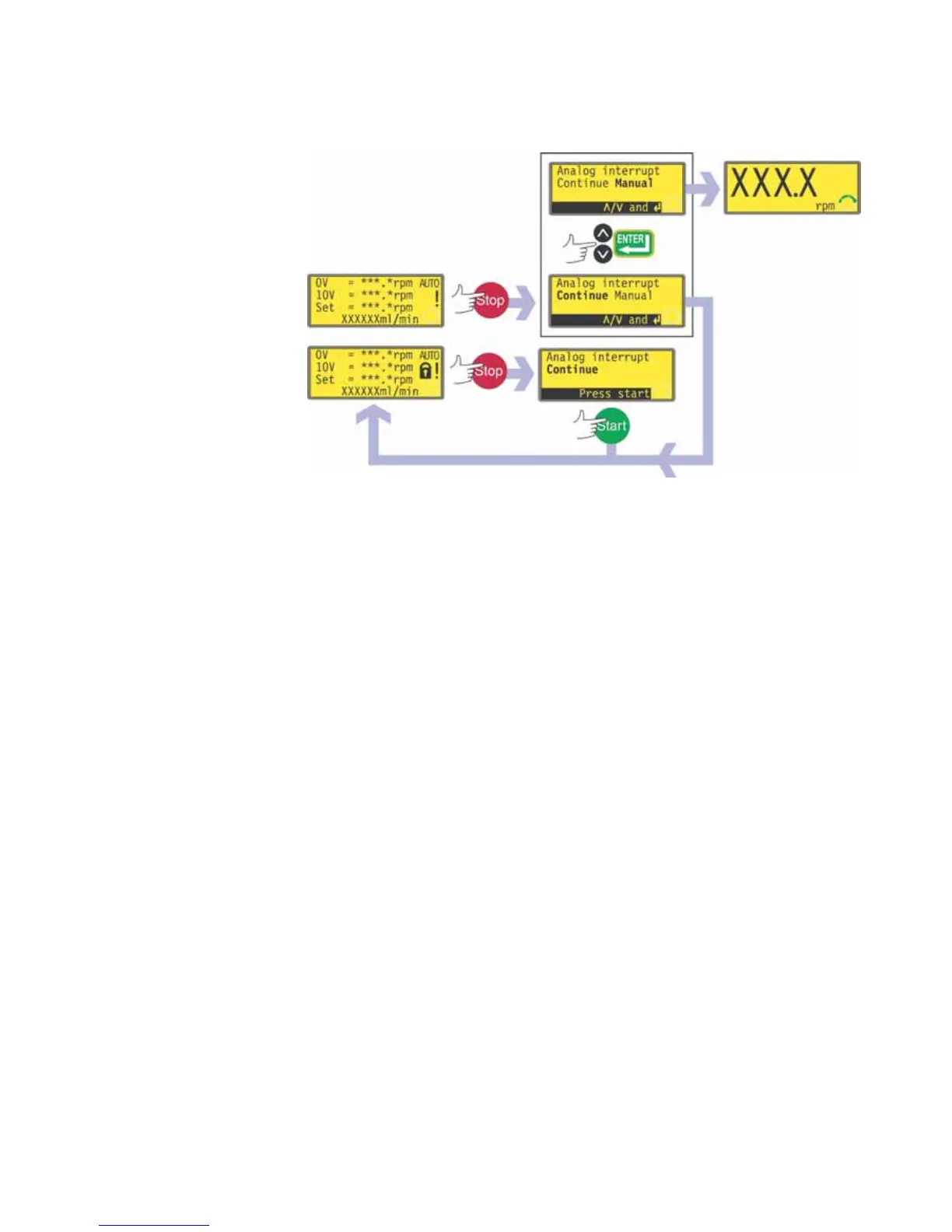
In an emergency press the STOP key. The pump stops and displays an inter-
ruption screen.
If keypad lock is in place when STOP is pressed, or if the pump is in auto
mode via the digital input, the interruption screen offers one key-press: press
START to continue auto operation.
If keypad lock was not in place when STOP was pressed, the interruption
screen offers a choice: Continue to continue auto operation, or Manual to
switch to manual mode. Use the UP and DOWN keys to choose and press
ENTER to confirm.


 To Next Page