pg.4
WB-OVRC-UPS-1100/1500/2000 Owner’s Manual
MOUNTING OPTIONS
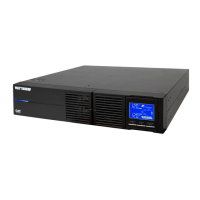
The WB-OVRC-UPS is designed for stand-alone applications and also for mounting in standard 19” equipment racks.
Stand-alone Tower
Step 1 Step 2 Step 3
Rack Mounting
Step 1 Step 2 Step 3
Attach support brackets at the back of the
rack.
Attach the rack ears to the UPS. Mount the UPS in the rack with the rear of
the unit resting on the back brackets.
POWERING THE UPS
The power outlet for the UPS should be on a dedicated circuit for the best performance. The chart lists the power requirements and outlet required
for each UPS model.
Model Voltage Amperage Outlet Type Required Power Cord Inlet
WB-IP-UPS-1100-1 120V AC@ 60Hz 15A NEMA 5-15r IEC C14
WB-IP-UPS-1500-1 120V AC@ 60Hz 16A NEMA 5-15r IEC C20
WB-IP-UPS-2000-1 120V AC@ 60Hz 20A NEMA 5-20r IEC C20



 To Next Page
 Loading...