EasyManua.ls Logo

WattBox WB-800-IPVM-12 - User Manual

Default Icon
20 pages
Print Icon
To Next Page IconTo Next Page
Loading...
WB-800-IPVM-12
QUICK START GUIDE
CONTROLLED 1 CONTROLLED 2 CONTROLLED 3 CONTROLLED 4 CONTROLLED 5 CONTROLLED 6
NETWORK
RESET
120VAC 60Hz
POWER
SAFE
VOLTAGE
ACCUPS LINK
OFF
ON
WB-800-IPVM-12
CONTROLLED 7
FILTERED
CONTROLLED 8 CONTROLLED 9 CONTROLLED 10 CONTROLLED 11 CONTROLLED 12

Questions and Answers

Summary

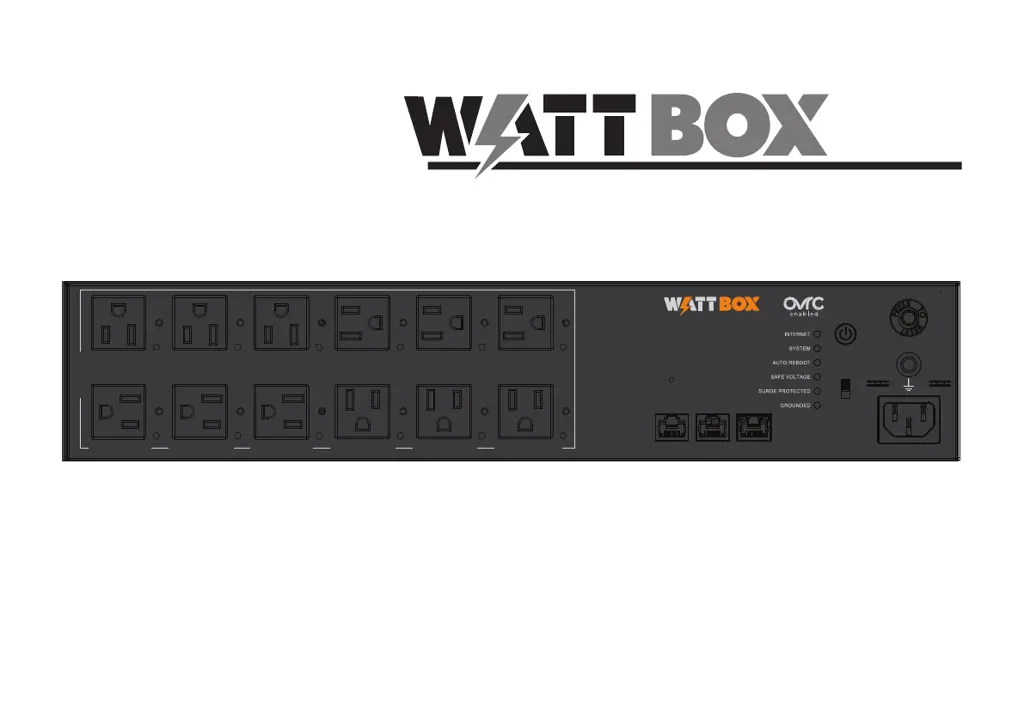
Front Panel Overview

Controllable Outlets

All 12 outlets are switchable and IP controlled.

Reset Button Functionality

Restarts network card or resets network/factory settings.

Indicator LEDs

Show status for Internet, System, Auto Reboot, etc.

Network Port

Connects to the local area network for IP control.

Rear Panel Overview

Rack-Mounting Options

Connections and Setup Guide

Claiming the WattBox on OvrC

LED Indicator Meanings

Troubleshooting Common Issues

Important Safety Instructions

Warning: Power Sources and Grounding

Warning: Liquid and Power Cord Safety

FCC Compliance Warning

Warranty Information

SnapAV Surge Protector Policy

Proof of Purchase and Installation Requirements

Return Notification Procedure

WattBox WB-800-IPVM-12 Specifications

General IconGeneral
BrandWattBox
ModelWB-800-IPVM-12
CategoryAC Power Distribution
LanguageEnglish

Related product manuals