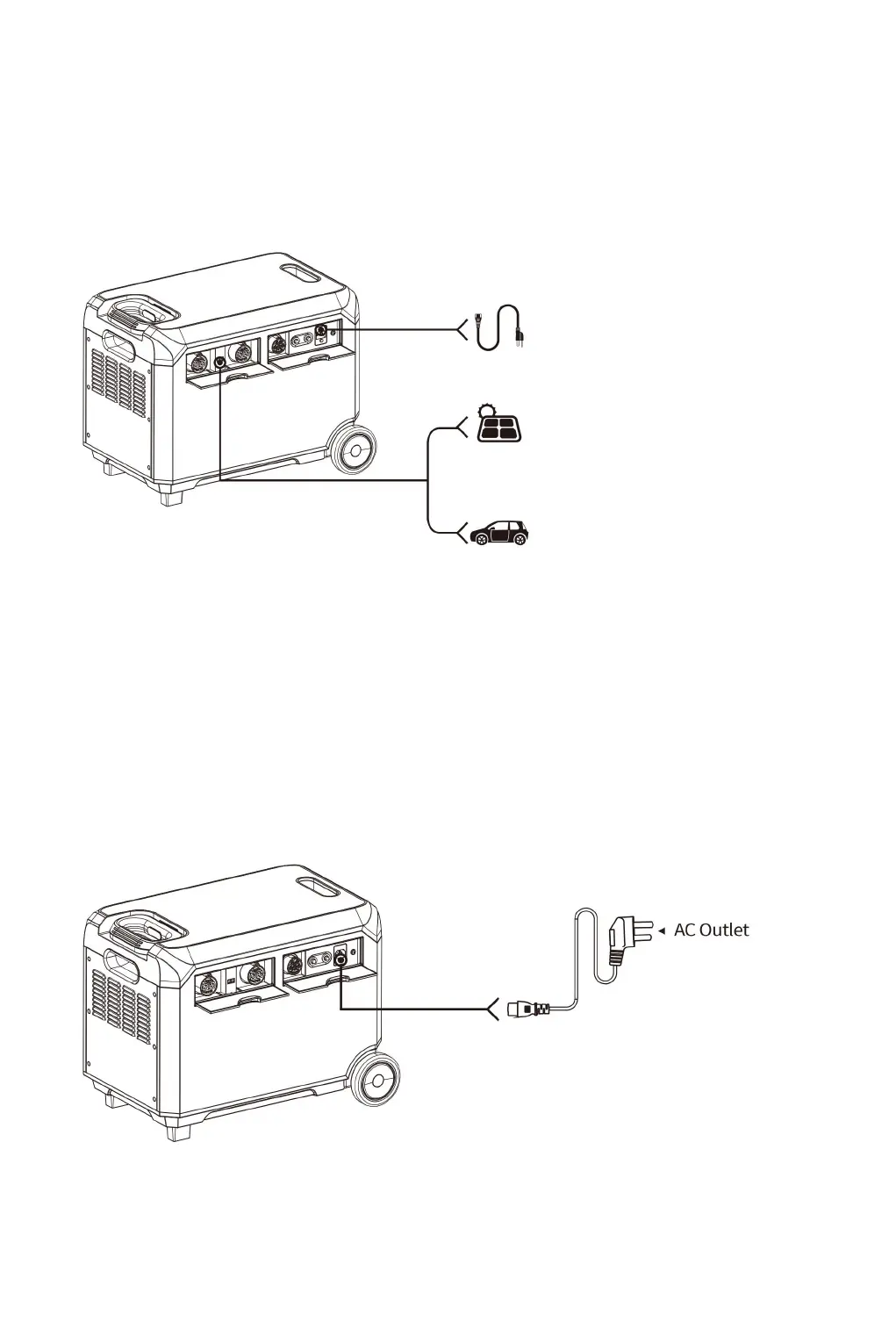
CHARGING FUNCTION DESCRIPTION
Charging Description
When charging, the LCD screen will be lit, the LCD display will provide real-time display
data of battery charging, and the device will display 100% when it is fully charged. It is
recommended to fully charge the device every 3 months to maintain the life of the device.
From AC charging
1800W, 2.0-3.1 hours
From Solar panel PV charging
1500W, 2.4-5.9 hours
Depending on Solar Conditions
From 12V car charging
96W, 37.6-58.2 hours
⚠ Reminder: If the battery with low power, please charges it before use.
AC charging
Use the AC charging cable we provided to charge the device. It takes 2-3 hours to full
capacity. When LCD showing battery power reached 100%,it means that battery has been
full charged and input power will turn off in minutes.
⚠ When the device is charging, if the AC input current is more than 20A, the device
will be overloaded, a fault code "E16" will be showed on the LCD, the output will be
shut off after 10 seconds. Please disconnect the output load then press the AC
switch once to clear it.


 To Next Page