How do I set the tiered-rate?How do I set the tiered-rate?
WEEKDAY / END Mode
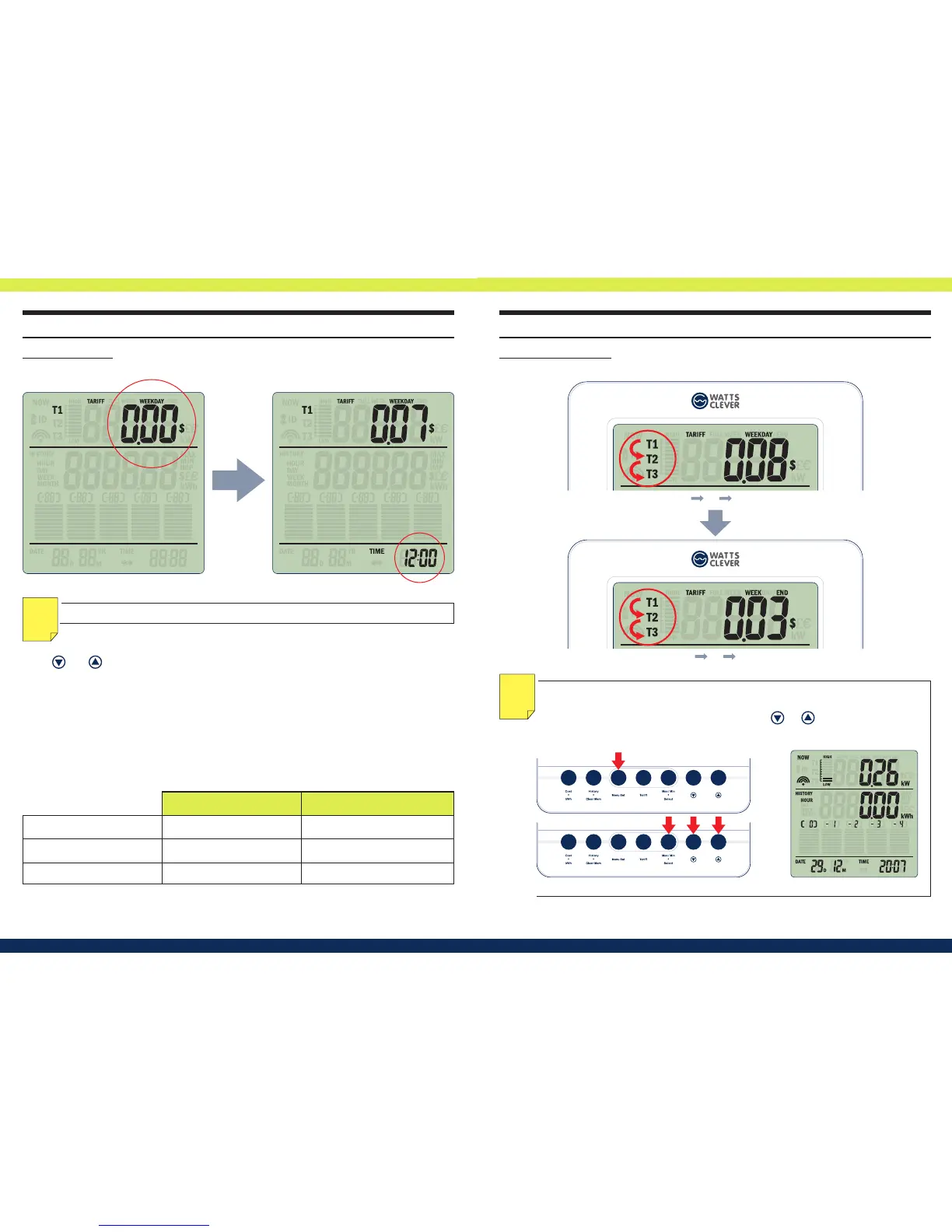
Set the Weekday T1..T3 (Fig.18), follow by the Weekend T1…T3 (Fig.19)
NOTE: To change TARIFF MODE back to FLAT RATE MODE, please go back to the
Menu setup by press-and-hold [MENU SET
C
] for 3 seconds, press [Select
E
]
until in electricity cost set up mode, then press or to return the at-rate
mode. The Display will change into at-rate mode (Fig.20).
NOTE
Fig.20
3 seconds
Cost Time
T1 $0.2 05:00
T2 $0.27 07:00
T3 $0.12 23:00
Fig.18 Tari Weekday T1 T2 T3
Fig.19 Tari Week End T1 T2 T3
NOTE:
User with only 2 tiered-rates, please enter same value & time in T3 as T2.
NOTE
FULL WEEK MODE
Enter T1 electric cost (Fig.16) and the tari period starting time (Hour only) (Fig.17).
Using and
to adjust the value, and press [ Select
E
]
to conrm. Repeat the same pro-
cedure for setting up T2, and T3 accordingly.
For Example:
Shoulder Tari:
Peak Tari:
OFF Peak Tari:
Enter as shown below:
05:00 - 07:00 at 20 cents
07:00 - 23:00 at 27 cents
23:00 - 05:00 at 12 cents
Fig.17Fig.16


 To Next Page